\n
## Screenshot: Training Portal Interface
### Overview
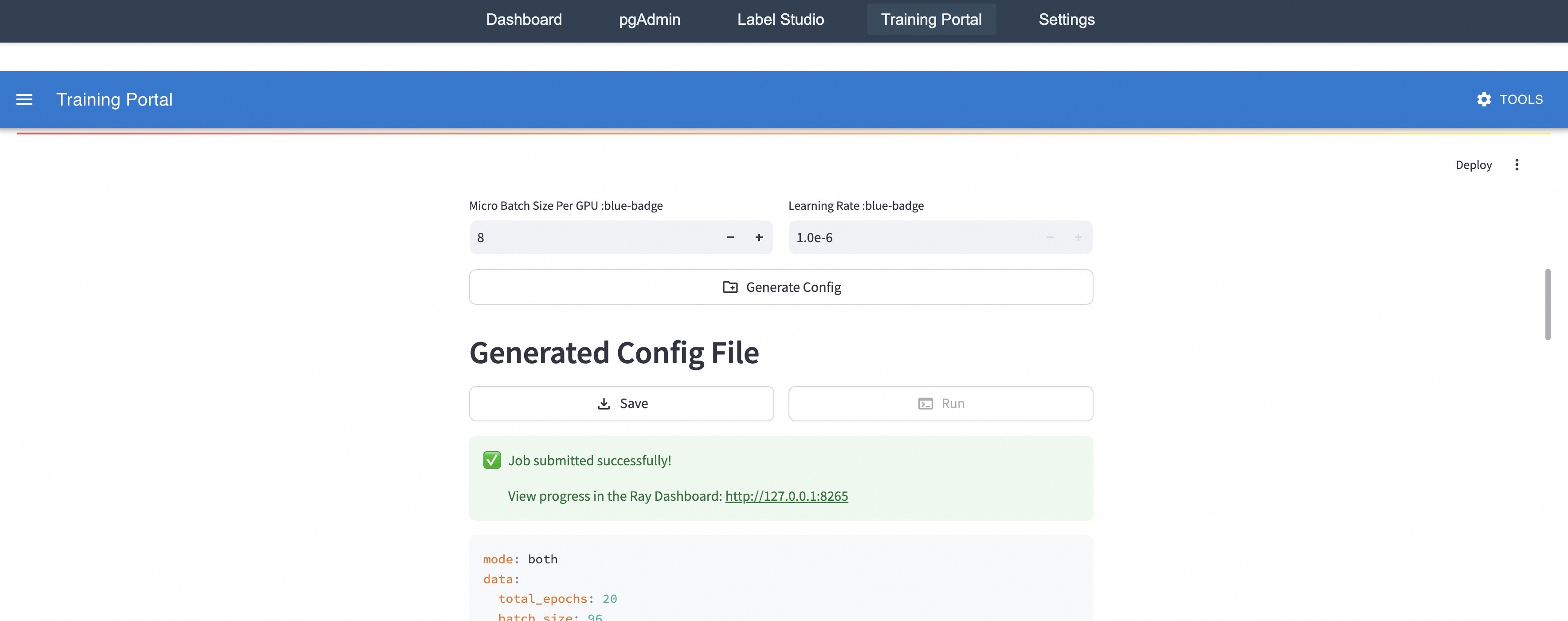
This is a screenshot of a web-based training portal interface. The interface appears to be for configuring and monitoring a machine learning training job. It includes controls for setting hyperparameters, generating a configuration file, and displaying job status.
### Components/Axes
The interface is divided into several sections:
* **Top Navigation Bar:** Contains links to "Dashboard", "pgAdmin", "Label Studio", "Training Portal", and "Settings".
* **Training Portal Header:** Displays "Training Portal" on the left and a "TOOLS" button on the right.
* **Hyperparameter Controls:** Includes controls for "Micro Batch Size Per GPU" and "Learning Rate".
* **Configuration Generation:** A button labeled "Generate Config".
* **Generated Config File Section:** Contains "Save" and "Run" buttons.
* **Job Status:** Displays a success message and a link to the Ray Dashboard.
* **Configuration Output:** Displays a code block with configuration parameters.
### Detailed Analysis or Content Details
**Top Navigation Bar:**
* Dashboard
* pgAdmin
* Label Studio
* Training Portal
* Settings
**Hyperparameter Controls:**
* **Micro Batch Size Per GPU:** Currently set to 8. There are "+" and "-" buttons to adjust the value. The label includes "blue-badge".
* **Learning Rate:** Currently set to 1.0e-6. There are "+" and "-" buttons to adjust the value. The label includes "blue-badge".
**Configuration Generation:**
* Button: "Generate Config"
**Generated Config File Section:**
* Button: "Save" (light blue background)
* Button: "Run" (light green background)
**Job Status:**
* Message: "Job submitted successfully!" (green checkmark icon)
* Link: "View progress in the Ray Dashboard: http://127.0.0.1:8265"
**Configuration Output (Code Block):**
```
mode: both
data:
total_epochs: 20
batch_size: 96
```
### Key Observations
* The interface is clean and straightforward.
* The "blue-badge" label on the hyperparameter controls might indicate a specific configuration or feature set.
* The job submission was successful, and a link to the Ray Dashboard is provided for monitoring.
* The configuration output shows a "both" mode, 20 total epochs, and a batch size of 96.
### Interpretation
The screenshot depicts a user interface for initiating and managing a machine learning training process. The user can adjust the "Micro Batch Size Per GPU" and "Learning Rate" to fine-tune the training process. The "Generate Config" button likely creates a configuration file based on the selected hyperparameters. The successful job submission and link to the Ray Dashboard suggest that the training job is running on a Ray cluster. The configuration output provides details about the training setup, including the training mode ("both"), the number of epochs (20), and the batch size (96). The "both" mode could refer to a mixed-precision training strategy or a combination of data modalities. The Ray Dashboard link (http://127.0.0.1:8265) indicates that the training is likely happening locally on the user's machine.