## Text Block: Three-Round Interaction Prompt Template for Self-Refine
### Overview
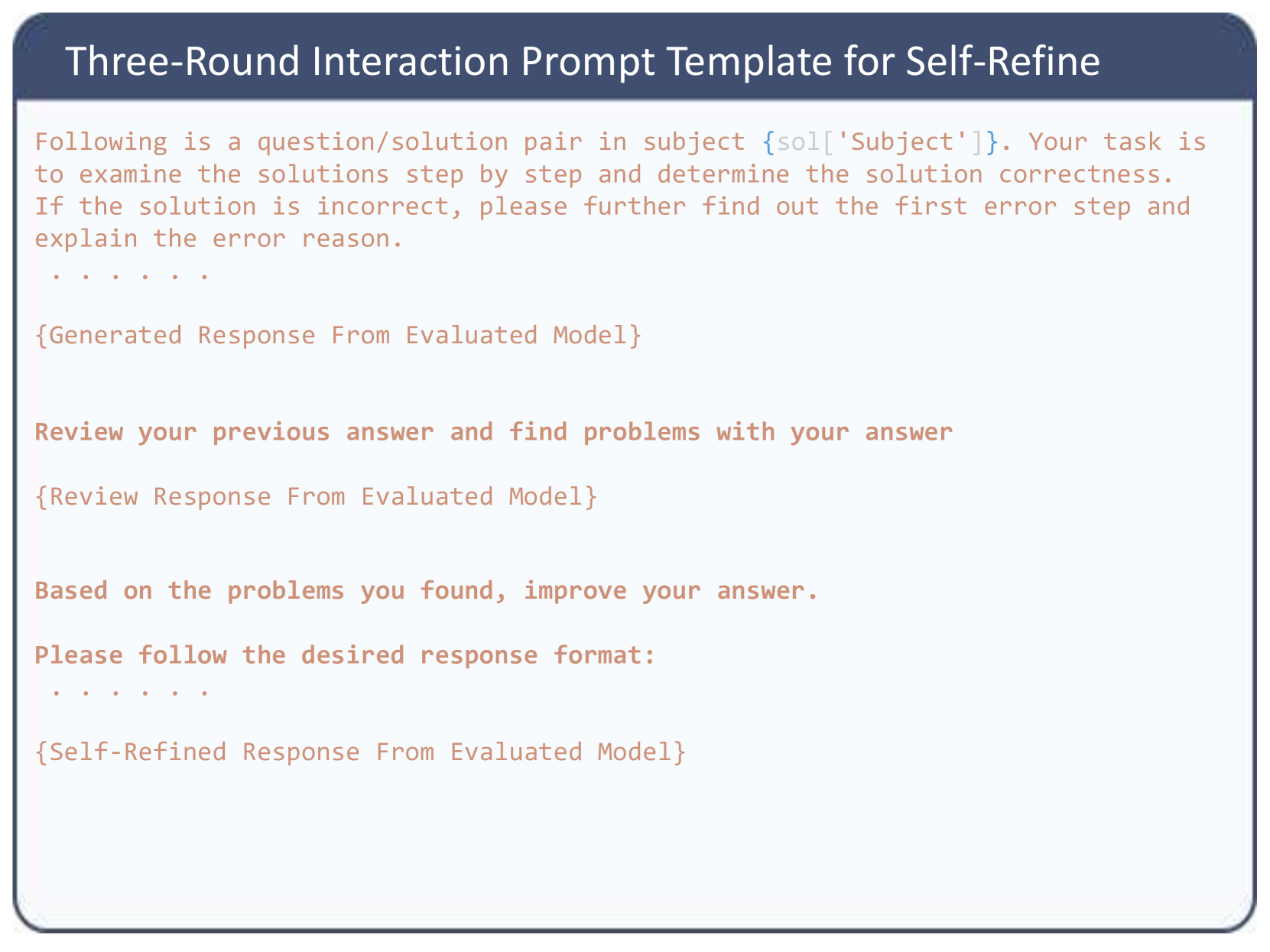
The image displays a structured text document, specifically a prompt template designed for interacting with a Large Language Model (LLM). It outlines a three-step (or three-round) methodology where an AI model is instructed to evaluate a solution, critique its own evaluation, and subsequently generate an improved, self-refined response.
### Components and Layout
The image is composed of two primary spatial regions:
1. **Header (Top):** A dark blue rectangular banner spanning the full width of the image. It contains the main title in a white, sans-serif font.
2. **Main Body (Center to Bottom):** A light blue/off-white rectangular area with rounded bottom corners, enclosed by a thin dark blue border. This section contains the prompt instructions and placeholders. The text is rendered in a reddish-brown/coral color using a monospaced font, visually distinguishing it as code or a system prompt.
### Content Details (Transcription)
Below is the exact transcription of the text within the image, maintaining the structural flow and placeholders (indicated by curly braces `{}`).
**Header Text:**
> Three-Round Interaction Prompt Template for Self-Refine
**Main Body Text:**
```text
Following is a question/solution pair in subject {sol['Subject']}. Your task is
to examine the solutions step by step and determine the solution correctness.
If the solution is incorrect, please further find out the first error step and
explain the error reason.
. . . . .
{Generated Response From Evaluated Model}
Review your previous answer and find problems with your answer
{Review Response From Evaluated Model}
Based on the problems you found, improve your answer.
Please follow the desired response format:
. . . . .
{Self-Refined Response From Evaluated Model}
```
### Key Observations
* **Programmatic Placeholders:** The text utilizes curly braces `{}` to denote variables that will be dynamically injected by a script.
* `{sol['Subject']}` indicates a dictionary or JSON object named `sol` is being accessed for a specific subject category.
* The other placeholders (`{Generated Response...}`, `{Review Response...}`, `{Self-Refined Response...}`) represent the outputs generated by the LLM at each stage of the interaction, which are appended to the prompt history for the next round.
* **Sequential Logic:** The prompt forces a specific chronological workflow:
1. **Evaluate:** Check step-by-step correctness and isolate the *first* error.
2. **Critique:** Review the initial evaluation for flaws.
3. **Refine:** Output a corrected evaluation based on the critique.
* **Formatting Indicators:** The use of `. . . . .` suggests omitted text in this visual representation, likely where specific formatting instructions or the actual question/solution pair would be inserted in the live code.
### Interpretation
This image demonstrates an advanced prompt engineering technique known as "Self-Refinement" or "Self-Correction."
**What the data suggests:**
The template is designed to mitigate common LLM hallucinations or logical errors by forcing the model to slow down and review its own work. By explicitly asking the model to "find problems with your answer" in a separate, isolated step, it breaks the model's tendency toward confirmation bias (where an LLM will stubbornly defend its initial, sometimes incorrect, output).
**How the elements relate:**
The structure implies an automated pipeline (likely written in Python, given the dictionary syntax `sol['Subject']`). A script feeds a question to the model, captures the `Generated Response`, appends the "Review your previous answer..." text, sends it back to the model, captures the `Review Response`, appends the final instruction, and captures the `Self-Refined Response`.
**Investigative Reading:**
The specific instruction to "find out the first error step" is highly indicative of tasks involving mathematics, logic puzzles, or coding. In these domains, a single early error cascades into a completely wrong final answer. By forcing the model to identify the *exact point of failure* rather than just stating "it is wrong," the prompt ensures a higher quality, more explainable evaluation. This template is likely used in "LLM-as-a-Judge" scenarios, where one AI is being used to grade the outputs of another AI, or to generate high-quality synthetic training data.