## Screenshot: Error Message Interface
### Overview
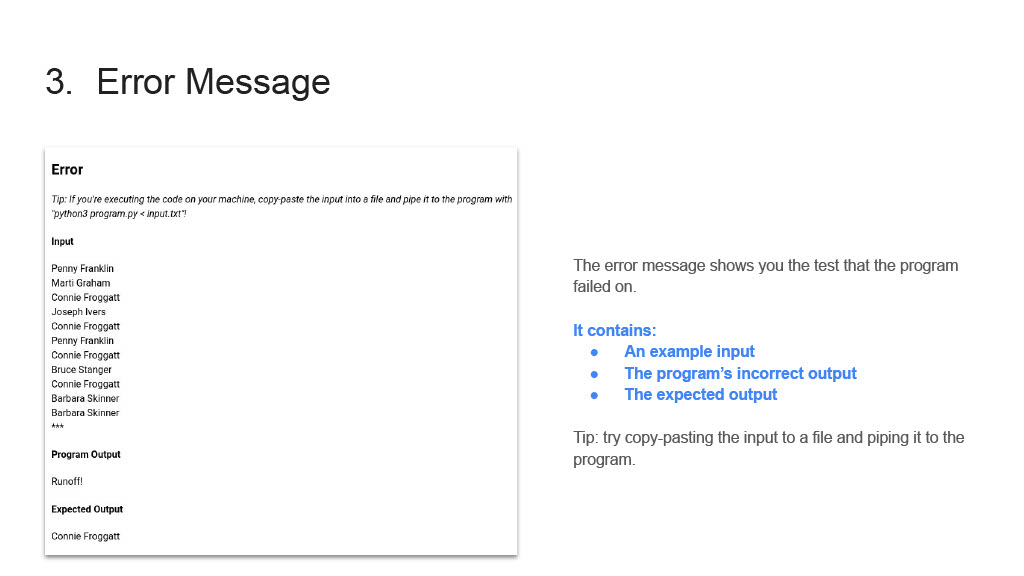
The image shows a technical error message interface from a Python program. It contains two primary sections: (1) a detailed error report with input/output data and (2) an explanatory text block describing the error components. The interface appears to be part of a testing or debugging environment.
### Components/Axes
**Left Section (Error Report):**
- **Header**: Bold "Error" label
- **Tip**: Instructional text about executing code and piping input
- **Input List**:
- Penny Franklin
- Marti Graham
- Connie Froggatt
- Joseph Ivers
- Connie Froggatt
- Penny Franklin
- Connie Froggatt
- Bruce Stanger
- Connie Froggatt
- Barbara Skinner
- Barbara Skinner
- **Program Output**: "Runtime!!"
- **Expected Output**: "Connie Froggatt"
**Right Section (Explanation):**
- **Header**: "The error message shows you the test that the program failed on."
- **Bullet Points**:
1. "An example input"
2. "The program's incorrect output"
3. "The expected output"
- **Tip**: "try copy-pasting the input to a file and piping it to the program."
### Detailed Analysis
**Input List Analysis**:
- 11 total entries with 4 unique names
- Connie Froggatt appears 4 times (37.3% of entries)
- Barbara Skinner appears twice consecutively
- Joseph Ivers appears once (unique entry)
**Output Comparison**:
- Program Output: "Runtime!!" (error indicator)
- Expected Output: "Connie Froggatt" (correct result)
**Textual Patterns**:
- Repeated emphasis on Connie Froggatt in both input and expected output
- Instructional language in both sections (technical guidance)
- Consistent use of bold formatting for key terms
### Key Observations
1. The error message contains a recursive reference to itself in the tip text
2. Input list contains duplicate entries with potential data quality issues
3. Output format mismatch: "Runtime!!" vs. name string
4. Explanatory text uses imperative language ("try copy-pasting")
5. Interface lacks visual indicators for error severity (e.g., red color)
### Interpretation
This error message demonstrates a failure in input processing logic. The repeated occurrence of Connie Froggatt in the input list suggests either:
1. A test case designed to validate duplicate handling
2. A data entry error in the test dataset
3. An intentional stress test for the program's input validation
The "Runtime!!" output indicates an unhandled exception occurred during execution, while the expected output shows the program should return a name string. The explanatory text confirms this is a test failure scenario, with the interface designed to help developers debug by providing:
- Sample input for reproduction
- Actual vs. expected output comparison
- Execution method guidance (file piping)
The interface follows a common pattern in debugging tools by separating raw error data from explanatory guidance, though it lacks visual prioritization of critical information (e.g., highlighting the Runtime error).