# PUZZLES: A Benchmark for Neural Algorithmic Reasoning
**Authors**: ETH Zürich
## Abstract
Algorithmic reasoning is a fundamental cognitive ability that plays a pivotal role in problem-solving and decision-making processes. Reinforcement Learning (RL) has demonstrated remarkable proficiency in tasks such as motor control, handling perceptual input, and managing stochastic environments. These advancements have been enabled in part by the availability of benchmarks. In this work we introduce PUZZLES, a benchmark based on Simon Tatham’s Portable Puzzle Collection, aimed at fostering progress in algorithmic and logical reasoning in RL. PUZZLES contains 40 diverse logic puzzles of adjustable sizes and varying levels of complexity; many puzzles also feature a diverse set of additional configuration parameters. The 40 puzzles provide detailed information on the strengths and generalization capabilities of RL agents. Furthermore, we evaluate various RL algorithms on PUZZLES, providing baseline comparisons and demonstrating the potential for future research. All the software, including the environment, is available at https://github.com/ETH-DISCO/rlp.
Human intelligence relies heavily on logical and algorithmic reasoning as integral components for solving complex tasks. While Machine Learning (ML) has achieved remarkable success in addressing many real-world challenges, logical and algorithmic reasoning remains an open research question [1, 2, 3, 4, 5, 6, 7]. This research question is supported by the availability of benchmarks, which allow for a standardized and broad evaluation framework to measure and encourage progress [8, 9, 10].
Reinforcement Learning (RL) has made remarkable progress in various domains, showcasing its capabilities in tasks such as game playing [11, 12, 13, 14, 15] , robotics [16, 17, 18, 19] and control systems [20, 21, 22]. Various benchmarks have been proposed to enable progress in these areas [23, 24, 25, 26, 27, 28, 29]. More recently, advances have also been made in the direction of logical and algorithmic reasoning within RL [30, 31, 32]. Popular examples also include the games of Chess, Shogi, and Go [33, 34]. Given the importance of logical and algorithmic reasoning, we propose a benchmark to guide future developments in RL and more broadly machine learning.
Logic puzzles have long been a playful challenge for humans, and they are an ideal testing ground for evaluating the algorithmic and logical reasoning capabilities of RL agents. A diverse range of puzzles, similar to the Atari benchmark [24], favors methods that are broadly applicable. Unlike tasks with a fixed input size, logic puzzles can be solved iteratively once an algorithmic solution is found. This allows us to measure how well a solution attempt can adapt and generalize to larger inputs. Furthermore, in contrast to games such as Chess and Go, logic puzzles have a known solution, making reward design easier and enabling tracking progress and guidance with intermediate rewards.
<details>
<summary>x1.png Details</summary>
### Visual Description
\n
## Puzzle Game Thumbnail Collection: Technical Document Extraction
### Overview
The image is a composite grid displaying 40 distinct logic and puzzle game interfaces, arranged in 4 rows and 10 columns. Each cell contains a thumbnail screenshot of a puzzle in progress, with the game's title displayed in a consistent, centered, sans-serif font above the thumbnail. The overall aesthetic is functional and clean, with a light gray background separating the cells. The purpose is to showcase a diverse collection of single-player, grid-based, or spatial reasoning puzzles.
### Components/Axes
* **Structure:** A 4x10 grid of rectangular cells.
* **Labels:** Each cell has a title label at the top, centered horizontally. The font is black, sans-serif, and of uniform size.
* **Thumbnails:** Each thumbnail is a square or near-square image depicting a game state. They vary in visual style, color palette, and UI elements.
* **Legend:** There is no unified legend for the entire image. Each puzzle thumbnail contains its own internal legend, symbols, and UI elements specific to that game's rules.
### Detailed Analysis
The following is a systematic extraction of all visible titles and a description of the key visual components within each thumbnail, processed row by row, from left to right.
**Row 1 (Top Row):**
1. **Black Box:** A dark gray grid with numbered edges (1-4 on bottom, 1-5 on left). Contains black dots and a single white dot.
2. **Bridges:** A light grid with numbered islands (circles containing numbers like 4, 3, 2, 1). Lines (bridges) connect some islands.
3. **Cube:** A blue and white isometric grid showing a 3D cube structure.
4. **Dominosa:** A grid of domino tiles with numbers. The top row shows: 5 5, 3 2, 1 4, 6 1. The second row: 2 1, 0 0, 0 4, 3 6. Some tiles are highlighted in black.
5. **Fifteen:** A 4x4 grid of numbered tiles (1-15) in a scrambled state. The empty space is in the bottom-right.
6. **Filling:** A grid with numbers in some cells (e.g., 3, 1, 5, 1, 2 in the top row). Some cells are shaded gray.
7. **Flip:** A grid of black and white tiles with arrow symbols (↻, ↺) indicating rotation.
8. **Flood:** A colorful grid of interconnected blocks in blue, red, yellow, green, and orange.
9. **Galaxies:** A gray grid with black dots (galaxies) and white lines dividing the grid into regions.
10. **Guess:** A Mastermind-style game. A column of colored pegs (red, yellow, green, blue, etc.) on the left, and a column of black and white key pegs on the right for feedback.
**Row 2:**
1. **Inertia:** A grid with gray walls, green start/end points, and black diamond-shaped obstacles.
2. **Keen:** A grid with arithmetic clues in the top-left of cells (e.g., "6+", "13x", "35÷"). The grid contains numbers (e.g., 2, 4, 1 in the second row).
3. **Lightup:** A yellow and black grid. Yellow cells contain numbers (0, 1, 2, 3). Black cells are walls. White circles (bulbs) are placed in some white cells.
4. **Loopy:** A grid of dots with numbered clues (e.g., 2, 2, 2). A continuous black line loops through the grid.
5. **Magnets:** A grid with red (+) and blue (-) magnets, and gray blocks. Numbers (e.g., 2, 2, 1) are on the edges.
6. **Map:** A map divided into colored regions (brown, green, tan, gray).
7. **Mines:** A Minesweeper grid. Revealed cells show numbers (e.g., 1, 2, 3, 1, 1, 1 in the top row). Some cells are flagged.
8. **Mosaic:** A grid of colored squares (teal, black, white) with numbers inside (e.g., 4, 2, 5, 3 in the top row).
9. **Net:** A grid with blue and black squares. A red line traces a path connecting the blue squares.
10. **Netslide:** A sliding tile puzzle with blue and cyan tiles on a gray grid. Arrows indicate slide directions.
**Row 3:**
1. **Palisade:** A grid with numbers on the edges (e.g., 2, 2, 3, 3 on the left). Yellow lines divide the grid.
2. **Pattern:** A grid with numbers along the top and left edges (e.g., top: 2 3 2 4 2 3, left: 3 2 1 3 2 6 3 1). Some cells are filled black.
3. **Pearl:** A gray grid with a black line forming a loop. White circles (pearls) are inside the loop.
4. **Pegs:** A cross-shaped grid of blue and gray pegs. Some pegs are missing.
5. **Range:** A grid with numbers in some cells (e.g., 7, 5, 8 in the top row). Black squares are present.
6. **Rectangles:** A grid with numbers in some cells (e.g., 3, 2, 2 in the top row). Lines form rectangles.
7. **Same Game:** A grid of colored blocks (blue, green, red). Some blocks are grouped.
8. **Signpost:** A grid with arrows and letters (e.g., a, b, d, e). Numbers (1, 2, 3, 4, 5, 16) are also present.
9. **Singles:** A grid with circled numbers (e.g., ③, ①, ⑤, ⑥, ⑥ in the top row). Some numbers are black, some are white.
10. **Sixteen:** A 4x4 sliding tile puzzle with numbers (e.g., 13, 2, 3, 4 in the top row). Arrows indicate slide directions.
**Row 4 (Bottom Row):**
1. **Slant:** A grid with diagonal lines (/ and \) in cells. Numbers (e.g., ①, ②, ③) are at some intersections.
2. **Solo:** A Sudoku grid. The top-left 3x3 box contains: 4, 2, 6, 1, 9, 5. Other numbers are filled throughout.
3. **Tents:** A grid with green trees. Numbers are on the edges (e.g., 3, 0, 2, 1, 2, 2, 1, 1 on the bottom). Tents (small squares) are placed next to some trees.
4. **Towers:** A grid with numbers on the edges (e.g., 2, 2, 1, 3 on the top). Some cells contain numbers (3, 4, 2 in the top row).
5. **Tracks:** A grid with train track pieces. Letters A and B mark endpoints. Numbers (3, 2, 1, 4, 5, 4) are on the top edge.
6. **Twiddle:** A 3x3 grid of numbered tiles (1-9) in a scrambled state.
7. **Undead:** A grid with ghost icons (👻), vampire icons (🧛), and zombie icons (🧟). Numbers (e.g., 5, 2, 2) are on the edges.
8. **Unequal:** A grid with inequality symbols (<, >) between cells. Some cells contain numbers (e.g., 4, 4, 1, 4).
9. **Unruly:** A black and white grid with no numbers or symbols, just a pattern of filled and empty cells.
10. **Untangle:** A set of blue dots connected by black lines, forming a tangled graph.
### Key Observations
* **Genre Diversity:** The collection spans multiple puzzle genres: number logic (Solo, Fifteen), spatial reasoning (Cube, Untangle), pathfinding (Loopy, Net), arithmetic (Keen), and deduction (Mines, Guess).
* **Visual Language:** Each game uses a distinct visual vocabulary: grids, numbers, colors, symbols (arrows, magnets, icons), and lines.
* **State Representation:** All thumbnails show mid-game states, not title screens, providing a direct view of the puzzle mechanics.
* **Consistent Labeling:** The titling format is perfectly consistent across all 40 items, aiding in clear identification.
### Interpretation
This image serves as a visual catalog or menu for a puzzle game suite. It demonstrates a wide spectrum of cognitive challenges, suggesting the collection is designed to appeal to different problem-solving preferences—from the numerical rigor of Sudoku and KenKen-style puzzles to the spatial planning of bridge-building and loop-drawing games.
The side-by-side presentation allows for immediate comparison of visual complexity and rule density. For instance, **Mines** and **Mosaic** present dense numerical information, while **Unruly** and **Flood** rely purely on color and pattern. **Untangle** and **Cube** introduce non-grid-based spatial reasoning.
The absence of any branding, score, or menu UI within the thumbnails focuses the viewer entirely on the puzzle logic itself. This is a technical showcase of game mechanics, likely intended for an audience familiar with logic puzzles or for documentation purposes within a game development or software context. The variety implies a robust engine capable of handling diverse rule sets and visual representations.
</details>
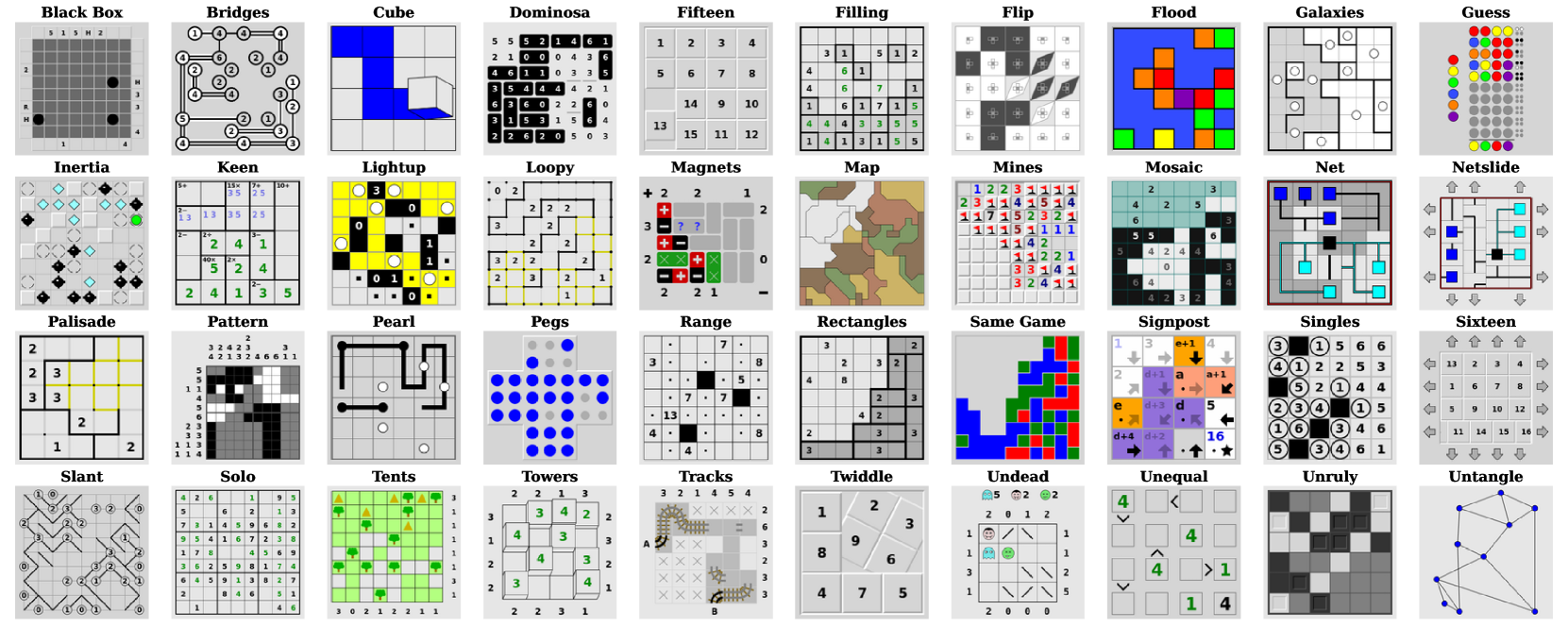
Figure 1: All puzzle classes of Simon Tatham’s Portable Puzzle Collection.
In this paper, we introduce PUZZLES, a comprehensive RL benchmark specifically designed to evaluate RL agents’ algorithmic reasoning and problem-solving abilities in the realm of logical and algorithmic reasoning. Simon Tatham’s Puzzle Collection [35], curated by the renowned computer programmer and puzzle enthusiast Simon Tatham, serves as the foundation of PUZZLES. This collection includes a set of 40 logic puzzles, shown in Figure 1, each of which presents distinct challenges with various dimensions of adjustable complexity. They range from more well-known puzzles, such as Solo or Mines (commonly known as Sudoku and Minesweeper, respectively) to lesser-known puzzles such as Cube or Slant. PUZZLES includes all 40 puzzles in a standardized environment, each playable with a visual or discrete input and a discrete action space.
#### Contributions.
We propose PUZZLES, an RL environment based on Simon Tatham’s Puzzle Collection, comprising a collection of 40 diverse logic puzzles. To ensure compatibility, we have extended the original C source code to adhere to the standards of the Pygame library. Subsequently, we have integrated PUZZLES into the Gymnasium framework API, providing a straightforward, standardized, and widely-used interface for RL applications. PUZZLES allows the user to arbitrarily scale the size and difficulty of logic puzzles, providing detailed information on the strengths and generalization capabilities of RL agents. Furthermore, we have evaluated various RL algorithms on PUZZLES, providing baseline comparisons and demonstrating the potential for future research.
## 1 Related Work
#### RL benchmarks.
Various benchmarks have been proposed in RL. Bellemare et al. [24] introduced the influential Atari-2600 benchmark, on which Mnih et al. [11] trained RL agents to play the games directly from pixel inputs. This benchmark demonstrated the potential of RL in complex, high-dimensional environments. PUZZLES allows the use of a similar approach where only pixel inputs are provided to the agent. Todorov et al. [23] presented MuJoCo which provides a diverse set of continuous control tasks based on a physics engine for robotic systems. Another control benchmark is the DeepMind Control Suite by Duan et al. [26], featuring continuous actions spaces and complex control problems. The work by Côté et al. [28] emphasized the importance of natural language understanding in RL and proposed a benchmark for evaluating RL methods in text-based domains. Lanctot et al. [29] introduced OpenSpiel, encompassing a wide range of games, enabling researchers to evaluate and compare RL algorithms’ performance in game-playing scenarios. These benchmarks and frameworks have contributed significantly to the development and evaluation of RL algorithms. OpenAI Gym by Brockman et al. [25], and its successor Gymnasium by the Farama Foundation [36] helped by providing a standardized interface for many benchmarks. As such, Gym and Gymnasium have played an important role in facilitating reproducibility and benchmarking in reinforcement learning research. Therefore, we provide PUZZLES as a Gymnasium environment to enable ease of use.
#### Logical and algorithmic reasoning within RL.
Notable research in RL on logical reasoning includes automated theorem proving using deep RL [16] or RL-based logic synthesis [37]. Dasgupta et al. [38] find that RL agents can perform a certain degree of causal reasoning in a meta-reinforcement learning setting. The work by Jiang and Luo [30] introduces Neural Logic RL, which improves interpretability and generalization of learned policies. Eppe et al. [39] provide steps to advance problem-solving as part of hierarchical RL. Fawzi et al. [31] and Mankowitz et al. [32] demonstrate that RL can be used to discover novel and more efficient algorithms for well-known problems such as matrix multiplication and sorting. Neural algorithmic reasoning has also been used as a method to improve low-data performance in classical RL control environments [40, 41]. Logical reasoning might be required to compete in certain types of games such as chess, shogi and Go [33, 34, 42, 13], Poker [43, 44, 45, 46] or board games [47, 48, 49, 50]. However, these are usually multi-agent games, with some also featuring imperfect information and stochasticity.
#### Reasoning benchmarks.
Various benchmarks have been introduced to assess different types of reasoning capabilities, although only in the realm of classical ML. IsarStep, proposed by Li et al. [8], specifically designed to evaluate high-level mathematical reasoning necessary for proof-writing tasks. Another significant benchmark in the field of reasoning is the CLRS Algorithmic Reasoning Benchmark, introduced by Veličković et al. [9]. This benchmark emphasizes the importance of algorithmic reasoning in machine learning research. It consists of 30 different types of algorithms sourced from the renowned textbook “Introduction to Algorithms” by Cormen et al. [51]. The CLRS benchmark serves as a means to evaluate models’ understanding and proficiency in learning various algorithms. In the domain of large language models (LLMs), BIG-bench has been introduced by Srivastava et al. [10]. BIG-bench incorporates tasks that assess the reasoning capabilities of LLMs, including logical reasoning.
Despite these valuable contributions, a suitable and unified benchmark for evaluating logical and algorithmic reasoning abilities in single-agent perfect-information RL has yet to be established. Recognizing this gap, we propose PUZZLES as a relevant and necessary benchmark with the potential to drive advancements and provide a standardized evaluation platform for RL methods that enable agents to acquire algorithmic and logical reasoning abilities.
## 2 The PUZZLES Environment
In the following section we give an overview of the PUZZLES environment. The puzzles are available to play online at https://www.chiark.greenend.org.uk/~sgtatham/puzzles/; excellent standalone apps for Android and iOS exist as well. The environment is written in both Python and C. For a detailed explanation of all features of the environment as well as their implementation, please see Appendices B and C.
Gymnasium RL Code
puzzle_env.py
puzzle.py
pygame.c
Puzzle C Sources
Pygame Library
puzzle Module
rlp Package Python C
Figure 2: Code and library landscape around the PUZZLES Environment, made up of the rlp Package and the puzzle Module . The figure shows how the puzzle Module presented in this paper fits within Tathams’s Puzzle Collection footnotemark: code, the Pygame package, and a user’s Gymnasium reinforcement learning code . The different parts are also categorized as Python language and C language.
### 2.1 Environment Overview
Within the PUZZLES environment, we encapsulate the tasks presented by each logic puzzle by defining consistent state, action, and observation spaces. It is also important to note that the large majority of the logic puzzles are designed so that they can be solved without requiring any guesswork. By default, we provide the option of two observation spaces, one is a representation of the discrete internal game state of the puzzle, the other is a visual representation of the game interface. These observation spaces can easily be wrapped in order to enable PUZZLES to be used with more advanced neural architectures such as graph neural networks (GNNs) or Transformers. All puzzles provide a discrete action space which only differs in cardinality. To accommodate the inherent difficulty and the need for proper algorithmic reasoning in solving these puzzles, the environment allows users to implement their own reward structures, facilitating the training of successful RL agents. All puzzles are played in a two-dimensional play area with deterministic state transitions, where a transition only occurs after a valid user input. Most of the puzzles in PUZZLES do not have an upper bound on the number of steps, they can only be completed by successfully solving the puzzle. An agent with a bad policy is likely never going to reach a terminal state. For this reason, we provide the option for early episode termination based on state repetitions. As we show in Section 3.4, this is an effective method to facilitate learning.
### 2.2 Difficulty Progression and Generalization
The PUZZLES environment places a strong emphasis on giving users control over the difficulty exhibited by the environment. For each puzzle, the problem size and difficulty can be adjusted individually. The difficulty affects the complexity of strategies that an agent needs to learn to solve a puzzle. As an example, Sudoku has tangible difficulty options: harder difficulties may require the use of new strategies such as forcing chains Forcing chains works by following linked cells to evaluate possible candidates, usually starting with a two-candidate cell. to find a solution, whereas easy difficulties only need the single position strategy. The single position strategy involves identifying cells which have only a single possible value.
The scalability of the puzzles in our environment offers a unique opportunity to design increasingly complex puzzle configurations, presenting a challenging landscape for RL agents to navigate. This dynamic nature of the benchmark serves two important purposes. Firstly, the scalability of the puzzles facilitates the evaluation of an agent’s generalization capabilities. In the PUZZLES environment, it is possible to train an agent in an easy puzzle setting and subsequently evaluate its performance in progressively harder puzzle configurations. For most puzzles, the cardinality of the action space is independent of puzzle size. It is therefore also possible to train an agent only on small instances of a puzzle and then evaluate it on larger sizes. This approach allows us to assess whether an agent has learned the correct underlying algorithm and generalizes to out-of-distribution scenarios. Secondly, it enables the benchmark to remain adaptable to the continuous advancements in RL methodologies. As RL algorithms evolve and become more capable, the puzzle configurations can be adjusted accordingly to maintain the desired level of difficulty. This ensures that the benchmark continues to effectively assess the capabilities of the latest RL methods.
## 3 Empirical Evaluation
We evaluate the baseline performance of numerous commonly used RL algorithms on our PUZZLES environment. Additionally, we also analyze the impact of certain design decisions of the environment and the training setup. Our metric of interest is the average number of steps required by a policy to successfully complete a puzzle, where lower is better. We refer to the term successful episode to denote the successful completion of a single puzzle instance. We also look at the success rate, i.e. what percentage of the puzzles was completed successfully.
To provide an understanding of the puzzle’s complexity and to contextualize the agents’ performance, we include an upper-bound estimate of the optimal number of steps required to solve the puzzle correctly. This estimate is a combination of both the steps required to solve the puzzle using an optimal strategy, and an upper bound on the environment steps required to achieve this solution, such as moving the cursor to the correct position. The upper bound is denoted as Optimal. Please refer to LABEL:tab:parameters for details on how this upper bound is calculated for each puzzle.
We run experiments based on all the RL algorithms presented in Table 8. We include both popular traditional algorithms such as PPO, as well as algorithms designed more specifically for the kinds of tasks presented in PUZZLES. Where possible, we used the implementations available in the RL library Stable Baselines 3 [52], using the default hyper-parameters. For MuZero and DreamerV3, we used the code available at [53] and [54], respectively. We provide a summary of all algorithms in Appendix Table 8. In total, our experiments required approximately 10’000 GPU hours.
All selected algorithms are compatible with the discrete action space required by our environment. This circumstance prohibits the use of certain other common RL algorithms such as Soft-Actor Critic (SAC) [55] or Twin Delayed Deep Deterministic Policy Gradients (TD3) [56].
### 3.1 Baseline Experiments
For the general baseline experiments, we trained all agents on all puzzles and evaluate their performance. Due to the challenging nature of our puzzles, we have selected an easy difficulty and small size of the puzzle where possible. Every agent was trained on the discrete internal state observation using five different random seeds. We trained all agents by providing rewards only at the end of each episode upon successful completion or failure. For computational reasons, we truncated all episodes during training and testing at 10,000 steps. For such a termination, reward was kept at 0. We evaluate the effect of this episode truncation in Section 3.4 We provide all experimental parameters, including the exact parameters supplied for each puzzle in Section E.3.
<details>
<summary>x2.png Details</summary>
### Visual Description
## Bar Chart: Average Episode Length by Reinforcement Learning Algorithm
### Overview
The image displays a vertical bar chart comparing the average episode length across nine different reinforcement learning algorithms and one optimal baseline. Each bar represents the mean episode length for an algorithm, with a black vertical error bar indicating the variability or standard deviation around that mean. The chart uses a consistent blue color for all bars against a light gray grid background.
### Components/Axes
* **Y-Axis (Vertical):** Labeled "Average Episode Length". The scale runs from 0 to 4000, with major grid lines and labels at intervals of 1000 (0, 1000, 2000, 3000, 4000).
* **X-Axis (Horizontal):** Lists the names of the algorithms being compared. The labels are rotated approximately 45 degrees for readability. From left to right, they are:
1. A2C
2. DQN
3. DreamerV3
4. MuZero
5. PPO
6. QRDQN
7. RecurrentPPO
8. TRPO
9. Optimal
* **Data Series:** A single data series represented by blue bars. Each bar has a corresponding black error bar.
* **Legend:** No separate legend is present; the X-axis labels serve as the key for the bars.
### Detailed Analysis
The following table reconstructs the approximate data from the chart. Values are estimated based on the bar heights and error bar extents relative to the Y-axis scale. **Note:** All numerical values are approximate visual estimates.
| Algorithm (X-axis) | Approx. Average Episode Length (Bar Height) | Approx. Error Bar Range (Min to Max) | Visual Trend Description |
| :--- | :--- | :--- | :--- |
| **A2C** | ~2750 | ~1800 to ~3700 | Tall bar with a very large error bar, indicating high mean and high variance. |
| **DQN** | ~2000 | ~1600 to ~2400 | Moderate height bar with a moderate error bar. |
| **DreamerV3** | ~1400 | ~800 to ~2000 | One of the shorter bars with a moderate error bar. |
| **MuZero** | ~1800 | ~800 to ~2800 | Moderate height bar with a very large error bar, indicating high variance. |
| **PPO** | ~1600 | ~800 to ~2400 | Moderate height bar with a large error bar. |
| **QRDQN** | ~2750 | ~1200 to ~4300 | Tall bar (similar to A2C) with the largest error bar on the chart, indicating extremely high variance. |
| **RecurrentPPO** | ~2350 | ~1350 to ~3350 | Tall bar with a large error bar. |
| **TRPO** | ~1800 | ~1150 to ~2450 | Moderate height bar with a moderate error bar. |
| **Optimal** | ~200 | No visible error bar | Extremely short bar, indicating a very low average episode length with negligible variance. |
### Key Observations
1. **Performance Spread:** There is a wide spread in average episode lengths, from ~200 (Optimal) to ~2750 (A2C, QRDQN).
2. **High Variance:** Most algorithms (especially A2C, MuZero, PPO, QRDQN, RecurrentPPO) exhibit very large error bars, suggesting their performance is highly variable across different runs or conditions.
3. **Optimal Baseline:** The "Optimal" bar is dramatically shorter than all others, serving as a clear performance benchmark.
4. **Top Performers (by lower average length):** DreamerV3 (~1400) and PPO (~1600) have the lowest average episode lengths among the non-optimal algorithms.
5. **Highest Variance:** QRDQN shows the greatest uncertainty, with an error bar spanning over 3000 units.
### Interpretation
This chart likely compares the efficiency of different reinforcement learning algorithms on a specific task where a shorter episode length is better (e.g., solving a maze faster, completing a game level quicker). The "Optimal" value represents a theoretical or known best-possible performance.
The data suggests that while algorithms like DreamerV3 and PPO achieve relatively efficient (shorter) episodes on average, their performance is not consistently reliable, as indicated by the large error bars. In contrast, the "Optimal" solution is both highly efficient and perfectly consistent. The extremely high variance for algorithms like QRDQN and A2C implies they may be sensitive to initial conditions or hyperparameters, making their performance less predictable. For a practitioner, this chart highlights not just the average performance but the critical importance of stability and reproducibility, which many of these algorithms lack in this particular scenario. The significant overlap in the error bars of many algorithms (e.g., DQN, MuZero, TRPO) suggests that the differences in their average performance may not be statistically significant.
</details>
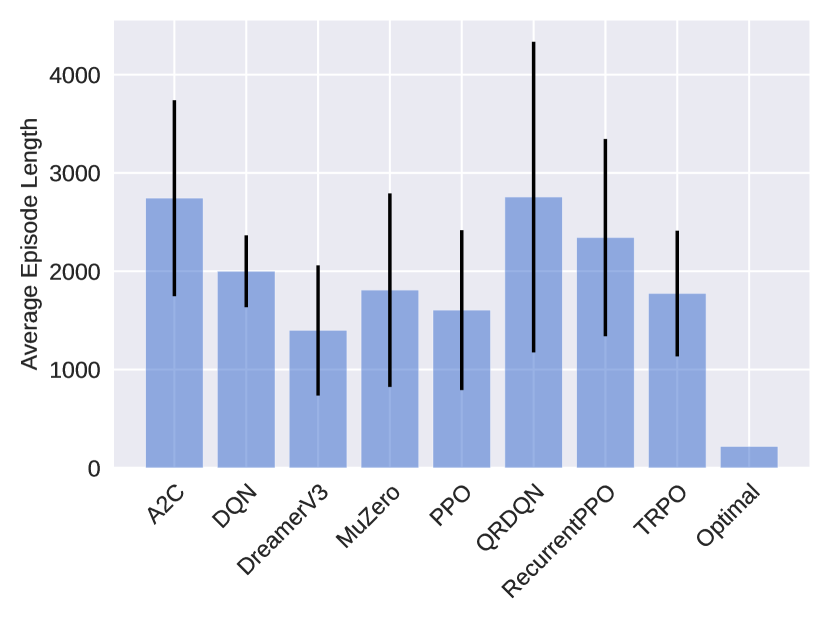
Figure 3: Average episode length of successful episodes for all evaluated algorithms on all puzzles in the easiest setting (lower is better). Some puzzles, namely Loopy, Pearl, Pegs, Solo, and Unruly, were intractable for all algorithms and were therefore excluded in this aggregation. The standard deviation is computed with respect to the performance over all evaluated instances for all trained seeds, aggregated for the total number of puzzles. Optimal refers the upper bound of the performance of an optimal policy, it therefore does not include a standard deviation. We see that DreamerV3 performs the best with an average episode length of 1334. However, this is still worse than the optimal upper bound at an average of 217 steps.
To track an agent’s progress, we use episode lengths, i.e., how many actions an agent needs to solve a puzzle. A lower number of actions indicates a stronger policy that is closer to the optimal solution. To obtain the final evaluation, we run each policy on 1000 random episodes of the respective puzzle, again with a maximum step size of 10,000 steps. All experiments were conducted on NVIDIA 3090 GPUs. The training time for a single agent with 2 million PPO steps varied depending on the puzzle and ranged from approximately 1.75 to 3 hours. The training for DreamerV3 and MuZero was more demanding and training time ranged from approximately 10 to 20 hours.
Figure 3 shows the average successful episode length for all algorithms. It can be seen that DreamerV3 performs best while PPO also achieves good performance, closely followed by TRPO and MuZero. This is especially interesting since PPO and TRPO follow much simpler training routines than DreamerV3 and MuZero. It seems that the implicit world models learned by DreamerV3 struggle to appropriately capture some puzzles. The high variance of MuZero may indicate some instability during training or the need for puzzle-specific hyperparamater tuning. Upon closer inspection of the detailed results, presented in Appendix Table 9 and 10, DreamerV3 manages to solve 62.7% of all puzzle instances. In 14 out of the 40 puzzles, it has found a policy that solves the puzzles within the Optimal upper bound. PPO and TRPO managed to solve an average of 61.6% and 70.8% of the puzzle instances, however only 8 and 11 of the puzzles have consistently solved within the Optimal upper bound. The algorithms A2C, RecurrentPPO, DQN and QRDQN perform worse than a pure random policy. Overall, it seems that some of the environments in PUZZLES are quite challenging and well suited to show the difference in performance between algorithms. It is also important to note that all the logic puzzles are designed so that they can be solved without requiring any guesswork.
### 3.2 Difficulty
We further evaluate the performance of a subset of the puzzles on the easiest preset difficulty level for humans. We selected all puzzles where a random policy was able to solve them with a probability of at least 10%, which are Netslide, Same Game and Untangle. By using this selection, we estimate that the reward density should be relatively high, ideally allowing the agent to learn a good policy. Again, we train all algorithms listed in Table 8. We provide results for the two strongest algorithms, PPO and DreamerV3 in Table 1, with complete results available in Appendix Table 9. Note that as part of Section 3.4, we also perform ablations using DreamerV3 on more puzzles on the easiest preset difficulty level for humans.
Table 1: Comparison of how many steps agents trained with PPO and DreamerV3 need on average to solve puzzles of two difficulty levels. In brackets, the percentage of successful episodes is reported. The difficulty levels correspond to the overall easiest and the easiest-for-humans settings. We also give the upper bound of optimal steps needed for each configuration.
| Netslide | 2x3b1 | $35.3± 0.7$ (100.0%) | $12.0± 0.4$ (100.0%) | 48 |
| --- | --- | --- | --- | --- |
| 3x3b1 | $4742.1± 2960.1$ (9.2%) | $3586.5± 676.9$ (22.4%) | 90 | |
| Same Game | 2x3c3s2 | $11.5± 0.1$ (100.0%) | $7.3± 0.2$ (100.0%) | 42 |
| 5x5c3s2 | $1009.3± 1089.4$ (30.5%) | $527.0± 162.0$ (30.2%) | 300 | |
| Untangle | 4 | $34.9± 10.8$ (100.0%) | $6.3± 0.4$ (100.0%) | 80 |
| 6 | $2294.7± 2121.2$ (96.2%) | $1683.3± 73.7$ (82.0%) | 150 | |
We can see that for both PPO and DreamerV3, the percentage of successful episodes decreases, with a large increase in steps required. DreamerV3 performs clearly stronger than PPO, requiring consistently fewer steps, but still more than the optimal policy. Our results indicate that puzzles with relatively high reward density at human difficulty levels remain challenging. We propose to use the easiest human difficulty level as a first measure to evaluate future algorithms. The details of the easiest human difficulty setting can be found in Appendix Table 7. If this level is achieved, difficulty can be further scaled up by increasing the size of the puzzles. Some puzzles also allow for an increase in difficulty with fixed size.
### 3.3 Effect of Action Masking and Observation Representation
We evaluate the effect of action masking, as well as observation type, on training performance. Firstly, we analyze whether action masking, as described in paragraph “Action Masking” in Section B.4, can positively affect training performance. Secondly, we want to see if agents are still capable of solving puzzles while relying on pixel observations. Pixel observations allow for the exact same input representation to be used for all puzzles, thus achieving a setting that is very similar to the Atari benchmark. We compare MaskablePPO to the default PPO without action masking on both types of observations. We summarize the results in Figure 4. Detailed results for masked RL agents on the pixel observations are provided in Appendix Table 11.
<details>
<summary>x3.png Details</summary>
### Visual Description
## Bar Chart: Comparison of Average Episode Length Across Reinforcement Learning Algorithms
### Overview
The image displays a vertical bar chart comparing the average episode length achieved by four different reinforcement learning algorithm configurations. The chart includes error bars for each category, indicating variability in the measurements.
### Components/Axes
* **Y-Axis (Vertical):** Labeled "Average Episode Length". The scale runs from 0 to 2500, with major gridlines at intervals of 500 (0, 500, 1000, 1500, 2000, 2500).
* **X-Axis (Horizontal):** Lists four distinct algorithm configurations as categories. From left to right:
1. `PPO (Internal State)`
2. `PPO (RGB Pixels)`
3. `MaskablePPO (Internal State)`
4. `MaskablePPO (RGB Pixels)`
* **Data Series:** A single data series represented by light blue bars. Each bar's height corresponds to the mean average episode length for that configuration.
* **Error Bars:** Black vertical lines extending above and below the top of each bar, representing the standard deviation or confidence interval of the measurements.
### Detailed Analysis
The following values are approximate, derived from visual inspection of the chart against the y-axis scale.
1. **PPO (Internal State):**
* **Bar Height (Mean):** Approximately 1600.
* **Error Bar Range:** Extends from approximately 800 to 2400. This is the largest range, indicating high variance.
* **Trend:** This configuration and the next show the highest average episode lengths.
2. **PPO (RGB Pixels):**
* **Bar Height (Mean):** Approximately 1600, nearly identical to the first bar.
* **Error Bar Range:** Extends from approximately 1250 to 2000. The variance is smaller than for PPO (Internal State).
3. **MaskablePPO (Internal State):**
* **Bar Height (Mean):** Approximately 800. This is the lowest average episode length.
* **Error Bar Range:** Extends from approximately 400 to 1250.
* **Trend:** This and the next configuration show notably lower average episode lengths than the standard PPO variants.
4. **MaskablePPO (RGB Pixels):**
* **Bar Height (Mean):** Approximately 1050.
* **Error Bar Range:** Extends from approximately 500 to 1600.
### Key Observations
* **Performance Grouping:** The chart reveals two distinct performance groups. The standard PPO algorithms (both Internal State and RGB Pixels) achieve average episode lengths around 1600. The MaskablePPO algorithms perform worse, with averages between 800 and 1050.
* **Input Modality Impact:** For PPO, the choice between using internal state or RGB pixels as input has a negligible effect on the *average* episode length (both ~1600). However, it significantly affects the *variance*, with internal state showing much wider error bars.
* **Algorithm Impact:** The MaskablePPO algorithm results in shorter average episodes compared to standard PPO, regardless of the input type.
* **Variance:** All configurations show substantial variance, as indicated by the tall error bars. The variance is particularly high for PPO using internal state.
### Interpretation
This chart suggests that for the specific task being measured, the standard PPO algorithm is more effective at sustaining longer episodes than MaskablePPO. The "Maskable" variant appears to lead to earlier episode termination on average.
The high variance, especially for PPO (Internal State), indicates that performance is not consistent across different training runs or environment seeds. This could imply sensitivity to initial conditions or a less stable learning process for that configuration.
The minimal difference in mean performance between internal state and RGB pixel inputs for PPO is a notable finding. It suggests that for this task, the agent can learn an effective policy from raw visual data (RGB Pixels) just as well as from a direct internal state representation, which has implications for the feasibility of training agents in environments where the internal state is not directly accessible.
**In summary, the data demonstrates a clear performance advantage for standard PPO over MaskablePPO in maximizing episode length, highlights significant performance variability, and shows that PPO can effectively utilize pixel-based inputs for this task.**
</details>
<details>
<summary>x4.png Details</summary>
### Visual Description
## Line Chart: Training Performance of Reinforcement Learning Algorithms
### Overview
The image is a line chart comparing the training performance of four reinforcement learning algorithm variants. The chart plots the number of timesteps required to complete an episode (a measure of efficiency or performance) against the total number of training timesteps. The y-axis uses a logarithmic scale. The data suggests an evaluation of how quickly different algorithms learn to solve a task, with lower values on the y-axis indicating better performance (fewer steps to complete the episode).
### Components/Axes
* **Chart Type:** Line chart with multiple series.
* **X-Axis:**
* **Label:** "Training Timesteps"
* **Scale:** Linear, ranging from 0.00 to 2.00 x 10^6 (0 to 2 million).
* **Major Ticks:** 0.00, 0.25, 0.50, 0.75, 1.00, 1.25, 1.50, 1.75, 2.00 (all multiplied by 10^6).
* **Y-Axis:**
* **Label:** "Timesteps per Episode"
* **Scale:** Logarithmic (base 10), ranging from 10^0 (1) to 10^4 (10,000).
* **Major Ticks:** 10^0, 10^1, 10^2, 10^3, 10^4.
* **Legend:**
* **Title:** "Algorithm (Observation Type)"
* **Position:** Bottom center, below the x-axis label.
* **Entries (Color to Label Mapping):**
* **Magenta/Pink Line:** PPO (RGB Pixels)
* **Orange Line:** PPO (Internal State)
* **Blue Line:** MaskablePPO (RGB Pixels)
* **Green Line:** MaskablePPO (Internal State)
### Detailed Analysis
The chart displays four distinct performance curves, each corresponding to an algorithm-observation pair.
1. **PPO (RGB Pixels) - Magenta/Pink Line:**
* **Trend:** Highly unstable and erratic. Starts around 10^2, exhibits massive spikes and drops throughout training. Shows several prolonged periods where performance degrades severely (timesteps per episode jump to between 10^3 and 10^4).
* **Key Points:** Major spikes occur near 0.25M, 0.5M, 0.75M, and 1.5M timesteps. The highest peak approaches 10^4. After 1.5M timesteps, it shows a volatile but slightly improving trend, ending near 10^2.
2. **PPO (Internal State) - Orange Line:**
* **Trend:** Shows a clear, steady learning curve. Starts near 10^2 and consistently decreases over time, indicating improving performance.
* **Key Points:** Begins around 100. By 0.5M timesteps, it has dropped to approximately 20-30. It continues a gradual decline, converging to a value slightly above 10^1 (around 15-20) by the end of training at 2M timesteps.
3. **MaskablePPO (RGB Pixels) - Blue Line:**
* **Trend:** Generally stable and efficient after an initial learning phase. Starts around 10^2, drops quickly, and then maintains a low, relatively flat profile with minor fluctuations.
* **Key Points:** Initial value ~100. Drops below 20 within the first 0.25M timesteps. For the remainder of training, it fluctuates in a narrow band between approximately 10 and 30, ending near 15.
4. **MaskablePPO (Internal State) - Green Line:**
* **Trend:** The most stable and best-performing algorithm. Demonstrates rapid convergence to an optimal policy.
* **Key Points:** Starts near 10^2. Experiences a very sharp drop within the first ~0.1M timesteps, falling to near 10^1. It then remains extremely stable, hugging the 10^1 line (approximately 10-12 timesteps per episode) for the entire remainder of the training period with minimal variance.
### Key Observations
* **Performance Hierarchy:** MaskablePPO (Internal State) is the clear best performer, followed by MaskablePPO (RGB Pixels) and PPO (Internal State), which are comparable in final performance but differ in learning stability. PPO (RGB Pixels) is by far the worst and most unstable.
* **Impact of Observation Type:** For both PPO and MaskablePPO, using "Internal State" observations leads to significantly more stable and efficient learning compared to using "RGB Pixels." The performance gap is most dramatic for the standard PPO algorithm.
* **Impact of Algorithm:** MaskablePPO variants consistently outperform their standard PPO counterparts using the same observation type, showing faster convergence and greater stability.
* **Stability:** The green line (MaskablePPO, Internal State) shows almost no variance after initial learning, indicating highly reliable policy execution. In contrast, the magenta line (PPO, RGB Pixels) is characterized by extreme volatility.
### Interpretation
This chart provides strong empirical evidence for two key conclusions in the context of the evaluated reinforcement learning task:
1. **The superiority of structured state information:** Using "Internal State" (likely a direct, symbolic representation of the environment) as observation leads to dramatically better learning outcomes than using raw "RGB Pixels" (visual input). This suggests the task's state is more efficiently captured by the internal representation, and learning from pixels is a much harder, more unstable problem for these algorithms.
2. **The benefit of action masking:** The "MaskablePPO" algorithm, which can ignore invalid actions during policy improvement, demonstrates a decisive advantage over standard PPO. This is true for both observation types but is especially critical when learning from high-dimensional pixels, as it prevents the agent from wasting exploration on nonsensical actions, leading to faster and more stable learning.
The extreme instability of PPO with pixels (magenta line) suggests it struggles to find a consistent policy, possibly due to the high dimensionality of the input and the lack of constraints on action selection. The near-perfect stability of MaskablePPO with internal state (green line) indicates the combination of a compact state representation and action masking allows the agent to quickly discover and reliably execute a near-optimal policy. The data implies that for this specific task, engineering the observation space (providing internal state) and using an algorithm that incorporates domain knowledge (action masking) are more impactful than simply increasing training time.
</details>
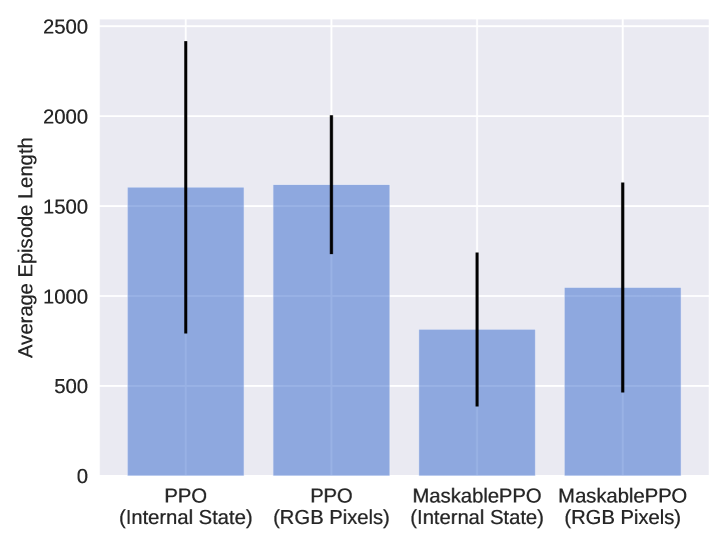
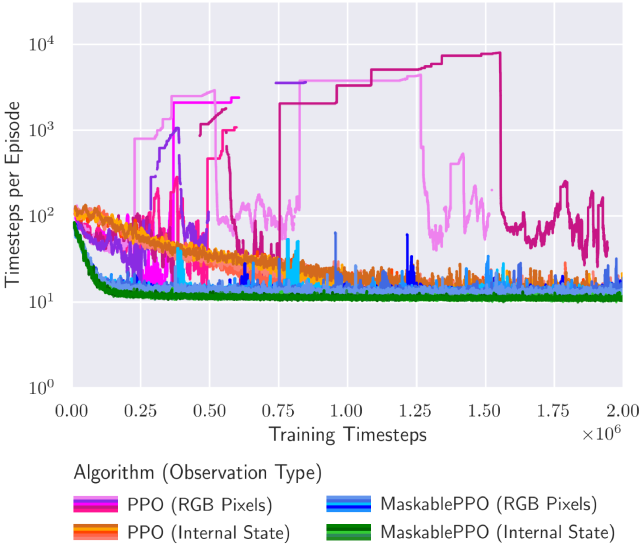
Figure 4: (left) We demonstrate the effect of action masking in both RGB observation and internal game state. By masking moves that do not change the current state, the agent requires fewer actions to explore, and therefore, on average solves a puzzle using fewer steps. (right) Moving average episode length during training for the Flood puzzle. Lower episode length is better, as the episode gets terminated as soon as the agent has solved a puzzle. Different colors describe different algorithms, where different shades of a color indicate different random seeds. Sparse dots indicate that an agent only occasionally managed to find a policy that solves a puzzle. It can be seen that both the use of discrete internal state observations and action masking have a positive effect on the training, leading to faster convergence and a stronger overall performance.
As we can observe in Figure 4, action masking has a strongly positive effect on training performance. This benefit is observed both in the discrete internal game state observations and on the pixel observations. We hypothesize that this is due to the more efficient exploration, as actions without effect are not allowed. As a result, the reward density during training is increased, and agents are able to learn a better policy. Particularly noteworthy are the outcomes related to Pegs. They show that an agent with action masking can effectively learn a successful policy, while a random policy without action masking consistently fails to solve any instance. As expected, training RL agents on pixel observations increases the difficulty of the task at hand. The agent must first understand how the pixel observation relates to the internal state of the game before it is able to solve the puzzle. Nevertheless, in combination with action masking, the agents manage to solve a large percentage of all puzzle instances, with 10 of the puzzles consistently solved within the optimal upper bound.
Furthermore, Figure 4 shows the individual training performance on the puzzle Flood. It can be seen that RL agents using action masking and the discrete internal game state observation converge significantly faster and to better policies compared to the baselines. The agents using pixel observations and no action masking struggle to converge to any reasonable policy.
### 3.4 Effect of Episode Length and Early Termination
We evaluate whether the cutoff episode length or early termination have an effect on training performance of the agents. For computational reasons, we perform these experiments on a selected subset of the puzzles on human level difficulty and only for DreamerV3 (see Section E.5 for details). As we can see in Table 2, increasing the maximum episode length during training from 10,000 to 100,000 does not improve performance. Only when episodes get terminated after visiting the exact same state more than 10 times, the agent is able to solve more puzzle instances on average (31.5% vs. 25.2%). Given the sparse reward structure, terminating episodes early seems to provide a better trade-off between allowing long trajectories to successfully complete and avoiding wasting resources on unsuccessful trajectories.
Table 2: Comparison of the effect of the maximum episode length (# Steps) and early termination (ET) on final performance. For each setting, we report average success episode length with standard deviation with respect to the random seed, all averaged over all selected puzzles. In brackets, the percentage of successful episodes is reported.
| $1e5$ | 10 | $2950.9± 1260.2$ (31.6%) |
| --- | --- | --- |
| - | $2975.4± 1503.5$ (25.2%) | |
| $1e4$ | 10 | $3193.9± 1044.2$ (26.1%) |
| - | $2892.4± 908.3$ (26.8%) | |
### 3.5 Generalization
PUZZLES is explicitly designed to facilitate the testing of generalization capabilities of agents with respect to different puzzle sizes or puzzle difficulties. For our experiments, we select puzzles with the highest reward density. We utilize a a custom observation wrapper and transformer-based encoder in order for the agent to be able to work with different input sizes, see Sections A.3 and A.4 for details. We call this approach PPO (Transformer)
Table 3: We test generalization capabilities of agents by evaluating them on puzzle sizes larger than their training environment. We report the average number of steps an agent needs to solve a puzzle, and the percentage of successful episodes in brackets. The difficulty levels correspond to the overall easiest and the easiest-for-humans settings. For PPO (Transformer), we selected the best checkpoint during training according to the performance in the training environment. For PPO (Transformer) †, we selected the best checkpoint during training according to the performance in the generalization environment.
| Netslide | 2x3b1 | ✓ | $244.1± 313.7$ (100.0%) | $242.0± 379.3$ (100.0%) |
| --- | --- | --- | --- | --- |
| 3x3b1 | ✗ | $9014.6± 2410.6$ (18.6%) | $9002.8± 2454.9$ (18.0%) | |
| Same Game | 2x3c3s2 | ✓ | $9.3± 10.9$ (99.8%) | $26.2± 52.9$ (99.7%) |
| 5x5c3s2 | ✗ | $379.0± 261.6$ (9.4%) | $880.1± 675.4$ (18.1%) | |
| Untangle | 4 | ✓ | $38.6± 58.2$ (99.8%) | $69.8± 66.4$ (100.0%) |
| 6 | ✗ | $3340.0± 3101.2$ (87.3%) | $2985.8± 2774.7$ (93.7%) | |
The results presented in Table 3 indicate that while it is possible to learn a policy that generalizes it remains a challenging problem. Furthermore, it can be observed that selecting the best model during training according to the performance on the generalization environment yields a performance benefit in that setting. This suggests that agents may learn a policy that generalizes better during the training process, but then overfit on the environment they are training on. It is also evident that generalization performance varies substantially across different random seeds. For Netslide, the best agent is capable of solving 23.3% of the puzzles in the generalization environment whereas the worst agent is only able to solve 11.2% of the puzzles, similar to a random policy. Our findings suggest that agents are generally capable of generalizing to more complex puzzles. However, further research is necessary to identify the appropriate inductive biases that allow for consistent generalization without a significant decline in performance.
## 4 Discussion
The experimental evaluation demonstrates varying degrees of success among different algorithms. For instance, puzzles such as Tracks, Map or Flip were not solvable by any of the evaluated RL agents, or only with performance similar to a random policy. This points towards the potential of intermediate rewards, better game rule-specific action masking, or model-based approaches. To encourage exploration in the state space, a mechanism that explicitly promotes it may be beneficial. On the other hand, the fact that some algorithms managed to solve a substantial amount of puzzles with presumably optimal performance demonstrates the advances in the field of RL. In light of the promising results of DreamerV3, the improvement of agents that have certain reasoning capabilities and an implicit world model by design stay an important direction for future research.
#### Experimental Results.
The experimental results presented in Section 3.1 and Section 3.3 underscore the positive impact of action masking and the correct observation type on performance. While a pixel representation would lead to a uniform observation for all puzzles, it currently increases complexity too much compared the discrete internal game state. Our findings indicate that incorporating action masking significantly improves the training efficiency of reinforcement learning algorithms. This enhancement was observed in both discrete internal game state observations and pixel observations. The mechanism for this improvement can be attributed to enhanced exploration, resulting in agents being able to learn more robust and effective policies. This was especially evident in puzzles where unmasked agents had considerable difficulty, thus showcasing the tangible advantages of implementing action masking for these puzzles.
#### Limitations.
While the PUZZLES framework provides the ability to gain comprehensive insights into the performance of various RL algorithms on logic puzzles, it is crucial to recognize certain limitations when interpreting results. The sparse rewards used in this baseline evaluation add to the complexity of the task. Moreover, all algorithms were evaluated with their default hyper-parameters. Additionally, the constraint of discrete action spaces excludes the application of certain RL algorithms.
In summary, the different challenges posed by the logic-requiring nature of these puzzles necessitates a good reward system, strong guidance of agents, and an agent design more focused on logical reasoning capabilities. It will be interesting to see how alternative architectures such as graph neural networks (GNNs) perform. GNNs are designed to align more closely with the algorithmic solution of many puzzles. While the notion that “reward is enough” [57, 58] might hold true, our results indicate that not just any form of correct reward will suffice, and that advanced architectures might be necessary to learn an optimal solution.
## 5 Conclusion
In this work, we have proposed PUZZLES, a benchmark that bridges the gap between algorithmic reasoning and RL. In addition to containing a rich diversity of logic puzzles, PUZZLES also offers an adjustable difficulty progression for each puzzle, making it a useful tool for benchmarking, evaluating and improving RL algorithms. Our empirical evaluation shows that while RL algorithms exhibit varying degrees of success, challenges persist, particularly in puzzles with higher complexity or those requiring nuanced logical reasoning. We are excited to share PUZZLES with the broader research community and hope that PUZZLES will foster further research for improving the algorithmic reasoning abilities of RL algorithms.
## Broader Impact
This paper aims to contribute to the advancement of the field of Machine Learning (ML). Given the current challenges in ML related to algorithmic reasoning, we believe that our newly proposed benchmark will facilitate significant progress in this area, potentially elevating the capabilities of ML systems. Progress in algorithmic reasoning can contribute to the development of more transparent, explainable, and fair ML systems. This can further help address issues related to bias and discrimination in automated decision-making processes, promoting fairness and accountability.
## References
- Serafini and Garcez [2016] Luciano Serafini and Artur d’Avila Garcez. Logic tensor networks: Deep learning and logical reasoning from data and knowledge. arXiv preprint arXiv:1606.04422, 2016.
- Dai et al. [2019] Wang-Zhou Dai, Qiuling Xu, Yang Yu, and Zhi-Hua Zhou. Bridging machine learning and logical reasoning by abductive learning. Advances in Neural Information Processing Systems, 32, 2019.
- Li et al. [2020] Yujia Li, Felix Gimeno, Pushmeet Kohli, and Oriol Vinyals. Strong generalization and efficiency in neural programs. arXiv preprint arXiv:2007.03629, 2020.
- Veličković and Blundell [2021] Petar Veličković and Charles Blundell. Neural algorithmic reasoning. Patterns, 2(7), 2021.
- Masry et al. [2022] Ahmed Masry, Do Long, Jia Qing Tan, Shafiq Joty, and Enamul Hoque. Chartqa: A benchmark for question answering about charts with visual and logical reasoning. In Findings of the Association for Computational Linguistics: ACL 2022, pages 2263–2279, 2022.
- Jiao et al. [2022] Fangkai Jiao, Yangyang Guo, Xuemeng Song, and Liqiang Nie. Merit: Meta-path guided contrastive learning for logical reasoning. In Findings of the Association for Computational Linguistics: ACL 2022, pages 3496–3509, 2022.
- Bardin et al. [2023] Sébastien Bardin, Somesh Jha, and Vijay Ganesh. Machine learning and logical reasoning: The new frontier (dagstuhl seminar 22291). In Dagstuhl Reports, volume 12. Schloss Dagstuhl-Leibniz-Zentrum für Informatik, 2023.
- Li et al. [2021] Wenda Li, Lei Yu, Yuhuai Wu, and Lawrence C Paulson. Isarstep: a benchmark for high-level mathematical reasoning. In International Conference on Learning Representations, 2021.
- Veličković et al. [2022] Petar Veličković, Adrià Puigdomènech Badia, David Budden, Razvan Pascanu, Andrea Banino, Misha Dashevskiy, Raia Hadsell, and Charles Blundell. The CLRS algorithmic reasoning benchmark. In Kamalika Chaudhuri, Stefanie Jegelka, Le Song, Csaba Szepesvari, Gang Niu, and Sivan Sabato, editors, Proceedings of the 39th International Conference on Machine Learning, volume 162 of Proceedings of Machine Learning Research, pages 22084–22102. PMLR, 17–23 Jul 2022. URL https://proceedings.mlr.press/v162/velickovic22a.html.
- Srivastava et al. [2022] Aarohi Srivastava, Abhinav Rastogi, Abhishek Rao, Abu Awal Md Shoeb, Abubakar Abid, Adam Fisch, Adam R Brown, Adam Santoro, Aditya Gupta, Adrià Garriga-Alonso, et al. Beyond the imitation game: Quantifying and extrapolating the capabilities of language models. arXiv preprint arXiv:2206.04615, 2022.
- Mnih et al. [2013] Volodymyr Mnih, Koray Kavukcuoglu, David Silver, Alex Graves, Ioannis Antonoglou, Daan Wierstra, and Martin A. Riedmiller. Playing Atari with Deep Reinforcement Learning. CoRR, abs/1312.5602, 2013. URL http://arxiv.org/abs/1312.5602.
- Tang et al. [2017] Haoran Tang, Rein Houthooft, Davis Foote, Adam Stooke, OpenAI Xi Chen, Yan Duan, John Schulman, Filip DeTurck, and Pieter Abbeel. # exploration: A study of count-based exploration for deep reinforcement learning. Advances in neural information processing systems, 30, 2017.
- Silver et al. [2018] David Silver, Thomas Hubert, Julian Schrittwieser, Ioannis Antonoglou, Matthew Lai, Arthur Guez, Marc Lanctot, Laurent Sifre, Dharshan Kumaran, Thore Graepel, et al. A general reinforcement learning algorithm that masters chess, shogi, and go through self-play. Science, 362(6419):1140–1144, 2018.
- Badia et al. [2020] Adrià Puigdomènech Badia, Bilal Piot, Steven Kapturowski, Pablo Sprechmann, Alex Vitvitskyi, Zhaohan Daniel Guo, and Charles Blundell. Agent57: Outperforming the atari human benchmark. In International conference on machine learning, pages 507–517. PMLR, 2020.
- Wurman et al. [2022] Peter R Wurman, Samuel Barrett, Kenta Kawamoto, James MacGlashan, Kaushik Subramanian, Thomas J Walsh, Roberto Capobianco, Alisa Devlic, Franziska Eckert, Florian Fuchs, et al. Outracing champion gran turismo drivers with deep reinforcement learning. Nature, 602(7896):223–228, 2022.
- Kalashnikov et al. [2018] Dmitry Kalashnikov, Alex Irpan, Peter Pastor, Julian Ibarz, Alexander Herzog, Eric Jang, Deirdre Quillen, Ethan Holly, Mrinal Kalakrishnan, Vincent Vanhoucke, et al. Scalable deep reinforcement learning for vision-based robotic manipulation. In Conference on Robot Learning, pages 651–673. PMLR, 2018.
- Kiran et al. [2021] B Ravi Kiran, Ibrahim Sobh, Victor Talpaert, Patrick Mannion, Ahmad A Al Sallab, Senthil Yogamani, and Patrick Pérez. Deep reinforcement learning for autonomous driving: A survey. IEEE Transactions on Intelligent Transportation Systems, 23(6):4909–4926, 2021.
- Rudin et al. [2022] Nikita Rudin, David Hoeller, Philipp Reist, and Marco Hutter. Learning to walk in minutes using massively parallel deep reinforcement learning. In Conference on Robot Learning, pages 91–100. PMLR, 2022.
- Rana et al. [2023] Krishan Rana, Ming Xu, Brendan Tidd, Michael Milford, and Niko Sünderhauf. Residual skill policies: Learning an adaptable skill-based action space for reinforcement learning for robotics. In Conference on Robot Learning, pages 2095–2104. PMLR, 2023.
- Wang and Hong [2020] Zhe Wang and Tianzhen Hong. Reinforcement learning for building controls: The opportunities and challenges. Applied Energy, 269:115036, 2020.
- Wu et al. [2022] Di Wu, Yin Lei, Maoen He, Chunjiong Zhang, and Li Ji. Deep reinforcement learning-based path control and optimization for unmanned ships. Wireless Communications and Mobile Computing, 2022:1–8, 2022.
- Brunke et al. [2022] Lukas Brunke, Melissa Greeff, Adam W Hall, Zhaocong Yuan, Siqi Zhou, Jacopo Panerati, and Angela P Schoellig. Safe learning in robotics: From learning-based control to safe reinforcement learning. Annual Review of Control, Robotics, and Autonomous Systems, 5:411–444, 2022.
- Todorov et al. [2012] Emanuel Todorov, Tom Erez, and Yuval Tassa. Mujoco: A physics engine for model-based control. In 2012 IEEE/RSJ international conference on intelligent robots and systems, pages 5026–5033. IEEE, 2012.
- Bellemare et al. [2013] Marc G Bellemare, Yavar Naddaf, Joel Veness, and Michael Bowling. The arcade learning environment: An evaluation platform for general agents. Journal of Artificial Intelligence Research, 47:253–279, 2013.
- Brockman et al. [2016] Greg Brockman, Vicki Cheung, Ludwig Pettersson, Jonas Schneider, John Schulman, Jie Tang, and Wojciech Zaremba. Openai gym. arXiv preprint arXiv:1606.01540, 2016.
- Duan et al. [2016] Yan Duan, Xi Chen, Rein Houthooft, John Schulman, and Pieter Abbeel. Benchmarking deep reinforcement learning for continuous control. In International conference on machine learning, pages 1329–1338. PMLR, 2016.
- Tassa et al. [2018] Yuval Tassa, Yotam Doron, Alistair Muldal, Tom Erez, Yazhe Li, Diego de Las Casas, David Budden, Abbas Abdolmaleki, Josh Merel, Andrew Lefrancq, et al. Deepmind control suite. arXiv preprint arXiv:1801.00690, 2018.
- Côté et al. [2018] Marc-Alexandre Côté, Ákos Kádár, Xingdi Yuan, Ben Kybartas, Tavian Barnes, Emery Fine, James Moore, Ruo Yu Tao, Matthew Hausknecht, Layla El Asri, Mahmoud Adada, Wendy Tay, and Adam Trischler. Textworld: A learning environment for text-based games. CoRR, abs/1806.11532, 2018.
- Lanctot et al. [2019] Marc Lanctot, Edward Lockhart, Jean-Baptiste Lespiau, Vinicius Zambaldi, Satyaki Upadhyay, Julien Pérolat, Sriram Srinivasan, Finbarr Timbers, Karl Tuyls, Shayegan Omidshafiei, Daniel Hennes, Dustin Morrill, Paul Muller, Timo Ewalds, Ryan Faulkner, János Kramár, Bart De Vylder, Brennan Saeta, James Bradbury, David Ding, Sebastian Borgeaud, Matthew Lai, Julian Schrittwieser, Thomas Anthony, Edward Hughes, Ivo Danihelka, and Jonah Ryan-Davis. OpenSpiel: A framework for reinforcement learning in games. CoRR, abs/1908.09453, 2019. URL http://arxiv.org/abs/1908.09453.
- Jiang and Luo [2019] Zhengyao Jiang and Shan Luo. Neural logic reinforcement learning. In International conference on machine learning, pages 3110–3119. PMLR, 2019.
- Fawzi et al. [2022] Alhussein Fawzi, Matej Balog, Aja Huang, Thomas Hubert, Bernardino Romera-Paredes, Mohammadamin Barekatain, Alexander Novikov, Francisco J R Ruiz, Julian Schrittwieser, Grzegorz Swirszcz, et al. Discovering faster matrix multiplication algorithms with reinforcement learning. Nature, 610(7930):47–53, 2022.
- Mankowitz et al. [2023] Daniel J Mankowitz, Andrea Michi, Anton Zhernov, Marco Gelmi, Marco Selvi, Cosmin Paduraru, Edouard Leurent, Shariq Iqbal, Jean-Baptiste Lespiau, Alex Ahern, et al. Faster sorting algorithms discovered using deep reinforcement learning. Nature, 618(7964):257–263, 2023.
- Lai [2015] Matthew Lai. Giraffe: Using deep reinforcement learning to play chess. arXiv preprint arXiv:1509.01549, 2015.
- Silver et al. [2016] David Silver, Aja Huang, Chris J. Maddison, Arthur Guez, Laurent Sifre, George van den Driessche, Julian Schrittwieser, Ioannis Antonoglou, Veda Panneershelvam, Marc Lanctot, Sander Dieleman, Dominik Grewe, John Nham, Nal Kalchbrenner, Ilya Sutskever, Timothy Lillicrap, Madeleine Leach, Koray Kavukcuoglu, Thore Graepel, and Demis Hassabis. Mastering the game of go with deep neural networks and tree search. Nature, 529:484–489, 2016. URL https://doi.org/10.1038/nature16961.
- Tatham [2004a] Simon Tatham. Simon tatham’s portable puzzle collection, 2004a. URL https://www.chiark.greenend.org.uk/~sgtatham/puzzles/. Accessed: 2023-05-16.
- Foundation [2022] Farama Foundation. Gymnasium website, 2022. URL https://gymnasium.farama.org/. Accessed: 2023-05-12.
- Wang et al. [2022] Chao Wang, Chen Chen, Dong Li, and Bin Wang. Rethinking reinforcement learning based logic synthesis. arXiv preprint arXiv:2205.07614, 2022.
- Dasgupta et al. [2019] Ishita Dasgupta, Jane Wang, Silvia Chiappa, Jovana Mitrovic, Pedro Ortega, David Raposo, Edward Hughes, Peter Battaglia, Matthew Botvinick, and Zeb Kurth-Nelson. Causal reasoning from meta-reinforcement learning. arXiv preprint arXiv:1901.08162, 2019.
- Eppe et al. [2022] Manfred Eppe, Christian Gumbsch, Matthias Kerzel, Phuong DH Nguyen, Martin V Butz, and Stefan Wermter. Intelligent problem-solving as integrated hierarchical reinforcement learning. Nature Machine Intelligence, 4(1):11–20, 2022.
- Deac et al. [2021] Andreea-Ioana Deac, Petar Veličković, Ognjen Milinkovic, Pierre-Luc Bacon, Jian Tang, and Mladen Nikolic. Neural algorithmic reasoners are implicit planners. Advances in Neural Information Processing Systems, 34:15529–15542, 2021.
- He et al. [2022] Yu He, Petar Veličković, Pietro Liò, and Andreea Deac. Continuous neural algorithmic planners. In Learning on Graphs Conference, pages 54–1. PMLR, 2022.
- Silver et al. [2017] David Silver, Thomas Hubert, Julian Schrittwieser, Ioannis Antonoglou, Matthew Lai, Arthur Guez, Marc Lanctot, Laurent Sifre, Dharshan Kumaran, Thore Graepel, et al. Mastering chess and shogi by self-play with a general reinforcement learning algorithm. arXiv preprint arXiv:1712.01815, 2017.
- Dahl [2001] Fredrik A Dahl. A reinforcement learning algorithm applied to simplified two-player texas hold’em poker. In European Conference on Machine Learning, pages 85–96. Springer, 2001.
- Heinrich and Silver [2016] Johannes Heinrich and David Silver. Deep reinforcement learning from self-play in imperfect-information games. arXiv preprint arXiv:1603.01121, 2016.
- Steinberger [2019] Eric Steinberger. Pokerrl. https://github.com/TinkeringCode/PokerRL, 2019.
- Zhao et al. [2022] Enmin Zhao, Renye Yan, Jinqiu Li, Kai Li, and Junliang Xing. Alphaholdem: High-performance artificial intelligence for heads-up no-limit poker via end-to-end reinforcement learning. In Proceedings of the AAAI Conference on Artificial Intelligence, volume 36, pages 4689–4697, 2022.
- Ghory [2004] Imran Ghory. Reinforcement learning in board games. 2004.
- Szita [2012] István Szita. Reinforcement learning in games. In Reinforcement Learning: State-of-the-art, pages 539–577. Springer, 2012.
- Xenou et al. [2019] Konstantia Xenou, Georgios Chalkiadakis, and Stergos Afantenos. Deep reinforcement learning in strategic board game environments. In Multi-Agent Systems: 16th European Conference, EUMAS 2018, Bergen, Norway, December 6–7, 2018, Revised Selected Papers 16, pages 233–248. Springer, 2019.
- Perolat et al. [2022] Julien Perolat, Bart De Vylder, Daniel Hennes, Eugene Tarassov, Florian Strub, Vincent de Boer, Paul Muller, Jerome T Connor, Neil Burch, Thomas Anthony, et al. Mastering the game of stratego with model-free multiagent reinforcement learning. Science, 378(6623):990–996, 2022.
- Cormen et al. [2022] Thomas H. Cormen, Charles Eric Leiserson, Ronald L. Rivest, and Clifford Stein. Introduction to Algorithms. The MIT Press, 4th edition, 2022.
- Raffin et al. [2021] Antonin Raffin, Ashley Hill, Adam Gleave, Anssi Kanervisto, Maximilian Ernestus, and Noah Dormann. Stable-baselines3: Reliable reinforcement learning implementations. Journal of Machine Learning Research, 22(268):1–8, 2021. URL http://jmlr.org/papers/v22/20-1364.html.
- Werner Duvaud [2019] Aurèle Hainaut Werner Duvaud. Muzero general: Open reimplementation of muzero. https://github.com/werner-duvaud/muzero-general, 2019.
- Hafner et al. [2023a] Danijar Hafner, Jurgis Pasukonis, Jimmy Ba, and Timothy Lillicrap. Mastering diverse domains through world models. https://github.com/danijar/dreamerv3, 2023a.
- Haarnoja et al. [2018] Tuomas Haarnoja, Aurick Zhou, Pieter Abbeel, and Sergey Levine. Soft actor-critic: Off-policy maximum entropy deep reinforcement learning with a stochastic actor. In International conference on machine learning, pages 1861–1870. PMLR, 2018.
- Fujimoto et al. [2018] Scott Fujimoto, Herke Hoof, and David Meger. Addressing function approximation error in actor-critic methods. In International conference on machine learning, pages 1587–1596. PMLR, 2018.
- Silver et al. [2021] David Silver, Satinder Singh, Doina Precup, and Richard S Sutton. Reward is enough. Artificial Intelligence, 299:103535, 2021.
- Vamplew et al. [2022] Peter Vamplew, Benjamin J Smith, Johan Källström, Gabriel Ramos, Roxana Rădulescu, Diederik M Roijers, Conor F Hayes, Fredrik Heintz, Patrick Mannion, Pieter JK Libin, et al. Scalar reward is not enough: A response to silver, singh, precup and sutton (2021). Autonomous Agents and Multi-Agent Systems, 36(2):41, 2022.
- Community [2000] Pygame Community. Pygame github repository, 2000. URL https://github.com/pygame/pygame/. Accessed: 2023-05-12.
- Tatham [2004b] Simon Tatham. Developer documentation for simon tatham’s puzzle collection, 2004b. URL https://www.chiark.greenend.org.uk/~sgtatham/puzzles/devel/. Accessed: 2023-05-23.
- Schulman et al. [2017] John Schulman, Filip Wolski, Prafulla Dhariwal, Alec Radford, and Oleg Klimov. Proximal policy optimization algorithms, 2017. URL http://arxiv.org/abs/1707.06347.
- Huang et al. [2022] Shengyi Huang, Rousslan Fernand Julien Dossa, Antonin Raffin, Anssi Kanervisto, and Weixun Wang. The 37 implementation details of proximal policy optimization. In ICLR Blog Track, 2022. URL https://iclr-blog-track.github.io/2022/03/25/ppo-implementation-details/. https://iclr-blog-track.github.io/2022/03/25/ppo-implementation-details/.
- Mnih et al. [2016] Volodymyr Mnih, Adrià Puigdomènech Badia, Mehdi Mirza, Alex Graves, Timothy P. Lillicrap, Tim Harley, David Silver, and Koray Kavukcuoglu. Asynchronous methods for deep reinforcement learning. CoRR, abs/1602.01783, 2016. URL http://arxiv.org/abs/1602.01783.
- Schulman et al. [2015] John Schulman, Sergey Levine, Pieter Abbeel, Michael Jordan, and Philipp Moritz. Trust region policy optimization. In Francis Bach and David Blei, editors, Proceedings of the 32nd International Conference on Machine Learning, volume 37 of Proceedings of Machine Learning Research, pages 1889–1897, Lille, France, 07–09 Jul 2015. PMLR. URL https://proceedings.mlr.press/v37/schulman15.html.
- Dabney et al. [2017] Will Dabney, Mark Rowland, Marc G. Bellemare, and Rémi Munos. Distributional reinforcement learning with quantile regression. CoRR, abs/1710.10044, 2017. URL http://arxiv.org/abs/1710.10044.
- Schrittwieser et al. [2020] Julian Schrittwieser, Ioannis Antonoglou, Thomas Hubert, Karen Simonyan, Laurent Sifre, Simon Schmitt, Arthur Guez, Edward Lockhart, Demis Hassabis, Thore Graepel, et al. Mastering atari, go, chess and shogi by planning with a learned model. Nature, 588(7839):604–609, 2020.
- Hafner et al. [2023b] Danijar Hafner, Jurgis Pasukonis, Jimmy Ba, and Timothy Lillicrap. Mastering diverse domains through world models. arXiv preprint arXiv:2301.04104, 2023b.
## Appendix A PUZZLES Environment Usage Guide
### A.1 General Usage
A Python code example for using the PUZZLES environment is provided in LABEL:code:init-and-play-episode. All puzzles support seeding the initialization, by adding #{seed} after the parameters, where {seed} is an int. The allowed parameters are displayed in LABEL:tab:parameters. A full custom initialization argument would be as follows: {parameters}#{seed}.
⬇
1 import gymnasium as gym
2 import rlp
3
4 # init an agent suitable for Gymnasium environments
5 agent = Agent. create ()
6
7 # init the environment
8 env = gym. make (’rlp/Puzzle-v0’, puzzle = "bridges",
9 render_mode = "rgb_array", params = "4x4#42")
10 observation, info = env. reset ()
11
12 # complete an episode
13 terminated = False
14 while not terminated:
15 action = agent. choose (env) # the agent chooses the next action
16 observation, reward, terminated, truncated, info = env. step (action)
17 env. close ()
Listing 1: Code example of how to initialize an environment and have an agent complete one episode. The PUZZLES environment is designed to be compatible with the Gymnasium API. The choice of Agent is up to the user, it can be a trained agent or random policy.
### A.2 Custom Reward
A Python code example for implementing a custom reward system is provided in LABEL:code:custom-reward-wrapper. To this end, the environment’s step() function provides the puzzle’s internal state inside the info Python dict.
⬇
1 import gymnasium as gym
2 class PuzzleRewardWrapper (gym. Wrapper):
3 def step (self, action):
4 obs, reward, terminated, truncated, info = self. env. step (action)
5 # Modify the reward by using members of info["puzzle_state"]
6 return obs, reward, terminated, truncated, info
Listing 2: Code example of a custom reward implementation using Gymnasium’s Wrapper class. A user can use the game state information provided in info["puzzle_state"] to modify the rewards received by the agent after performing an action.
### A.3 Custom Observation
A Python code example for implementing a custom observation structure that is compatible with an agent using a transformer encoder. Here, we provide the example for Netslide, please refer to our GitHub for more examples.
⬇
1 import gymnasium as gym
2 import numpy as np
3 class NetslideTransformerWrapper (gym. ObservationWrapper):
4 def __init__ (self, env):
5 super (NetslideTransformerWrapper, self). __init__ (env)
6 self. original_space = env. observation_space
7
8 self. max_length = 512
9 self. embedding_dim = 16 + 4
10 self. observation_space = gym. spaces. Box (
11 low =-1, high =1, shape =(self. max_length, self. embedding_dim,), dtype = np. float32
12 )
13
14 self. observation_space = gym. spaces. Dict (
15 {’obs’: self. observation_space,
16 ’len’: gym. spaces. Box (low =0, high = self. max_length, shape =(1,),
17 dtype = np. int32)}
18 )
19
20 def observation (self, obs):
21 # The original observation is an ordereddict with the keys [’barriers’, ’cursor_pos’, ’height’,
22 # ’last_move_col’, ’last_move_dir’, ’last_move_row’, ’move_count’, ’movetarget’, ’tiles’, ’width’, ’wrapping’]
23 # We are only interested in ’barriers’, ’tiles’, ’cursor_pos’, ’height’ and ’width’
24 barriers = obs [’barriers’]
25 # each element of barriers is an uint16, signifying different elements
26 barriers = np. unpackbits (barriers. view (np. uint8)). reshape (-1, 16)
27 # add some positional embedding to the barriers
28 embedded_barriers = np. concatenate (
29 [barriers, self. pos_embedding (np. arange (barriers. shape [0]), obs [’width’], obs [’height’])], axis =1)
30
31 tiles = obs [’tiles’]
32 # each element of tiles is an uint16, signifying different elements
33 tiles = np. unpackbits (tiles. view (np. uint8)). reshape (-1, 16)
34 # add some positional embedding to the tiles
35 embedded_tiles = np. concatenate (
36 [tiles, self. pos_embedding (np. arange (tiles. shape [0]), obs [’width’], obs [’height’])], axis =1)
37 cursor_pos = obs [’cursor_pos’]
38
39 embedded_cursor_pos = np. concatenate (
40 [np. ones ((1, 16)), self. pos_embedding_cursor (cursor_pos, obs [’width’], obs [’height’])], axis =1)
41
42 embedded_obs = np. concatenate ([embedded_barriers, embedded_tiles, embedded_cursor_pos], axis =0)
43
44 current_length = embedded_obs. shape [0]
45 # pad with zeros to accomodate different sizes
46 if current_length < self. max_length:
47 embedded_obs = np. concatenate (
48 [embedded_obs, np. zeros ((self. max_length - current_length, self. embedding_dim))], axis =0)
49 return {’obs’: embedded_obs, ’len’: np. array ([current_length])}
50
51 @staticmethod
52 def pos_embedding (pos, width, height):
53 # pos is an array of integers from 0 to width*height
54 # width and height are integers
55 # return a 2D array with the positional embedding, using sin and cos
56 x, y = pos % width, pos // width
57 # x and y are integers from 0 to width-1 and height-1
58 pos_embed = np. zeros ((len (pos), 4))
59 pos_embed [:, 0] = np. sin (2 * np. pi * x / width)
60 pos_embed [:, 1] = np. cos (2 * np. pi * x / width)
61 pos_embed [:, 2] = np. sin (2 * np. pi * y / height)
62 pos_embed [:, 3] = np. cos (2 * np. pi * y / height)
63 return pos_embed
64
65 @staticmethod
66 def pos_embedding_cursor (pos, width, height):
67 # cursor pos goes from -1 to width or height
68 x, y = pos
69 x += 1
70 y += 1
71 width += 1
72 height += 1
73 pos_embed = np. zeros ((1, 4))
74 pos_embed [0, 0] = np. sin (2 * np. pi * x / width)
75 pos_embed [0, 1] = np. cos (2 * np. pi * x / width)
76 pos_embed [0, 2] = np. sin (2 * np. pi * y / height)
77 pos_embed [0, 3] = np. cos (2 * np. pi * y / height)
78 return pos_embed
Listing 3: Code example of a custom observation implementation using Gymnasium’s Wrapper class. A user can use the all elements of rpovided in the obs dict to create a custom observation. In this code example, the resulting observation is suitable for a transformer-based encoder.
### A.4 Generalization Example
In LABEL:code:transformer-encoder, we show how a transformer-based features extractor can be built for Stable Baseline 3’s PPO MultiInputPolicy. Together with the observations from LABEL:code:custom-observation-wrapper, this feature extractor can work with variable-length inputs. This allows for easy evaluation in environments of different sizes than the environment the agent was originally trained in.
⬇
1 import gymnasium as gym
2 import numpy as np
3 from stable_baselines3. common. torch_layers import BaseFeaturesExtractor
4 from stable_baselines3 import PPO
5 import torch
6 import torch. nn as nn
7 from torch. nn import TransformerEncoder, TransformerEncoderLayer
8
9 class TransformerFeaturesExtractor (BaseFeaturesExtractor):
10 def __init__ (self, observation_space, data_dim, embedding_dim, nhead, num_layers, dim_feedforward, dropout =0.1):
11 super (TransformerFeaturesExtractor, self). __init__ (observation_space, embedding_dim)
12 self. transformer = Transformer (embedding_dim = embedding_dim,
13 data_dim = data_dim,
14 nhead = nhead,
15 num_layers = num_layers,
16 dim_feedforward = dim_feedforward,
17 dropout = dropout)
18
19 def forward (self, observations: gym. spaces. Dict) -> torch. Tensor:
20 # Extract the ’obs’ key from the dict
21 obs = observations [’obs’]
22 length = observations [’len’]
23 # all elements of length should be the same (we can’t train on different puzzle sizes at the same time)
24 length = int (length [0])
25 obs = obs [:, : length]
26 # Return the embedding of the cursor token (which is last)
27 return self. transformer (obs)[:, -1, :]
28
29
30 class Transformer (nn. Module):
31 def __init__ (self, embedding_dim, data_dim, nhead, num_layers, dim_feedforward, dropout =0.1):
32 super (Transformer, self). __init__ ()
33 self. embedding_dim = embedding_dim
34 self. data_dim = data_dim
35
36 self. lin = nn. Linear (data_dim, embedding_dim)
37
38 encoder_layers = TransformerEncoderLayer (
39 d_model = self. embedding_dim,
40 nhead = nhead,
41 dim_feedforward = dim_feedforward,
42 dropout = dropout,
43 batch_first = True
44 )
45
46 self. transformer_encoder = TransformerEncoder (encoder_layers, num_layers)
47
48 def forward (self, x):
49 # x is of shape (batch_size, seq_length, embedding_dim)
50 x = self. lin (x)
51 transformed = self. transformer_encoder (x)
52 return transformed
53
54 if __name__ == "__main__":
55 policy_kwargs = dict (
56 features_extractor_class = TransformerFeaturesExtractor,
57 features_extractor_kwargs = dict (embedding_dim = args. transformer_embedding_dim,
58 nhead = args. transformer_nhead,
59 num_layers = args. transformer_layers,
60 dim_feedforward = args. transformer_ff_dim,
61 dropout = args. transformer_dropout,
62 data_dim = data_dims [args. puzzle])
63 )
64
65 model = PPO ("MultiInputPolicy",
66 env,
67 policy_kwargs = policy_kwargs,
68 )
Listing 4: Code example of a transformer-based feature extractor written in PyTorch, compatible with Stable Baselines 3’s PPO. This encoder design allows for variable-length inputs, enabling generalization to previously unseen puzzle sizes.
## Appendix B Environment Features
### B.1 Episode Definition
An episode is played with the intention of solving a given puzzle. The episode begins with a newly generated puzzle and terminates in one of two states. To achieve a reward, the puzzle is either solved completely or the agent has failed irreversibly. The latter state is unlikely to occur, as only a few games, for example pegs or minesweeper, are able to terminate in a failed state. Alternatively, the episode can be terminated early. Starting a new episode generates a new puzzle of the same kind, with the same parameters such as size or grid type. However, if the random seed is not fixed, the puzzle is likely to have a different layout from the puzzle in the previous episode.
### B.2 Observation Space
There are two kinds of observations which can be used by the agent. The first observation type is a representation of the discrete internal game state of the puzzle, consisting of a combination of arrays and scalars. This observation is provided by the underlying code of Tathams’s puzzle collection. The composition and shape of the internal game state is different for each puzzle, which, in turn, requires the agent architecture to be adapted.
The second type of observation is a representation of the pixel screen, given as an integer matrix of shape (3 $×$ width $×$ height). The environment deals with different aspect ratios by adding padding. The advantage of the pixel representation is a consistent representation for all puzzles, similar to the Atari RL Benchmark [11]. It could even allow for a single agent to be trained on different puzzles. On the other hand, it forces the agent to learn to solve the puzzles only based on the visual representation of the puzzles, analogous to human players. This might increase difficulty as the agent has to learn the task representation implicitly.
### B.3 Action Space
Natively, the puzzles support two types of input, mouse and keyboard. Agents in PUZZLES play the puzzles only through keyboard input. This is due to our decision to provide the discrete internal game state of the puzzle as an observation, for which mouse input would not be useful.
The action space for each puzzle is restricted to actions that can actively contribute to changing the logical state of a puzzle. This excludes “memory aides” such as markers that signify the absence of a certain connection in Bridges or adding candidate digits in cells in Sudoku. The action space also includes possibly rule-breaking actions, as long as the game can represent the effect of the action correctly.
The largest action space has a cardinality of 14, but most puzzles only have five to six valid actions which the agent can choose from. Generally, an action is in one of two categories: selector movement or game state change. Selector movement is a mechanism that allows the agent to select game objects during play. This includes for example grid cells, edges, or screen regions. The selector can be moved to the next object by four discrete directional inputs and as such represents an alternative to continuous mouse input. A game state change action ideally follows a selector movement action. The game state change action will then be applied to the selected object. The environment responds by updating the game state, for example by entering a digit or inserting a grid edge at the current selector position.
### B.4 Action Masking
The fixed-size action space allows an agent to execute actions that may not result in any change in game state. For example, the action of moving the selector to the right if the selector is already placed at the right border. The PUZZLES environment provides an action mask that marks all actions that change the state of the game. Such an action mask can be used to improve performance of model-based and even some model-free RL approaches. The action masking provided by PUZZLES does not ensure adherence to game rules, rule-breaking actions can most often still be represented as a change in the game state.
### B.5 Reward Structure
In the default implementation, the agent only receives a reward for completing an episode. Rewards consist of a fixed positive value for successful completion and a fixed negative value otherwise. This reward structure encourages an agent to solve a given puzzle in the least amount of steps possible. The PUZZLES environment provides the option to define intermediate rewards tailored to specific puzzles, which could help improve training progress. This could be, for example, a negative reward if the agent breaks the rules of the game, or a positive reward if the agent correctly achieves a part of the final solution.
### B.6 Early Episode Termination
Most of the puzzles in PUZZLES do not have an upper bound on the number of steps, where the only natural end can be reached via successfully solving the puzzle. The PUZZLES environment also provides the option for early episode termination based on state repetitions. If an agent reaches the exact same game state multiple times, the episode can be terminated in order to prevent wasteful continuation of episodes that no longer contribute to learning or are bound to fail.
## Appendix C PUZZLES Implementation Details
In the following, a brief overview of PUZZLES ’s code implementation is given. The environment is written in both Python and C, in order to interface with Gymnasium [36] as the RL toolkit and the C source code of the original puzzle collection. The original puzzle collection source code is available under the MIT License. The source code and license are available at https://www.chiark.greenend.org.uk/~sgtatham/puzzles/. In maintext Figure 2, an overview of the environment and how it fits with external libraries is presented. The modular design in both PUZZLES and the Puzzle Collection’s original code allows users to build and integrate new puzzles into the environment.
#### Environment Class
The reinforcement learning environment is implemented in the Python class PuzzleEnv in the rlp package. It is designed to be compatible with the Gymnasium-style API for RL environments to facilitate easy adoption. As such, it provides the two important functions needed for progressing an environment, reset() and step().
Upon initializing a PuzzleEnv, a 2D surface displaying the environment is created. This surface and all changes to it are handled by the Pygame [59] graphics library. PUZZLES uses various functions provided in the library, such as shape drawing, or partial surface saving and loading.
The reset() function changes the environment state to the beginning of a new episode, usually by generating a new puzzle with the given parameters. An agent solving the puzzle is also reset to a new state. reset() also returns two variables, observation and info, where observation is a Python dict containing a NumPy 3D array called pixels of size (3 $×$ surface_width $×$ surface_height). This NumPy array contains the RGB pixel data of the Pygame surface, as explained in Section B.2. The info dict contains a dict called puzzle_state, representing a copy of the current internal data structures containing the logical game state, allowing the user to create custom rewards.
The step() function increments the time in the environment by one step, while performing an action chosen from the action space. Upon returning, step() provides the user with five variables, listed in Table 4.
Table 4: Return values of the environment’s step() function. This information can then be used by an RL framework to train an agent.
| Variable observation reward | Description 3D NumPy array containing RGB pixel data The cumulative reward gained throughout all steps of the episode |
| --- | --- |
| terminated | A bool stating whether an episode was completed by the agent |
| truncated | A bool stating whether an episode was ended early, for example by reaching |
| the maximum allowed steps for an episode | |
| info | A dict containing a copy of the internal game state |
#### Intermediate Rewards
The environment encourages the use of Gymnasium’s Wrapper interface to implement custom reward structures for a given puzzle. Such custom reward structures can provide an easier game setting, compared to the sparse reward only provided when finishing a puzzle.
#### Puzzle Module
The PuzzleEnv object creates an instance of the class Puzzle. A Puzzle is essentially the glue between all Pygame surface tasks and the C back-end that contains the puzzle logic. To this end, it initializes a Pygame window, on which shapes and text are drawn. The Puzzle instance also loads the previously compiled shared library containing the C back-end code for the relevant puzzle.
The PuzzleEnv also converts and forwards keyboard inputs (which are for example given by an RL agent’s action) into the format the C back-end understands.
#### Compiled C Code
The C part of the environment sits on top of the highly-optimized original puzzle collection source code as a custom front-end, as detailed in the collection’s developer documentation [60]. Similar to other front-end types, it represents the bridge between the graphics library that is used to display the puzzles and the game logic back-end. Specifically, this is done using Python API calls to Pygame’s drawing facilities.
## Appendix D Puzzle Descriptions
We provide short descriptions of each puzzle from www.chiark.greenend.org.uk/ sgtatham/puzzles/. For detailed instructions for each puzzle, please visit the docs available at www.chiark.greenend.org.uk/ sgtatham/puzzles/doc/index.html
<details>
<summary>extracted/5699650/img/puzzles/blackbox.png Details</summary>
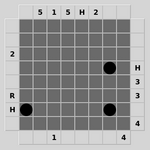
### Visual Description
## Matrix Diagram: Labeled Grid with Data Points
### Overview
The image displays a 5x5 grid (matrix) with alphanumeric labels along all four sides. Three solid black circular data points are placed at specific intersections within the grid. The diagram appears to represent a sparse data matrix or a mapping of relationships between row and column categories.
### Components/Axes
* **Grid Structure:** A 5x5 matrix of squares, forming 5 rows and 5 columns.
* **Top Axis (Column Headers):** Labels positioned above each column, from left to right: `5`, `1`, `5`, `H`, `2`.
* **Left Axis (Row Headers):** Labels positioned to the left of each row, from top to bottom: `2`, `R`, `H`. (Note: Only three labels are present for five rows. The top two rows and the bottom row on this axis are unlabeled).
* **Right Axis (Row Annotations):** Labels positioned to the right of each row, from top to bottom: `H`, `3`, `3`, `4`. (Note: Only four labels are present for five rows. The bottom row on this axis is unlabeled).
* **Bottom Axis (Column Annotations):** Numerical labels positioned below specific columns. The number `1` is centered below the second column. The number `4` is centered below the fifth column.
* **Data Points:** Three solid black circles, each occupying a single grid cell.
### Detailed Analysis
**Data Point Locations (Row, Column):**
1. **Point 1:** Located at the intersection of the **4th row** and the **1st column**.
2. **Point 2:** Located at the intersection of the **2nd row** and the **5th column**.
3. **Point 3:** Located at the intersection of the **4th row** and the **5th column**.
**Label Transcription & Spatial Mapping:**
* **Row 1:** Left Label: (Unlabeled). Right Label: `H`.
* **Row 2:** Left Label: `2`. Right Label: `3`. Contains a data point in Column 5.
* **Row 3:** Left Label: `R`. Right Label: `3`.
* **Row 4:** Left Label: `H`. Right Label: `4`. Contains data points in Column 1 and Column 5.
* **Row 5:** Left Label: (Unlabeled). Right Label: (Unlabeled).
* **Column 1:** Top Label: `5`. Bottom Annotation: (Unlabeled). Contains a data point in Row 4.
* **Column 2:** Top Label: `1`. Bottom Annotation: `1`.
* **Column 3:** Top Label: `5`. Bottom Annotation: (Unlabeled).
* **Column 4:** Top Label: `H`. Bottom Annotation: (Unlabeled).
* **Column 5:** Top Label: `2`. Bottom Annotation: `4`. Contains data points in Row 2 and Row 4.
### Key Observations
1. **Sparse Data:** Only 3 out of 25 possible grid cells (12%) are occupied by data points.
2. **Concentration:** Two of the three data points are located in the **5th column**, specifically in rows 2 and 4.
3. **Label Discrepancy:** The left and right row labels do not correspond one-to-one. The left axis has labels for rows 2, 3, and 4, while the right axis has labels for rows 1, 2, 3, and 4. This suggests the left and right labels may represent different attributes or categories for the rows.
4. **Repeating Labels:** The label `H` appears on all four axes (Top Column 4, Left Row 4, Right Row 1). The number `5` appears twice on the top axis (Columns 1 and 3). The number `3` appears twice on the right axis (Rows 2 and 3).
5. **Annotation Placement:** The bottom axis annotations (`1` and `4`) are not aligned with the columns that have the most data points (Column 5 has two points but is annotated with `4`; Column 1 has one point but is not annotated).
### Interpretation
This diagram likely represents a **cross-tabulation or relationship map** between two sets of categories (rows and columns), with additional metadata attached via the side labels.
* **What the data suggests:** The black dots mark specific, pre-defined relationships or occurrences. The concentration in Column 5 suggests that the category represented by the column header `2` (with bottom annotation `4`) has a strong association with the row categories labeled `2` (Right: `3`) and `H` (Right: `4`).
* **How elements relate:** The grid is the core relational structure. The top and left labels likely define the primary row/column categories. The right and bottom labels appear to be secondary attributes or scores associated with those primary categories. For example, the row with Left Label `H` has a Right Label `4`, and the column with Top Label `2` has a Bottom Annotation `4`. The meaning of `H` is ambiguous—it could stand for "High," a specific code, or a category initial.
* **Notable anomalies:** The lack of symmetry in row labeling is the most significant anomaly. It implies the left and right labels are not direct equivalents but serve different purposes. The placement of bottom annotations only under columns 2 and 5 is also selective, possibly highlighting those columns as having special significance (e.g., being "active" or "scored" categories).
* **Potential Purpose:** This could be a visual key for a database, a mapping of experimental results, a component of a decision matrix, or a diagram showing connections in a network where rows and nodes are entities and the dots represent links. The alphanumeric labels suggest a coded system rather than plain English descriptions.
</details>
Figure 5: Black Box: Find the hidden balls in the box by bouncing laser beams off them.
<details>
<summary>extracted/5699650/img/puzzles/bridges.png Details</summary>
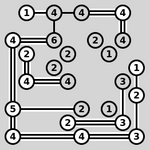
### Visual Description
## Network Diagram: Numbered Node Connections
### Overview
The image displays a network diagram consisting of numbered circles (nodes) connected by straight lines (edges). The diagram is monochromatic (black lines and text on a white background) and appears hand-drawn or sketched in style. There are no titles, legends, or axis labels. The primary information is the topology of connections between nodes identified by numbers.
### Components/Axes
* **Nodes:** Circles containing single-digit numbers. The numbers present are: 1, 2, 3, 4, 5, 6.
* **Edges:** Straight black lines connecting the nodes. Lines vary slightly in thickness but this does not appear to convey quantitative information.
* **Layout:** The nodes are arranged in an irregular, non-grid pattern across the canvas. There is no clear hierarchical or sequential flow indicated by the layout alone.
### Detailed Analysis
**Node Inventory and Spatial Placement:**
The diagram contains approximately 28 nodes. Below is a catalog of nodes by their approximate position and the number they contain.
* **Top Row (Left to Right):** `1` - `4` - `4` - `4`
* **Second Row (Left to Right):** `4` - `6` - `2` - `2` - `1` - `4`
* **Third Row (Left to Right):** `2` - `2` - `4` - `3` - `1`
* **Fourth Row (Left to Right):** `5` - `2` - `1` - `2`
* **Bottom Row (Left to Right):** `4` - `4` - `4` - `3`
**Connection Analysis (Edge List):**
The following describes the connections (edges) between nodes. For clarity, nodes are identified by their number and a descriptor of their location.
1. Top-left `1` connects to the `4` to its right.
2. That `4` connects to the next `4` to its right.
3. That `4` connects to the final `4` in the top row.
4. The top-left `1` also connects down to the `4` below it (start of second row).
5. That second-row `4` connects right to a `6`.
6. The `6` connects down to a `2`.
7. That `2` connects right to another `2`.
8. That second `2` connects down to a `4`.
9. The `4` from step 8 connects left to a `2`.
10. The `2` from step 9 connects up to the `6` from step 5.
11. The `4` from step 4 also connects down to a `2` (third row, leftmost).
12. That `2` connects down to a `5` (fourth row, leftmost).
13. The `5` connects down to a `4` (bottom row, leftmost).
14. The `4` from step 13 connects right to another `4`.
15. That `4` connects right to another `4`.
16. That `4` connects right to a `3` (bottom row, rightmost).
17. The `3` from step 16 connects up to a `2` (fourth row, rightmost).
18. That `2` connects up to a `1` (third row).
19. The `1` from step 18 connects up to a `3` (second row, right side).
20. The `3` from step 19 connects up to a `4` (second row, far right).
21. The `4` from step 20 connects left to a `1` (second row).
22. The `1` from step 21 connects left to a `2` (second row).
23. The `2` from step 22 connects down to a `2` (third row).
24. The `2` from step 23 connects down to a `1` (fourth row).
25. The `1` from step 24 connects right to the `2` from step 17.
26. The `4` from step 15 connects up to a `2` (fourth row, center).
27. The `2` from step 26 connects up to a `4` (third row, center).
28. The `4` from step 27 connects up to the `2` from step 7.
### Key Observations
* **Node Frequency:** The number `4` is the most frequent node (appears 10 times). The number `2` is the second most frequent (appears 9 times). The numbers `1`, `3`, and `5` are less common.
* **Connectivity Patterns:** Some nodes, particularly `4`s and `2`s, act as hubs with multiple connections. For example, the `4` in the second row (left) connects to five other nodes (`1` above, `6` right, `2` below, and indirectly to others).
* **Structural Features:** The diagram contains several closed loops or cycles. For instance, the sequence `4` (2nd row left) -> `6` -> `2` -> `2` -> `4` -> `2` -> `6` forms a loop. Another loop exists in the bottom right: `3` -> `2` -> `1` -> `2` -> `1` -> `2` -> `3`.
* **Isolates:** There are no isolated nodes; every node is connected to at least one other node.
### Interpretation
This diagram represents a **relational network or graph**. The numbers likely serve as identifiers or categorical labels for the nodes, not as quantitative values. The lines represent relationships, links, or pathways between these entities.
* **What it suggests:** The structure implies a complex, interconnected system where entities (nodes) have multiple relationships. The prevalence of `4` and `2` suggests these are core or common entity types within this system. The presence of cycles indicates feedback loops or redundant pathways, which could imply robustness or complexity in the modeled system.
* **How elements relate:** The connections define the system's architecture. The layout, while not strictly hierarchical, shows clustering. For example, the left side has a dense cluster involving `4`, `6`, and `2`, while the right side has a more linear chain from `4` down to `3`.
* **Notable anomalies:** The number `5` appears only once and is connected only to two nodes (`2` above and `4` below), making it a peripheral or unique element in the network. The number `6` also appears only once but is more central, connecting to three nodes.
* **Underlying purpose:** Without a title or legend, the exact domain is unknown. It could represent a social network, an organizational chart, a process flow, a neural network schematic, or a conceptual map. The hand-drawn style suggests it might be a preliminary sketch or a model from a brainstorming session. The key takeaway is the **topology itself**—the pattern of connections is the primary information conveyed.
</details>
Figure 6: Bridges: Connect all the islands with a network of bridges.
<details>
<summary>extracted/5699650/img/puzzles/cube.png Details</summary>
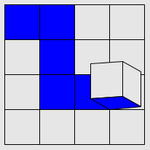
### Visual Description
## Grid Diagram with 3D Cube Element
### Overview
The image displays a 5x5 grid composed of 25 square cells. The grid uses a two-color scheme: blue and white. A distinct three-dimensional cube graphic is superimposed on one of the cells in the lower-right quadrant. There are no visible axis labels, titles, legends, or numerical data. The image appears to be a schematic diagram, possibly representing a game board, a matrix, a selection interface, or a spatial layout.
### Components/Axes
* **Grid Structure:** A 5x5 matrix of squares.
* **Color Key (Inferred):**
* **Blue:** Fills specific cells in a pattern.
* **White/Light Gray:** The default background color for unfilled cells.
* **3D Element:** A wireframe-style cube with blue shading on its top and right faces, positioned within a single grid cell.
* **Labels/Axes:** None present. The grid has no row or column identifiers.
### Detailed Analysis
**Cell-by-Cell Color Mapping (Row, Column):**
* **Row 1 (Top):** (1,1) Blue, (1,2) Blue, (1,3) White, (1,4) White, (1,5) White.
* **Row 2:** (2,1) White, (2,2) Blue, (2,3) White, (2,4) White, (2,5) White.
* **Row 3:** (3,1) White, (3,2) Blue, (3,3) White, (3,4) White, (3,5) White.
* **Row 4:** (4,1) White, (4,2) Blue, (4,3) Blue, (4,4) Blue, (4,5) **Contains 3D Cube**. The cell background appears white, with the cube's base resting on it.
* **Row 5 (Bottom):** (5,1) White, (5,2) White, (5,3) White, (5,4) White, (5,5) White.
**3D Cube Placement:**
* **Spatial Grounding:** The cube is located in the cell at **Row 4, Column 5** (bottom-right area of the grid). It is rendered in a simple isometric or perspective view, appearing to "pop out" from the 2D plane of the grid. Its front face aligns with the cell's boundaries.
**Pattern of Blue Cells:**
The blue cells form a connected, non-contiguous pattern:
1. A 2x2 block in the top-left corner (cells (1,1), (1,2), (2,2)).
2. A vertical line descending from that block: cells (2,2), (3,2), (4,2).
3. A horizontal line extending right from the bottom of the vertical line: cells (4,2), (4,3), (4,4).
### Key Observations
1. **Asymmetric Layout:** The blue pattern is heavily weighted to the left and bottom-center of the grid, leaving the top-right and entire bottom row (except for the cube's cell) empty.
2. **Unique Element:** The 3D cube is the only non-2D element and is placed in a cell that is *not* colored blue, creating a point of visual contrast and focus.
3. **Lack of Quantitative Data:** The image contains no numbers, percentages, scales, or textual annotations. It is purely a visual/spatial diagram.
4. **Potential Interactive Cue:** The cube's placement and style suggest it could represent a cursor, a selected tile, a "player" piece, or a button in a user interface mockup.
### Interpretation
This diagram conveys information through **spatial relationships and visual coding** rather than quantitative data.
* **What it Suggests:** The image likely represents a **state or configuration** within a defined system. The blue cells could indicate "active," "occupied," "selected," or "path" areas, while white cells are "inactive" or "empty." The 3D cube acts as a **focal point or agent** within this system.
* **Relationships:** The cube's position at the end of the horizontal blue line (cell (4,4) is blue, (4,5) has the cube) implies a potential relationship—it may be the destination, the current position, or an object interacting with that path. The isolation of the cube in a non-blue cell is significant; it may denote a special state (e.g., "hover," "active selection," "goal").
* **Anomalies & Inferences:** The primary anomaly is the **complete absence of explanatory text**. This forces a purely structural interpretation. The pattern is not random; it forms a deliberate, connected shape. One could infer this is a minimal representation of:
* A game board state (e.g., a path traced, with a piece at the end).
* A UI wireframe for a grid-based selector or menu.
* A conceptual diagram for a matrix operation or data structure where the cube highlights a specific element of interest.
* A simple maze or route map.
**Conclusion:** Without additional context, the image is a abstract visual schema. Its core information is the **specific spatial arrangement of colored cells and the anomalous placement of a 3D object**, which together imply a narrative of movement, selection, or focus within a grid-based environment.
</details>
Figure 7: Cube: Pick up all the blue squares by rolling the cube over them.
<details>
<summary>extracted/5699650/img/puzzles/dominosa.png Details</summary>
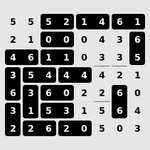
### Visual Description
## Numerical Matrix: 8x8 Grid of Single-Digit Integers
### Overview
The image displays a grid of single-digit integers arranged in an 8-row by 8-column matrix. There are no titles, labels, legends, or axes. The content consists solely of numerical data presented in a plain, tabular format with black text on a white background. The numbers appear to be uniformly spaced in a grid pattern.
### Components/Axes
* **Structure:** An 8x8 grid (8 rows, 8 columns).
* **Content:** Single-digit integers (0-6).
* **Labels:** None. There are no row or column headers, titles, or legends.
* **Language:** The content consists of Arabic numerals, which are language-agnostic. No other language is present.
### Detailed Analysis
The matrix contains the following numerical data, transcribed row by row from top to bottom. Please note: The 4th row appears to have only 7 visible numbers in the provided image. The 8th column for that row is blank or not legible. This is noted as an uncertainty.
**Row 1:** 5, 5, 5, 2, 1, 4, 6, 1
**Row 2:** 2, 1, 0, 0, 0, 4, 3, 6
**Row 3:** 4, 6, 1, 1, 0, 3, 3, 5
**Row 4:** 3, 5, 4, 4, 4, 2, 1, [Value Unclear/Missing]
**Row 5:** 6, 3, 1, 0, 2, 2, 6, 0
**Row 6:** 3, 3, 6, 0, 2, 2, 6, 4
**Row 7:** 1, 6, 1, 3, 1, 5, 6, 4
**Row 8:** 2, 2, 6, 2, 0, 5, 0, 3
**Data Range:** The values range from 0 to 6.
**Frequency:** The number '6' appears frequently, as does '2' and '3'. The number '0' also appears multiple times.
### Key Observations
1. **Missing/Unclear Data:** The most significant observation is the missing or illegible value in the 4th row, 8th column.
2. **No Apparent Order:** The numbers do not follow a simple ascending or descending sequence across rows or columns.
3. **Repetition:** Certain numbers repeat in clusters (e.g., three 5s in Row 1, three 4s in Row 4, three 0s in Row 2).
4. **Visual Presentation:** The grid is presented without any contextual framing, making its purpose ambiguous.
### Interpretation
The image presents raw numerical data in a matrix format. Without labels or context, the specific meaning or domain of this data cannot be determined. It could represent:
* A sample from a larger dataset.
* Scores or ratings on an 8-item scale across 8 subjects (or vice-versa).
* Encoded data where numbers correspond to categories.
* A simple exercise or placeholder data.
The **Peircean investigative** reading suggests this is an *icon*—it resembles a data table—but lacks the *indexical* links (labels, title) to connect it to a specific object or reality, and the *symbolic* framework (explanatory text) to define its meaning. Therefore, its informational value is limited to the numerical patterns themselves. The missing value in Row 4 is a critical data integrity issue for any potential analysis. To derive meaningful insight, this matrix requires the accompanying metadata (row/column definitions, source, purpose) that is absent from the image.
</details>
Figure 8: Dominosa: Tile the rectangle with a full set of dominoes.
<details>
<summary>extracted/5699650/img/puzzles/fifteen.png Details</summary>
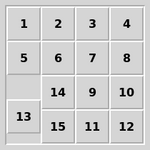
### Visual Description
## Diagram: 4x4 Number Grid with Irregular Cell Layout
### Overview
The image displays a 4x4 grid diagram with a light gray background and white grid lines. The grid contains numbers from 1 to 15, arranged in a non-sequential order. One cell in the third row is empty (white), and one cell in the third row spans two columns, creating an irregular layout. The overall appearance suggests a puzzle, a memory layout diagram, or a specific data structure representation.
### Components/Axes
* **Grid Structure:** A 4x4 matrix (4 rows, 4 columns).
* **Cell Content:** Numbers 1 through 15, plus one empty cell.
* **Visual Style:** Light gray cell backgrounds, white grid lines, black sans-serif text for numbers.
* **Spatial Layout:** The grid is presented head-on with no perspective distortion.
### Detailed Analysis
**Row-by-Row Content (Top to Bottom):**
* **Row 1 (Top):** Contains four separate cells.
* Column 1: `1`
* Column 2: `2`
* Column 3: `3`
* Column 4: `4`
* **Row 2:** Contains four separate cells.
* Column 1: `5`
* Column 2: `6`
* Column 3: `7`
* Column 4: `8`
* **Row 3:** This row has an irregular structure.
* Column 1: **Empty cell** (white background, no number).
* Columns 2 & 3: A single merged cell spanning two columns, containing the number `14`.
* Column 4: Contains the number `9`.
* *Note: The number `10` appears to be in a separate cell to the right of `9`, but within the same row. This suggests the grid might have an implied fifth column in this row, or the cell for `10` is part of the fourth column's space, making the layout ambiguous.*
* **Row 4 (Bottom):** Contains four separate cells.
* Column 1: `13`
* Column 2: `15`
* Column 3: `11`
* Column 4: `12`
**Complete Cell Inventory (by approximate position):**
1. Top-left: `1`
2. Top-center-left: `2`
3. Top-center-right: `3`
4. Top-right: `4`
5. Upper-middle-left: `5`
6. Upper-middle-center-left: `6`
7. Upper-middle-center-right: `7`
8. Upper-middle-right: `8`
9. Lower-middle-left: **[EMPTY]**
10. Lower-middle-center (spanning two columns): `14`
11. Lower-middle-right (center-right): `9`
12. Lower-middle-far-right: `10` *(positionally ambiguous)*
13. Bottom-left: `13`
14. Bottom-center-left: `15`
15. Bottom-center-right: `11`
16. Bottom-right: `12`
### Key Observations
1. **Non-Sequential Order:** The numbers are not arranged in a standard reading order (left-to-right, top-to-bottom). The sequence jumps significantly (e.g., from `8` to `14`, then back to `9`).
2. **Structural Anomaly:** The third row breaks the standard grid pattern with an empty cell and a merged cell, disrupting the expected 4x4 matrix.
3. **Number Set:** The numbers 1-15 are all present exactly once. The number 16 is absent, consistent with the empty cell.
4. **Potential Puzzle Configuration:** The layout strongly resembles the starting state of a classic "15-puzzle" or "sliding tile puzzle," where tiles numbered 1-15 are arranged in a 4x4 grid with one empty space. However, the specific order shown here (`14` in the center, `9` and `10` to its right) is not the standard solved state nor a common random shuffle, suggesting it may be a specific, possibly intermediate, configuration.
### Interpretation
This diagram is most likely a representation of a **sliding tile puzzle state**. The empty cell is the "blank" space into which adjacent tiles can slide. The irregular numbering and the merged cell appearance in the third row are likely visual artifacts of how the puzzle state is rendered, where the tile `14` is positioned in the center, and tiles `9` and `10` are to its right, creating the illusion of a merged cell in a rigid grid layout.
The data demonstrates a specific, non-solved configuration of such a puzzle. The key relationship is between the numbered tiles and the single empty space, which defines the possible moves. The notable anomaly is the placement of high-numbered tiles (`14`, `15`) near the center and bottom, while lower numbers (`1`, `2`, `3`, `4`) are correctly positioned in the top row. This suggests the puzzle is in a partially solved state, with the first row complete but the remaining tiles disordered. The purpose of the image is likely to illustrate a problem state for algorithmic solving, game theory, or as a visual example in a technical document about puzzles or search algorithms.
</details>
Figure 9: Fifteen: Slide the tiles around to arrange them into order.
<details>
<summary>extracted/5699650/img/puzzles/filling.png Details</summary>
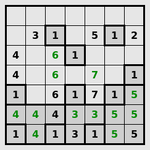
### Visual Description
## Diagram: 6x9 Number Grid Puzzle with Shaded Regions
### Overview
The image displays a rectangular grid composed of 6 rows and 9 columns, forming a puzzle layout. The grid is subdivided by thicker lines into six 3x3 boxes (arranged in 2 rows and 3 columns of boxes). Certain cells contain single-digit numbers (1-7), while others are blank. A distinct light green shading is applied to specific cells, primarily within the bottom-left and bottom-right 3x3 boxes. There are no titles, axis labels, or legends present; the content is purely a numerical grid.
### Components/Axes
* **Grid Structure**: 6 rows × 9 columns.
* **Subdivisions**: Thick lines delineate six 3x3 boxes.
* **Cell Content**: Contains integers (1, 2, 3, 4, 5, 6, 7) or is blank.
* **Shading**: A light green background color is applied to select cells, indicating a specific region or given clues.
### Detailed Analysis
The grid content is transcribed below. Row and column numbering starts from 1 at the top-left. `(G)` denotes a green-shaded cell.
| Row | Col 1 | Col 2 | Col 3 | Col 4 | Col 5 | Col 6 | Col 7 | Col 8 | Col 9 |
| :-- | :---- | :---- | :---- | :---- | :---- | :---- | :---- | :---- | :---- |
| **1** | 3 | 1 | | | 5 | 1 | 2 | | |
| **2** | 4 | 6 | 1 | | | | | | |
| **3** | 4 | 6 | | | 7 | | | 1 | |
| **4** | 1 (G) | 6 (G) | 1 (G) | 7 | | | 1 (G) | 5 (G) | |
| **5** | 4 (G) | 4 (G) | 4 (G) | 3 | 3 | | 5 (G) | 5 (G) | |
| **6** | 1 (G) | 4 (G) | 1 (G) | 3 | 1 | | 5 (G) | 5 (G) | |
**Shading Pattern:**
* **Bottom-Left 3x3 Box** (Rows 4-6, Cols 1-3): All 9 cells are shaded green and contain numbers.
* **Bottom-Right 3x3 Box** (Rows 4-6, Cols 7-9): Only the cells containing numbers (Cols 7 & 8) are shaded green. Column 9 cells are blank and unshaded.
* **All Other Boxes** (Top row of boxes and Bottom-Middle box): No cells are shaded green.
### Key Observations
1. **Number Distribution**: The numbers 1, 4, 5, and 6 appear most frequently. The number 7 appears only once (Row 3, Col 5). The number 2 appears only once (Row 1, Col 7).
2. **Concentration in Shaded Regions**: The green-shaded cells in the bottom-left box contain a dense cluster of numbers, with no blanks. The bottom-right shaded region also has a high density of numbers in its first two columns.
3. **Blank Cell Pattern**: Blank cells are concentrated in the top half of the grid and the rightmost column of the bottom-right box.
4. **Repetition within Boxes**: Within the green-shaded bottom-left box, the number 4 appears three times in a row in Row 5 (Cols 1-3). Similarly, the number 5 appears twice in Rows 5 and 6 within the shaded part of the bottom-right box.
### Interpretation
This image represents a logic-based number puzzle, likely a variant of Sudoku or a similar constraint-satisfaction game. The green shading almost certainly denotes the "given" or "starting" numbers provided to the solver. The unshaded cells are the ones to be filled.
The puzzle's structure suggests specific rules:
* The 6x9 format and 3x3 box divisions imply that each 3x3 box must contain unique numbers, similar to standard Sudoku. However, the standard Sudoku rule set uses a 9x9 grid with numbers 1-9. The presence of only numbers 1-7 here indicates a modified rule set, possibly requiring each number to appear a specific number of times per row, column, or box.
* The heavy concentration of givens in the bottom shaded regions versus the sparsity in the top unshaded region suggests the puzzle's difficulty or solving path may start from the bottom and work upwards. The cluster of 4s in Row 5, Col 1-3 is a strong initial constraint that would heavily influence the possibilities for the surrounding cells.
* The single instances of 2 and 7 are critical clues, as their placement will have broad implications for the rows, columns, and boxes they occupy.
In essence, the image provides the complete initial state of a puzzle. To solve it, one would need to deduce the placement of numbers in all blank cells according to the puzzle's specific (but unstated) rules, using the given green-shaded numbers as the foundation.
</details>
Figure 10: Filling: Mark every square with the area of its containing region.
<details>
<summary>extracted/5699650/img/puzzles/flip.png Details</summary>
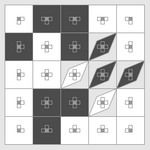
### Visual Description
## Diagram: 5x5 Grid Matrix with Iconographic Cells and Shading Patterns
### Overview
The image displays a 5x5 grid (matrix) composed of 25 square cells. Each cell contains a small, monochromatic icon or symbol at its center. The grid uses a grayscale shading scheme where some cells are filled with a dark gray/black color, while others remain white or very light gray. There is no visible text, labels, axis titles, or numerical data present in the image. The diagram appears to be a conceptual or symbolic matrix, possibly representing relationships, states, or categories through the arrangement of icons and shading.
### Components/Axes
* **Grid Structure:** A perfect 5x5 matrix with clearly defined cell borders.
* **Cell Content:** Each of the 25 cells contains a small, centered icon. The icons are not uniform; they appear to be different simplified line drawings or symbols. Due to the image resolution, precise identification of each icon is challenging, but they resemble abstract representations of objects, tools, or concepts (e.g., a square with a dot, a shape with protruding lines, a circle within a square).
* **Shading/Legend:** There is no explicit legend. The primary visual variable is cell fill color (dark vs. light). The shading pattern is the key to interpreting the diagram's structure.
* **Spatial Layout:** The grid is presented flat, with no 3D perspective or additional graphical elements outside the grid boundaries.
### Detailed Analysis
**Shading Pattern Analysis (Spatial Grounding):**
The dark shading is not random and forms distinct geometric patterns within the grid. Let's define the grid with rows 1-5 (top to bottom) and columns A-E (left to right).
| Pattern | Description | Cells (Row, Column) |
| :--- | :--- | :--- |
| **Corner and Center Emphasis** | Creates a diagonal axis of emphasis from the top-left to the bottom-right. | A1 (dark), C3 (dark), E5 (dark) |
| **Diagonal Band** | A prominent diagonal band runs from the top-right to the bottom-left, orthogonal to the main corner-to-corner diagonal. | B5, C4, D3, E2 |
| **Additional Dark Cells** | Cells that do not lie on the two main diagonals. | A2, D5, E4 |
**Iconography:**
While specific icons cannot be cataloged with certainty due to resolution, their presence in every cell suggests each cell represents a unique item, state, or data point. The variation in icons implies categorical differences, while the shading likely indicates a higher-order grouping, status (e.g., active/inactive, selected/unselected), or a relationship pattern (e.g., connectivity, conflict).
### Key Observations
1. **Symmetry and Pattern:** The shading exhibits a strong, intentional geometric pattern rather than a data-driven distribution (like a heatmap). The combination of the corner-center diagonal and the orthogonal diagonal band creates a visually balanced, almost heraldic or symbolic layout.
2. **Lack of Quantitative Data:** There are no numbers, percentages, scales, or axes. The diagram is purely qualitative and relational.
3. **Dual Information Channels:** Information is conveyed through two parallel channels: the **icon** within each cell (likely denoting type or identity) and the **shading** of the cell (likely denoting group, status, or relationship).
4. **Central Focal Point:** The dark center cell (C3) acts as a visual anchor, surrounded by a complex interplay of the two diagonal shading patterns.
### Interpretation
This diagram is not a chart of empirical data but a **conceptual model or schematic**. Its purpose is to visualize relationships or a structure within a defined 5x5 system.
* **What it Suggests:** The diagram likely maps a system where elements (icons) are categorized or connected according to a specific logic. The shading pattern could represent:
* A **conflict or interaction map** (e.g., in game theory or network analysis), where dark cells indicate opposing or interacting pairs.
* A **state matrix** for a process or machine, where shading indicates active, blocked, or key transition states.
* A **classification schema**, where dark cells belong to one or more intersecting categories (the two diagonals).
* A **spatial or organizational chart**, where position and shading denote hierarchy, department, or function.
* **Relationships Between Elements:** The two crossing diagonals suggest two independent but intersecting classification systems or forces acting upon the grid's elements. An element's properties would be defined by its icon *and* its position relative to these shaded diagonals (e.g., an element on both diagonals, on one, or on none).
* **Notable Anomalies:** The dark cells at A2, D5, and E4 do not lie on the two main diagonals. These could represent exceptions, special cases, or elements that belong to a third, less prominent category. Their placement breaks perfect symmetry, indicating the model accommodates irregularities.
**In essence, this is a visual logic puzzle or a framework for thinking about a 25-component system. To extract its full meaning, one would need the accompanying key or text that defines what the icons represent and what the shading signifies.** The image itself provides only the structural relationship between the components.
</details>
Figure 11: Flip: Flip groups of squares to light them all up at once.
<details>
<summary>extracted/5699650/img/puzzles/flood.png Details</summary>
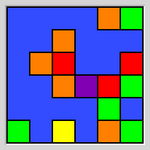
### Visual Description
\n
## Diagram: 10x10 Colored Grid Matrix
### Overview
The image displays a 10x10 grid composed of square cells. The background of the entire grid is a uniform medium blue. Within this grid, 24 cells are filled with distinct, solid colors, while the remaining 76 cells retain the blue background color. There are no titles, axis labels, numerical markers, or legends present in the image. The diagram appears to be a visual mapping or classification grid where position and color are the primary data carriers.
### Components/Axes
* **Grid Structure:** A perfect 10x10 matrix. Rows can be numbered 1-10 from top to bottom, and columns 1-10 from left to right for spatial reference.
* **Color Palette:** Six distinct colors are used for the filled cells:
* Orange
* Red
* Green (a bright, slightly yellow-green)
* Yellow
* Purple
* A darker shade of Blue (used for one cell, distinct from the background)
* **Legend:** No legend is provided. The meaning of each color is undefined.
* **Labels/Axes:** No text labels, row/column identifiers, or axis titles are present.
### Detailed Analysis
**Spatial Distribution of Colored Cells:**
The colored cells are not randomly scattered but form distinct clusters and isolated points.
* **Top-Right Quadrant (Rows 1-5, Columns 6-10):** This is the most densely populated area.
* A cluster of **Orange** cells is centered around (Row 2, Column 7) and (Row 3, Column 6).
* **Green** cells appear at (Row 1, Column 9), (Row 4, Column 9), and (Row 5, Column 10).
* **Red** cells are located at (Row 4, Column 10) and (Row 5, Column 9).
* **Center:** A single **Purple** cell is positioned at the exact center of the grid (Row 6, Column 6). It is surrounded by blue background cells on all eight sides.
* **Bottom-Left Quadrant (Rows 6-10, Columns 1-5):**
* A cluster of **Green** cells is at the bottom-left corner: (Row 9, Column 1) and (Row 10, Column 1).
* A **Yellow** cell is at (Row 10, Column 4).
* An **Orange** cell is at (Row 10, Column 8), which is in the bottom-right quadrant.
* **Other Notable Cells:**
* A **Darker Blue** cell (different from the background) is at (Row 6, Column 8).
* Isolated **Orange** cells appear at (Row 4, Column 3) and (Row 5, Column 4).
* An isolated **Red** cell is at (Row 6, Column 9).
**Trend Verification:**
As this is a static grid and not a time-series chart, trends are interpreted as spatial patterns.
* **Pattern 1 (Clustering):** Colors are not evenly distributed. Orange, Green, and Red show clear clustering in the top-right.
* **Pattern 2 (Isolation):** The Purple and Dark Blue cells are singular and isolated, potentially marking points of unique significance.
* **Pattern 3 (Perimeter Activity):** Several colored cells (Green, Yellow, Orange) are located along the bottom edge of the grid.
### Key Observations
1. **Central Anomaly:** The single Purple cell at (6,6) is the most visually isolated element, drawing attention as a potential focal point or unique category.
2. **Color Dominance:** Orange appears most frequently (5 instances), followed by Green (5 instances), then Red (3 instances). Yellow, Purple, and Dark Blue are singular.
3. **Absence of Data:** The vast majority of the grid (76%) is the uniform blue background, indicating either "empty," "default," or "unclassified" status for those positions.
4. **Lack of Context:** The complete absence of textual labels, a legend, or a title makes definitive interpretation impossible. The data is purely relational (position vs. color).
### Interpretation
This diagram presents a **spatial classification matrix**. Its meaning is entirely dependent on external context not provided in the image.
* **What it could represent:** It might be a heat map for a 10x10 game board (like a minesweeper variant), a status grid for a 10x10 array of sensors or system components, a visual hash or encoding, or a simplified representation of a larger dataset where position (x,y) maps to a category (color).
* **Relationships:** The clustering suggests that certain categories (Orange, Green, Red) are related or co-occur in specific regions of the mapped space. The isolated Purple and Dark Blue cells suggest unique, singular states or markers.
* **Notable Anomalies:** The central Purple cell is the primary anomaly due to its isolation and central positioning. The use of a darker blue cell on a blue background is a subtle but potentially significant distinction, possibly indicating a "special" or "active" state within the default field.
* **Peircean Investigation:** From a semiotic perspective, the image is an **icon** (it resembles a grid) and an **index** (the colors point to some underlying condition or category). Without the **symbolic** key (a legend), the viewer can only analyze the syntactic relationships between positions and colors, not their semantic meaning. The diagram's power and frustration lie in its clear presentation of a pattern whose significance is locked away without the corresponding codebook.
</details>
Figure 12: Flood: Turn the grid the same colour in as few flood fills as possible.
<details>
<summary>extracted/5699650/img/puzzles/galaxies.png Details</summary>
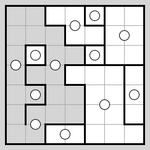
### Visual Description
\n
## Diagram: Grid-Based Maze or Puzzle Layout
### Overview
The image displays a square grid diagram, likely representing a maze, puzzle, or spatial partitioning problem. It consists of an 8x8 grid of smaller squares, with certain areas shaded in light gray and others left white. The grid contains several circular markers and is subdivided by thick black lines that form irregular, interconnected regions. There is no textual information, labels, axes, or legends present in the image.
### Components/Axes
* **Grid Structure:** An 8x8 square grid, creating 64 individual cells.
* **Shading:** Two primary shaded regions exist:
1. A large, irregular shaded region occupying much of the left and bottom-left portion of the grid.
2. A smaller, separate shaded region in the top-right corner.
* **Boundaries:** Thick black lines subdivide the entire grid into 11 distinct, non-rectangular regions or "rooms." These lines follow the grid lines but create complex shapes.
* **Markers:** There are 12 white circles (or octagons, appearing circular at this resolution) placed within various cells of the grid. Their distribution is as follows:
* **Within Shaded Regions:** 5 circles.
* **Within Unshaded (White) Regions:** 7 circles.
### Detailed Analysis
**Spatial Layout and Element Placement:**
* **Top-Left Quadrant:** Contains the start of the large shaded region. A circle is located near the top-left corner (approx. row 2, column 2 from top-left).
* **Top-Right Quadrant:** Contains the smaller, isolated shaded region. Two circles are present here: one inside the shaded area (approx. row 2, column 6) and one just outside it in a white region (approx. row 3, column 7).
* **Bottom-Left Quadrant:** This is the densest area, containing the bulk of the large shaded region and 4 circles clustered within it.
* **Bottom-Right Quadrant:** Primarily unshaded (white) and contains 3 circles.
* **Central Area:** The thick boundary lines converge near the center, creating a complex junction of multiple regions.
**Pattern of Circles:**
The circles do not follow a simple geometric pattern (like a straight line or perfect grid). They appear scattered, potentially representing points of interest, start/end points, or obstacles within the maze-like structure.
### Key Observations
1. **No Textual Data:** The image contains zero text, numbers, labels, or symbols beyond the geometric shapes described.
2. **Asymmetric Partitioning:** The black boundary lines create a highly asymmetric division of the grid. Regions vary greatly in size and shape, from small 2-cell enclosures to large, sprawling areas.
3. **Shading as a Distinguishing Feature:** The gray shading clearly differentiates two zones from the rest of the white grid. The relationship between the shaded zones and the placement of circles is not immediately obvious (circles are in both shaded and unshaded areas).
4. **Potential Function:** The diagram strongly resembles a visual puzzle, such as a "slitherlink" or "masyu" logic puzzle, a maze layout for a game, or a diagram illustrating a graph theory problem (where regions are nodes and shared boundaries are edges).
### Interpretation
This image is a purely graphical representation devoid of explicit data. Its meaning is encoded in its spatial relationships.
* **What it Demonstrates:** It presents a defined spatial environment with rules implied by its structure: movement or connection is likely constrained by the thick black boundaries. The circles act as specific nodes or targets within this environment.
* **Relationship Between Elements:** The shaded regions may denote a specific property (e.g., "filled," "active," "owned") as opposed to the unshaded regions. The circles are the primary interactive or notable elements placed within this partitioned space. The core relationship is between the **fixed topology** (the grid and its subdivisions) and the **variable placement** of the circular markers.
* **Notable Anomalies/Patterns:** The most notable feature is the complete lack of explanatory text. This suggests the diagram is either part of a larger context (e.g., a puzzle with instructions provided separately) or is an abstract representation where the viewer is meant to deduce the rules from the visual layout alone. The clustering of circles in the bottom-left shaded area versus their sparser distribution elsewhere could be a key clue to the diagram's purpose.
**Conclusion for Technical Documentation:**
This image contains no extractable textual or numerical data. It is a visual diagram of a partitioned grid with marked points. To derive factual information from it, one would need the accompanying rules, legend, or problem statement that defines what the grid, shading, boundaries, and circles represent. Without that context, the image is a geometric pattern whose informational content is purely relational and positional.
</details>
Figure 13: Galaxies: Divide the grid into rotationally symmetric regions each centred on a dot.
<details>
<summary>extracted/5699650/img/puzzles/guess.png Details</summary>
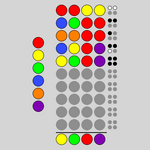
### Visual Description
## Diagram: Categorical Symbol Grid
### Overview
The image displays a structured grid of colored circles (dots) arranged in a pattern against a light gray background. There are no traditional chart axes, titles, legends, or numerical data. The composition appears to be a symbolic or categorical representation, possibly a code, a visual key, or an abstract data visualization where color and position convey meaning. No textual information is present in the image.
### Components/Axes
* **Primary Elements:** Colored circles (dots). Colors observed: Red, Yellow, Blue, Green, Orange, Purple, and Gray.
* **Arrangement:** The circles are organized in a grid-like structure with 7 columns. The number of rows varies by column.
* **Fill Styles:** Circles exhibit different fill styles:
* Solid fill (e.g., top-left red circle).
* Outline only (e.g., some gray circles in the lower section).
* Filled with a pattern of small black dots (e.g., the rightmost column).
* **Spatial Layout:**
* **Top Row (Row 1):** Contains 3 circles in columns 1-3: Red, Yellow, Blue.
* **Main Body (Rows 2-8):** A dense 7x7 grid of circles. The first six columns contain colored circles, while the seventh (rightmost) column contains circles with a black dot pattern.
* **Bottom Section (Rows 9-11):** A block of gray circles, primarily in columns 1-6. The seventh column continues the dot-pattern circles.
* **Footer Row (Row 12):** A final row of 5 colored circles: Yellow, Red, Green, Blue, Purple.
### Detailed Analysis
**Row-by-Row Color & Style Breakdown (Columns 1-7):**
* **Row 1:** Red (solid), Yellow (solid), Blue (solid), [Empty], [Empty], [Empty], [Empty].
* **Row 2:** Red (solid), Yellow (solid), Blue (solid), Green (solid), Orange (solid), Purple (solid), Gray (dot pattern).
* **Row 3:** Red (solid), Yellow (solid), Blue (solid), Green (solid), Orange (solid), Purple (solid), Gray (dot pattern).
* **Row 4:** Red (solid), Yellow (solid), Blue (solid), Green (solid), Orange (solid), Purple (solid), Gray (dot pattern).
* **Row 5:** Red (solid), Yellow (solid), Blue (solid), Green (solid), Orange (solid), Purple (solid), Gray (dot pattern).
* **Row 6:** Red (solid), Yellow (solid), Blue (solid), Green (solid), Orange (solid), Purple (solid), Gray (dot pattern).
* **Row 7:** Red (solid), Yellow (solid), Blue (solid), Green (solid), Orange (solid), Purple (solid), Gray (dot pattern).
* **Row 8:** Red (solid), Yellow (solid), Blue (solid), Green (solid), Orange (solid), Purple (solid), Gray (dot pattern).
* **Row 9:** Gray (solid), Gray (solid), Gray (solid), Gray (solid), Gray (solid), Gray (solid), Gray (dot pattern).
* **Row 10:** Gray (solid), Gray (solid), Gray (solid), Gray (solid), Gray (solid), Gray (solid), Gray (dot pattern).
* **Row 11:** Gray (solid), Gray (solid), Gray (solid), Gray (solid), Gray (solid), Gray (solid), Gray (dot pattern).
* **Row 12:** Yellow (solid), Red (solid), Green (solid), Blue (solid), Purple (solid), [Empty], [Empty].
**Key Pattern Observations:**
1. **Column 7 Consistency:** Every circle in the seventh column, from Row 2 to Row 11, is gray with a black dot pattern.
2. **Color Block:** Columns 1-6 in Rows 2-8 form a consistent block where each column is a single color (Column 1: Red, Column 2: Yellow, Column 3: Blue, Column 4: Green, Column 5: Orange, Column 6: Purple).
3. **Gray Block:** Rows 9-11 in Columns 1-6 are entirely solid gray circles.
4. **Footer Anomaly:** The final row (Row 12) breaks the pattern, presenting a sequence of five distinct colors not aligned with the column colors above.
### Key Observations
* **No Numerical Data:** The image contains no numbers, percentages, scales, or quantitative indicators.
* **No Textual Labels:** There are no titles, axis labels, legends, annotations, or any written text.
* **Structural Symmetry:** The main body (Rows 2-8) shows high symmetry and repetition in its color columns.
* **Stylistic Variation:** The use of solid fills, outlines (in the gray block), and dot patterns adds a layer of visual distinction beyond color alone.
* **Spatial Grouping:** Elements are grouped by color (vertical columns) and by style (the dot-pattern column, the gray block).
### Interpretation
This image is not a data chart in the conventional sense. It is a **symbolic or categorical diagram**. The arrangement suggests it could be:
1. **A Visual Code or Key:** Each color and position might correspond to a specific item, status, or category in a separate system. The dot-pattern column could represent a "null," "check," or "active" state.
2. **An Abstract Representation of Frequency or Composition:** The solid color columns (Red, Yellow, etc.) might represent the presence or count of categories, with the gray block representing an "inactive" or "default" state. The footer row could be a summary or a different data set.
3. **A UI/UX Design Element:** It could be a mockup for a progress indicator, a status board, or a selection matrix where colors represent different states or options.
**Without accompanying text or a legend, the specific meaning is indeterminate.** The value of the image lies in its structured visual grammar—color, pattern, and position—which is designed to be mapped to external information. The clear, repetitive patterns imply an underlying logic or system waiting to be defined.
</details>
Figure 14: Guess: Guess the hidden combination of colours.
<details>
<summary>extracted/5699650/img/puzzles/inertia.png Details</summary>
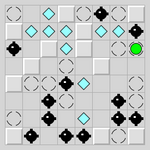
### Visual Description
## Grid-Based Symbol Diagram: 10x10 Matrix with Discrete Elements
### Overview
The image displays a 10x10 grid composed of light gray squares separated by darker gray grid lines. Within this grid, various geometric symbols are placed at specific intersections or cell centers. The diagram appears to represent a spatial arrangement of distinct elements, possibly for a game board, schematic, or data visualization. There is no accompanying text, axis labels, or numerical data.
### Components/Axes
* **Grid Structure:** A 10x10 matrix. Rows can be numbered 1-10 from top to bottom, and columns 1-10 from left to right for precise spatial grounding.
* **Symbol Types:** Four distinct visual elements are present:
1. **Black Diamond:** A solid black diamond shape (◆).
2. **Light Blue Diamond:** A solid light blue/cyan diamond shape (◆).
3. **White Circle:** A white circle with a thin black outline (○).
4. **Green Square:** A single, solid bright green square (■).
* **Legend:** No explicit legend is provided within the image. Symbol meaning must be inferred from context or external knowledge.
### Detailed Analysis
**Spatial Distribution and Coordinates (Row, Column):**
* **Black Diamonds (◆):** Found at (1,1), (1,7), (2,1), (2,8), (3,1), (4,5), (5,4), (5,6), (6,3), (6,7), (6,9), (7,2), (7,8), (7,10), (8,1), (8,9), (9,2), (9,4), (9,6), (9,8), (9,10), (10,3), (10,5), (10,7), (10,9). They are the most numerous symbol, appearing in 25 locations, often clustered in the lower half and right side.
* **Light Blue Diamonds (◆):** Found at (1,4), (2,3), (2,5), (3,2), (3,6), (4,3), (4,7), (5,2), (5,8), (6,1), (6,5), (7,4), (8,3), (8,7), (9,6). They appear in 15 locations, frequently adjacent to or near black diamonds.
* **White Circles (○):** Found at (1,2), (1,3), (1,5), (1,6), (1,8), (1,9), (1,10), (2,2), (2,4), (2,6), (2,7), (2,9), (2,10), (3,3), (3,4), (3,5), (3,7), (3,8), (3,9), (3,10), (4,1), (4,2), (4,4), (4,6), (4,8), (4,9), (4,10), (5,1), (5,3), (5,5), (5,7), (5,9), (5,10), (6,2), (6,4), (6,6), (6,8), (6,10), (7,1), (7,3), (7,5), (7,6), (7,7), (7,9), (8,2), (8,4), (8,5), (8,6), (8,8), (8,10), (9,1), (9,3), (9,5), (9,7), (9,9), (10,1), (10,2), (10,4), (10,6), (10,8), (10,10). They are the most common element, filling 60 cells, acting as the default or background state.
* **Green Square (■):** A single instance located at **(4,9)**. This is the only non-diamond, non-circle symbol and is positioned in the upper-right quadrant.
### Key Observations
1. **Clustering:** Black and light blue diamonds are not randomly scattered. They form distinct clusters, particularly in the bottom-left (rows 7-10, columns 1-5) and bottom-right (rows 7-10, columns 6-10) areas.
2. **Adjacency Patterns:** Light blue diamonds are frequently placed directly adjacent (horizontally, vertically, or diagonally) to black diamonds. For example, at (5,2) blue is adjacent to black at (5,4) and (6,3).
3. **The Anomaly:** The green square at (4,9) is a unique outlier. It is the only square, the only green element, and is isolated, surrounded by white circles and one black diamond at (3,8).
4. **Grid Utilization:** The top two rows (1 & 2) contain a mix of all three main symbols (black, blue, white). Rows 3-6 show a more structured, alternating pattern. The bottom four rows (7-10) are densely populated with diamond symbols.
### Interpretation
This diagram likely represents a **state map or configuration board**. The elements suggest a system with three primary states (black, blue, white) and one special state (green).
* **Possible Contexts:** It could be a level layout for a puzzle game (where diamonds are obstacles/items and the green square is the goal), a visualization of a cellular automaton or grid-based algorithm, or a schematic for a network or material structure where symbols represent different node types or properties.
* **Relationships:** The tight clustering and adjacency of black and blue diamonds imply a functional relationship—they may be interacting elements, paired data points, or opposing forces. The white circles represent empty or neutral ground.
* **The Green Square's Significance:** Its singularity and distinct color mark it as the focal point. In a game context, it's the player or target. In a data context, it could represent a unique data point, an error, or a selected item. Its position at (4,9) is not centrally located, which may be intentional to create asymmetry or a specific challenge/path.
* **Pattern Logic:** The arrangement in the lower half suggests a progression or a denser region of activity. The lack of text forces interpretation purely on spatial relationships, making it a abstract representation where the *pattern itself* is the primary information.
</details>
Figure 15: Inertia: Collect all the gems without running into any of the mines.
<details>
<summary>extracted/5699650/img/puzzles/keen.png Details</summary>
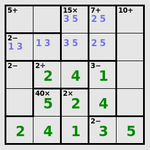
### Visual Description
\n
## Grid-Based Matrix: Numerical Values with Color-Coded Backgrounds
### Overview
The image displays a 4x4 grid (matrix) containing numerical values, some with decimal points, and others with suffixes like "x" or "+". The cells are color-coded with light blue and light green backgrounds, suggesting categorical grouping or value ranges. There are no explicit axis titles or a separate legend; the color coding appears to be intrinsic to the data presentation.
### Components/Axes
* **Structure:** A grid with 4 columns and 4 rows.
* **Column Headers (Top Row):** The top row contains the labels: `5+`, `15x`, `7+`, `10+`. These likely represent categories, thresholds, or multipliers.
* **Row Headers (Leftmost Column):** The leftmost column contains the labels: `2-`, `2-`, `2`, `2`. These may represent another dimension of categorization or scoring.
* **Color Coding:** Two background colors are used within the data cells:
* Light Blue
* Light Green
* (No explicit legend is provided; the meaning of these colors must be inferred from context.)
### Detailed Analysis
**Grid Content (Row by Row, from top to bottom):**
* **Row 1 (Header Row):** `5+` | `15x` | `7+` | `10+`
* **Row 2 (Label: `2-`):**
* Column 1 (`5+`): Value `1.3` on a **Light Blue** background.
* Column 2 (`15x`): Value `3.5` on a **Light Blue** background.
* Column 3 (`7+`): Value `2.5` on a **Light Blue** background.
* Column 4 (`10+`): Empty cell (grey background, no value).
* **Row 3 (Label: `2-`):**
* Column 1 (`5+`): Value `2` on a **Light Green** background.
* Column 2 (`15x`): Value `4` on a **Light Green** background.
* Column 3 (`7+`): Value `1` on a **Light Green** background.
* Column 4 (`10+`): Empty cell (grey background, no value).
* **Row 4 (Label: `2`):**
* Column 1 (`5+`): Value `40x` on a **Light Blue** background.
* Column 2 (`15x`): Value `2` on a **Light Blue** background.
* Column 3 (`7+`): Value `2` on a **Light Blue** background.
* Column 4 (`10+`): Value `4` on a **Light Green** background.
* **Row 5 (Label: `2`):**
* Column 1 (`5+`): Value `2` on a **Light Green** background.
* Column 2 (`15x`): Value `4` on a **Light Green** background.
* Column 3 (`7+`): Value `1` on a **Light Green** background.
* Column 4 (`10+`): Value `2` on a **Light Blue** background.
* *Note: There appears to be a fifth row of data below the row labeled `2`.*
**Spatial & Color Grounding:**
* The **Light Blue** color is associated with values: `1.3`, `3.5`, `2.5`, `40x`, `2`, `2`, `2`.
* The **Light Green** color is associated with values: `2`, `4`, `1`, `4`, `1`, `4`.
* The empty cells are in the top-right corner (Row 2, Column 4 and Row 3, Column 4).
### Key Observations
1. **Color-Value Pattern:** There is no immediately obvious, consistent rule linking the numerical value to the background color (e.g., all high numbers are green). For instance, `4` appears on both green and blue backgrounds, and `2` appears on both as well. The color likely represents a separate categorical variable not explicitly labeled.
2. **Outlier/Anomaly:** The value `40x` in Row 4, Column 1 is a significant outlier. It is an order of magnitude larger than all other numbers in the grid and is the only value with an "x" suffix in the data cells (as opposed to the column header).
3. **Data Distribution:** The grid is not fully populated. The two cells in the top-right corner (under the `10+` header for the first two rows) are empty.
4. **Repetition:** The bottom two rows (both labeled `2` in the leftmost column) contain very similar sequences of numbers (`2,4,1`), though the colors and the final value differ.
### Interpretation
This grid likely represents a **scoring matrix, performance chart, or comparison table** where two dimensions (represented by the row and column headers) are evaluated against a set of metrics or outcomes (the cell values).
* **What the data suggests:** The matrix compares different scenarios or items (rows) across several criteria or conditions (columns). The cell values could be scores, counts, multipliers, or ratings. The color coding (blue vs. green) probably indicates a secondary classification, such as "pass/fail," "high/low priority," "type A/type B," or "internal/external."
* **Relationships:** The row and column headers (`2-`, `5+`, etc.) seem to define the parameters of the comparison. The empty cells suggest that certain combinations of row and column parameters are not applicable or have no data.
* **Notable Anomaly:** The `40x` value is critically important. It indicates an extreme result, a maximum multiplier, or a special case within the matrix that drastically differs from the typical range of 1-4. This would be the primary focus for any investigation.
* **Reading Between the Lines:** Without explicit labels for the rows, columns, or color meaning, the exact context is ambiguous. However, the structure is typical of decision matrices, risk assessments, or feature comparison charts used in technical, business, or gaming contexts. The presence of multipliers (`x`) and additive modifiers (`+`, `-`) in the headers suggests the values might be calculated or adjusted scores. The repetition in the bottom rows might indicate a test of consistency or a comparison of two similar entities under slightly different conditions (as shown by the differing colors and final value).
</details>
Figure 16: Keen: Complete the latin square in accordance with the arithmetic clues.
<details>
<summary>extracted/5699650/img/puzzles/lightup.png Details</summary>
### Visual Description
## Logic Puzzle Grid: 10x10 Nonogram or Similar Grid Puzzle
### Overview
The image displays a 10x10 grid-based logic puzzle, likely a nonogram (also known as picross, griddlers, or picture logic puzzles). The grid contains cells filled with three distinct colors: black, white, and yellow. Some white cells contain numbers or symbols. The puzzle appears to be in a partially solved or instructional state, with yellow highlighting indicating a specific focus or selection.
### Components/Axes
* **Grid Structure:** A 10x10 square grid. Rows are numbered implicitly from top to bottom (1-10), and columns from left to right (1-10).
* **Clue Numbers:** Numerical clues are present along the top and left edges of the grid, which are standard for nonograms.
* **Top Edge (Column Clues):** Above column 3, the number `3` is visible. Above column 6, the number `0` is visible. Other column clues are not fully visible or are obscured.
* **Left Edge (Row Clues):** To the left of row 3, the number `0` is visible. To the left of row 5, the number `1` is visible. To the left of row 7, the number `0` is visible. To the left of row 9, the number `0` is visible. Other row clues are not fully visible.
* **Cell States:**
* **Black Cells:** Represent filled or "on" cells in the puzzle solution.
* **White Cells:** Represent empty or "off" cells. Some contain embedded symbols.
* **Yellow Cells:** Highlight a specific region or pattern within the grid. This is likely an annotation or a step in the solving process, not part of the final puzzle state.
* **Embedded Symbols (within white cells):**
* **Numbers:** The digit `1` appears in multiple cells.
* **Circles:** Both filled (●) and outlined (○) circles appear.
* **Small Squares:** Filled black squares (■) appear in several cells.
### Detailed Analysis
**Spatial Grounding & Component Isolation:**
The grid is processed as a whole. The yellow highlighting forms a connected, snake-like path.
**Row-by-Row Content (from top to bottom):**
* **Row 1:** Cells (1,2)=Yellow, (1,3)=White with `3` and ○, (1,4)=Yellow, (1,5)=White with ○, (1,6)=Yellow, (1,7)=Black, (1,8)=White with `0`, (1,9)=Yellow, (1,10)=White with ○.
* **Row 2:** Cells (2,1)=Yellow, (2,2)=White with `0`, (2,3)=Black, (2,4)=Black, (2,5)=Yellow, (2,6)=Black, (2,7)=Yellow, (2,8)=Black, (2,9)=White, (2,10)=Yellow.
* **Row 3:** (Left clue: `0`) Cells (3,1)=White with ○, (3,2)=Yellow, (3,3)=White, (3,4)=Yellow, (3,5)=Black, (3,6)=Yellow, (3,7)=White with `1`, (3,8)=Yellow, (3,9)=Black, (3,10)=White.
* **Row 4:** Cells (4,1)=Black, (4,2)=Black, (4,3)=Yellow, (4,4)=White, (4,5)=Yellow, (4,6)=White with ■, (4,7)=Yellow, (4,8)=White with `1`, (4,9)=Yellow, (4,10)=Black.
* **Row 5:** (Left clue: `1`) Cells (5,1)=Yellow, (5,2)=White, (5,3)=Black, (5,4)=Yellow, (5,5)=White with ○, (5,6)=Yellow, (5,7)=White, (5,8)=Yellow, (5,9)=White with ■, (5,10)=Yellow.
* **Row 6:** Cells (6,1)=White, (6,2)=Yellow, (6,3)=Yellow, (6,4)=Black, (6,5)=Yellow, (6,6)=Black, (6,7)=Yellow, (6,8)=White with `1`, (6,9)=Yellow, (6,10)=White with ■.
* **Row 7:** (Left clue: `0`) Cells (7,1)=Yellow, (7,2)=White with ■, (7,3)=White, (7,4)=Yellow, (7,5)=Black, (7,6)=Yellow, (7,7)=White with ○, (7,8)=Yellow, (7,9)=White with ■, (7,10)=Yellow.
* **Row 8:** Cells (8,1)=White, (8,2)=Black, (8,3)=Yellow, (8,4)=White with ■, (8,5)=Yellow, (8,6)=White with ■, (8,7)=Yellow, (8,8)=Black, (8,9)=White, (8,10)=Black.
* **Row 9:** (Left clue: `0`) Cells (9,1)=Black, (9,2)=Yellow, (9,3)=White with ■, (9,4)=Yellow, (9,5)=White with ■, (9,6)=Yellow, (9,7)=Black, (9,8)=Yellow, (9,9)=Black, (9,10)=White.
* **Row 10:** Cells (10,1)=White, (10,2)=White, (10,3)=Yellow, (10,4)=White with ■, (10,5)=Yellow, (10,6)=White with ■, (10,7)=Yellow, (10,8)=White with ■, (10,9)=Yellow, (10,10)=White.
**Trend Verification (Yellow Path):** The yellow cells form a continuous, winding path that starts near the top-left, moves right, snakes down through the center, and ends near the bottom-right. It does not follow a simple linear trend but connects specific cells.
### Key Observations
1. **Symbol Distribution:** The number `1` appears exclusively in white cells within the yellow path (rows 3, 4, 6). The number `0` appears in white cells both inside and outside the path.
2. **Circle Placement:** Outlined circles (○) are found in white cells at positions (1,3), (1,5), (1,10), (3,1), (5,5), and (7,7). All are within the yellow-highlighted region.
3. **Square Placement:** Small black squares (■) are found in white cells at (4,6), (5,9), (6,10), (7,2), (7,9), (8,4), (8,6), (9,3), (9,5), (10,4), (10,6), (10,8). Most are within or adjacent to the yellow path.
4. **Puzzle State:** The presence of both clue numbers and solution elements (black cells) suggests this is a puzzle in progress. The yellow highlighting is likely an annotation showing a logical deduction, a "chain" of cells, or a region being analyzed.
### Interpretation
This image represents a snapshot of a logical deduction process within a grid-based puzzle. The yellow highlighting is the most significant analytical element. It likely traces a **"chain" or "inference path"**—a common advanced technique in puzzles like nonograms or Sudoku.
* **What the Data Suggests:** The solver has identified a sequence of cells (the yellow path) where the state of one cell (e.g., being filled/black) logically forces the state of the next cell in the chain. The embedded numbers (`0`, `1`) and symbols (○, ■) within the path are probably **annotations or markers** used by the solver to track this logic. For example, a `1` might mark a cell confirmed to be the first in a block, a `0` might mark a confirmed empty cell, and circles/squares could represent different types of constraints or conclusions.
* **Relationships:** The chain connects clues from different rows and columns. The path's winding nature shows how a deduction in one area of the grid propagates constraints to distant areas. The fact that the chain includes cells with different embedded symbols suggests it integrates multiple pieces of evidence.
* **Anomalies/Notable Points:** The chain is complex and non-linear, indicating a sophisticated level of puzzle-solving. The absence of numbers in some highlighted cells implies those cells' states are inferred purely from positional logic relative to other cells in the chain. This image is less about the final solution and more about **visualizing the meta-logic** used to arrive at it. It serves as a technical diagram of a reasoning process.
</details>
Figure 17: Light Up: Place bulbs to light up all the squares.
<details>
<summary>extracted/5699650/img/puzzles/loopy.png Details</summary>
### Visual Description
## Diagram: 8x8 Number-Link Puzzle Grid
### Overview
The image displays an 8x8 grid-based puzzle, likely a "Number Link" or "Flow Free" style logic game. The grid contains numbered cells (0, 1, 2, 3) that serve as endpoints, and colored lines (yellow and black) that form continuous paths connecting pairs of identical numbers. The objective appears to be connecting all matching number pairs with non-overlapping paths that fill the grid.
### Components/Axes
* **Grid Structure:** An 8x8 square grid composed of 64 individual cells.
* **Cell Content:** Some cells contain numerical digits. The numbers present are: 0, 1, 2, and 3.
* **Path Lines:** Two distinct colored lines traverse the grid:
* **Yellow Line:** A bright, solid yellow path.
* **Black Line:** A solid black path.
* **Spatial Layout:** The grid is presented head-on with no perspective distortion. The numbers and lines are centered within their respective cells.
### Detailed Analysis
**1. Number Placement (by Row, Top to Bottom; Column, Left to Right):**
* **Row 1:** Cell (1,1) contains `0`. Cell (1,2) contains `2`.
* **Row 2:** Cell (2,1) contains `3`.
* **Row 3:** Cell (3,3) contains `2`. Cell (3,4) contains `2`. Cell (3,5) contains `2`.
* **Row 4:** Cell (4,2) contains `2`. Cell (4,6) contains `2`.
* **Row 5:** Cell (5,1) contains `3`. Cell (5,2) contains `2`. Cell (5,3) contains `2`. Cell (5,5) contains `2`.
* **Row 6:** Cell (6,2) contains `2`. Cell (6,3) contains `3`. Cell (6,6) contains `2`.
* **Row 7:** Cell (7,2) contains `2`. Cell (7,6) contains `1`.
* **Row 8:** Cell (8,5) contains `1`. Cell (8,6) contains `1`.
**2. Path Tracing & Connections:**
* **Yellow Path:** This path connects the two `1`s. It starts at the `1` in cell (7,6), moves down to (8,6), then left to (8,5), and terminates at the `1` in (8,5). It forms a short, L-shaped path in the bottom-right quadrant.
* **Black Path:** This is a complex, winding path that connects multiple `2`s and the `3`s. A precise trace is challenging due to intersections, but key segments include:
* A long vertical segment on the far left column (column 1), connecting the `3` in (2,1) down to the `3` in (5,1).
* A large, looping structure in the center and right side of the grid, connecting the numerous `2`s. This path appears to be a single continuous line that snakes through cells like (3,3), (3,4), (3,5), (4,2), (4,6), (5,2), (5,3), (5,5), (6,2), (6,6), and (7,2).
* The path from the `0` in (1,1) and the `2` in (1,2) is not clearly connected to the main black network in this image; they may be isolated endpoints or part of a path that is obscured.
**3. Grid Fill Status:** The paths do not fill every cell. Many cells, particularly in the top two rows and the rightmost column, remain empty (white).
### Key Observations
1. **Dominant Number:** The number `2` is overwhelmingly the most frequent endpoint, appearing at least 10 times. This suggests the primary challenge of the puzzle is routing the single black path to connect all these `2` nodes.
2. **Path Color Coding:** The use of two colors (yellow and black) clearly segregates the puzzle into two independent connection tasks: connecting the `1`s (yellow) and connecting the `2`s and `3`s (black).
3. **Spatial Grouping:** The `2` endpoints are clustered in the central 6x6 area of the grid, while the `1`s are isolated in the bottom-right corner. The `3`s are positioned on the left edge.
4. **Path Complexity:** The black path exhibits high complexity with multiple turns and loops, indicating an advanced puzzle state. The yellow path is trivially simple.
5. **Unconnected Endpoints:** The `0` at (1,1) and the `2` at (1,2) appear to be unconnected in the visible state of the puzzle. This could mean the puzzle is incomplete, or these are red herrings/start points for a different path not fully drawn.
### Interpretation
This image represents a snapshot of a combinatorial path-finding puzzle. The underlying logic requires the solver to draw continuous lines between matching numbers without crossing lines or passing through blocked cells (though none are visible here).
* **What the Data Suggests:** The high density of `2`s implies the core difficulty lies in creating a single, non-self-intersecting path that visits all those points. The separation of the `1`s into their own color group simplifies that sub-task. The presence of a `0` is unusual for standard Number Link puzzles and may indicate a special rule (e.g., a wildcard or a starting point).
* **Relationship Between Elements:** The numbers are the fixed constraints (nodes), and the colored lines are the variable solutions (edges) that must satisfy the topological constraint of being continuous and non-overlapping. The grid provides the discrete space in which the solution must be embedded.
* **Anomalies/Outliers:** The unconnected `0` and `2` in the top-left corner are the most notable anomalies. In a completed puzzle, every number should be an endpoint of exactly one path. Their isolation suggests either an unsolved state or a deviation from standard puzzle rules. The black path's intricate weaving through the center contrasts sharply with the yellow path's simplicity, highlighting a deliberate design to create varying difficulty within the same puzzle.
</details>
Figure 18: Loopy: Draw a single closed loop, given clues about number of adjacent edges.
<details>
<summary>extracted/5699650/img/puzzles/magnets.png Details</summary>
### Visual Description
\n
## Logic Puzzle Grid: Symbol and Clue Diagram
### Overview
The image displays a 5x5 grid-based logic puzzle, likely a variant of a nonogram or similar deductive puzzle. The grid contains cells with symbols (`+`, `-`, `X`, `?`) and numbers, each with specific background colors. Numerical clues are positioned outside the grid on the top, left, and bottom sides, with a single `-` symbol on the right. The puzzle appears to require using the external clues to deduce the correct symbols or fill states for each cell.
### Components/Axes
* **Grid Structure:** 5 rows (R1-R5) by 5 columns (C1-C5).
* **External Clues:**
* **Top (above columns):** Numbers `2`, `2`, `1`, `2` are aligned above columns C1, C2, C3, and C4 respectively. No number is present above C5.
* **Left (beside rows):** Numbers `2`, `3`, `2`, `2`, `1` are aligned to the left of rows R1, R2, R3, R4, and R5 respectively.
* **Bottom (below columns):** Numbers `2`, `2`, `1` are aligned below columns C1, C2, and C3 respectively. No numbers are below C4 or C5.
* **Right:** A single `-` symbol is positioned to the right of the bottom row (R5).
* **Cell Content & Color Key (Inferred):**
* **Red background:** Contains the symbol `+`.
* **Black background:** Contains the symbol `-`.
* **Green background:** Contains the symbol `X`.
* **Gray background:** Contains either a number (`0`, `1`, `2`, `3`) or a blue question mark `?`.
### Detailed Analysis
**Grid Content (Row by Row):**
* **Row 1 (Clue: 2):**
* C1: Red cell, symbol `+`
* C2: Gray cell, number `2`
* C3: Gray cell, number `1`
* C4: Gray cell, number `2`
* C5: Gray cell, number `2`
* **Row 2 (Clue: 3):**
* C1: Black cell, symbol `-`
* C2: Red cell, symbol `+`
* C3: Gray cell, blue symbol `?`
* C4: Gray cell, blue symbol `?`
* C5: Gray cell, number `2`
* **Row 3 (Clue: 2):**
* C1: Red cell, symbol `+`
* C2: Black cell, symbol `-`
* C3: Red cell, symbol `+`
* C4: Gray cell, number `1`
* C5: Gray cell, number `0`
* **Row 4 (Clue: 2):**
* C1: Green cell, symbol `X`
* C2: Green cell, symbol `X`
* C3: Green cell, symbol `X`
* C4: Green cell, symbol `X`
* C5: Gray cell, number `0`
* **Row 5 (Clue: 1):**
* C1: Gray cell, number `2`
* C2: Red cell, symbol `+`
* C3: Black cell, symbol `-`
* C4: Green cell, symbol `X`
* C5: Gray cell, symbol `-` (black text on gray)
**Column Clue Verification (Trend Check):**
* **C1 (Top Clue: 2, Bottom Clue: 2):** Contains one `+` (red), one `-` (black), one `X` (green), and two numbers (`2`, `2`). The colored symbols do not sum to 2, suggesting the clues may count specific symbols or states.
* **C2 (Top Clue: 2, Bottom Clue: 2):** Contains two `+` (red), one `-` (black), one `X` (green), and one number (`2`).
* **C3 (Top Clue: 1, Bottom Clue: 1):** Contains one `+` (red), one `-` (black), one `X` (green), one `?`, and one number (`1`).
* **C4 (Top Clue: 2, Bottom Clue: none):** Contains one `+` (red), one `X` (green), one `?`, and two numbers (`2`, `1`).
* **C5 (Top Clue: none, Bottom Clue: none):** Contains one `-` (black, on gray), and three numbers (`2`, `0`, `0`).
### Key Observations
1. **Symbol Distribution:** The `X` symbol forms a complete block in Row 4. The `+` and `-` symbols are scattered, often adjacent to each other.
2. **Unknown Elements:** Two cells in Row 2 (C3, C4) contain blue question marks `?`, indicating unknown or to-be-determined values.
3. **Numerical Cells:** Many gray cells contain numbers (`0`, `1`, `2`, `3`). These may represent counts, values, or additional clues internal to the grid.
4. **Clue Discrepancy:** The external numerical clues (e.g., Row 1 clue `2`) do not have an obvious, direct correlation with the count of any single symbol type (`+`, `-`, `X`) in that row based on visual inspection. This implies a more complex rule set, possibly involving the numbers within the cells or combinations of symbols.
5. **Spatial Layout:** Clues are positioned conventionally for grid puzzles (top/left for columns/rows). The bottom clues are incomplete (only for C1-C3), and a lone `-` symbol on the right may be a special indicator or part of the puzzle's rule notation.
### Interpretation
This image represents the **state of a logic puzzle mid-solution or as a problem setup**. The data suggests a system where:
* **External clues** (numbers on top/left) define constraints for each row and column.
* **Internal cell values** (symbols and numbers) are the variables to be deduced.
* The **color-coding** (`+`=red, `-`=black, `X`=green) likely categorizes cell states, which may correspond to the "filled" or "active" states counted by the external clues.
* The **numbers inside gray cells** are ambiguous; they could be part of the puzzle's initial conditions, intermediate calculations, or even a separate layer of the puzzle (e.g., a "minesweeper"-style count of adjacent symbols).
* The **blue `?` marks** are the explicit unknowns the solver must resolve.
The puzzle's logic is not self-evident from the image alone. To solve it, one would need the specific ruleset governing how the external clues relate to the internal symbols and numbers. The current state shows a partially filled grid with clear patterns (like the `X` block) and clear unknowns (`?`), presenting a deductive challenge. The discrepancy between simple symbol counts and the clue numbers is the central anomaly, indicating the puzzle's rules are more nuanced than a direct tally.
</details>
Figure 19: Magnets: Place magnets to satisfy the clues and avoid like poles touching.
<details>
<summary>extracted/5699650/img/puzzles/map.png Details</summary>
### Visual Description
## Diagram: Abstract Zonal Map
### Overview
The image is a square, abstract diagram composed of irregular, interlocking polygonal regions filled with solid colors. It resembles a thematic map, zoning plan, or conceptual diagram representing different categories or areas. There are no textual labels, axes, legends, or numerical data present. The visual information is conveyed entirely through color, shape, and spatial arrangement.
### Components/Axes
* **Frame:** A thin, dark gray border encloses the entire diagram.
* **Regions:** The diagram is divided into approximately 25-30 distinct, irregular polygonal regions. They tessellate to fill the entire square frame without gaps.
* **Color Palette:** The regions are filled with a limited set of solid colors:
* White
* Light Gray
* Olive Green (a muted, brownish-green)
* Dark Green (a deeper, forest green)
* Brown (a medium, earthy brown)
* Tan (a light, sandy beige)
* Mustard Yellow (a dull, golden yellow)
* **Lines:** A network of thin, black lines overlays the colored regions. These lines appear to define boundaries or pathways. Some lines follow the edges of the colored regions, while others cut across them, creating a secondary layer of segmentation. The lines form a connected, maze-like network.
### Detailed Analysis
* **Spatial Distribution of Colors:**
* **Top-Left Quadrant:** Dominated by a large **white** region. Adjacent to it are smaller **light gray** and **olive green** regions.
* **Top-Right Quadrant:** Features a large **mustard yellow** region at the top, with **brown** and **tan** regions below it.
* **Center:** A complex intersection of multiple colors. A notable **dark green** region is present slightly right of center.
* **Bottom-Left Quadrant:** Contains a mix of **tan**, **brown**, and **olive green** regions.
* **Bottom-Right Quadrant:** Features a large **tan** region and a distinct **dark green** region in the corner.
* **Line Network:** The black lines are not uniformly distributed. They are denser in the central and lower portions of the diagram, creating smaller, more intricate subdivisions. In the upper sections, particularly over the large white and mustard yellow areas, the lines are sparser, defining larger cells.
* **Shape Characteristics:** The polygons are all irregular, with no perfect squares or circles. They have varied numbers of sides, creating an organic, non-geometric feel.
### Key Observations
1. **Absence of Key Information:** The most critical observation is the complete lack of a legend, labels, title, or any explanatory text. This makes definitive interpretation impossible.
2. **Color Repetition:** The same colors (e.g., brown, tan, olive green) are used in multiple, non-adjacent regions, suggesting they represent the same category or data class distributed across the map.
3. **Hierarchy of Segmentation:** There appears to be a two-level structure: the primary colored regions and the secondary subdivisions created by the black line network.
4. **Visual Weight:** The large white area in the top-left and the mustard yellow area in the top-right act as dominant visual anchors due to their size and contrast.
### Interpretation
This image is a data visualization whose meaning is entirely encoded in its visual grammar, but the key to decoding it (the legend) is missing. Based on its form, it could represent:
* **A Land Use or Zoning Map:** Colors could indicate different zones (residential, commercial, industrial, parkland). The black lines might represent property boundaries, roads, or utility lines.
* **A Conceptual or Network Diagram:** It could abstractly represent relationships between different entities (colored regions) and their connections or boundaries (black lines). The white area might signify an "unknown" or "unclassified" zone.
* **A Heatmap or Spatial Data Plot:** Without axis labels, it's impossible to confirm, but the varying region sizes and colors could represent the intensity or category of a measured variable across a two-dimensional space.
**The core takeaway is that the diagram communicates spatial relationships and categorical distribution through color and form, but its specific informational content is locked without the accompanying legend or metadata.** To extract factual data, the color-to-category mapping is essential. The black line network adds a layer of complexity, suggesting either finer-grained data or a separate system of boundaries overlaid on the primary categories.
</details>
Figure 20: Map: Colour the map so that adjacent regions are never the same colour.
<details>
<summary>extracted/5699650/img/puzzles/mines.png Details</summary>
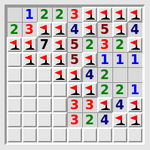
### Visual Description
## Matrix Grid with Colored Numerical Values
### Overview
The image displays a 10x10 grid (matrix) where each cell contains a single-digit integer (1-5) or is empty. The numbers are colored in four distinct colors: red, green, blue, and black. There are no explicit axis labels, titles, or a legend provided within the image itself. The grid lines are light gray.
### Components/Axes
* **Grid Structure:** A 10-row by 10-column matrix.
* **Cell Content:** Each cell contains either a number (1, 2, 3, 4, or 5) or is blank.
* **Color Coding:** Numbers appear in four colors:
* Red
* Green
* Blue
* Black
* **Spatial Layout:** The colored numbers are not uniformly distributed. There is a higher concentration of numbers in the top-left quadrant and a distinct cluster in the bottom-right quadrant. The central and bottom-left areas have more empty cells.
### Detailed Analysis
**Data Extraction by Row (Top to Bottom, Left to Right):**
*Uncertainty: The exact meaning of the colors is not defined in the image. The following is a precise transcription of visible elements.*
* **Row 1:** [Red 1], [Green 2], [Red 2], [Green 3], [Red 4], [Blue 1], [Red 4]
* **Row 2:** [Green 1], [Red 3], [Blue 4], [Red 5], [Green 1], [Red 4]
* **Row 3:** [Red 1], [Green 2], [Red 7? *Note: Appears as a 7, but outside stated 1-5 range. Likely a visual artifact or misread; context suggests it may be a 1 or 2.*], [Blue 5], [Red 2]
* **Row 4:** [Red 4], [Green 5], [Red 2], [Black 1], [Red 1], [Blue 1]
* **Row 5:** [Red 1], [Green 1], [Red 5], [Black 2], [Red 1]
* **Row 6:** [Red 1], [Blue 1], [Red 4], [Green 2]
* **Row 7:** [Black 1], [Red 4], [Blue 2]
* **Row 8:** [Red 3], [Green 3], [Red 1], [Blue 4]
* **Row 9:** [Red 2], [Blue 4], [Red 1]
* **Row 10:** [Red 3], [Green 4], [Red 1]
**Color Distribution Summary:**
* **Red:** The most frequent color, appearing in all rows and most columns.
* **Green:** Appears frequently, often adjacent to red numbers in the top-left cluster.
* **Blue:** Appears less frequently than red and green, often in isolated cells or small groups.
* **Black:** Appears the least frequently, with instances in Row 4, Row 5, and Row 7.
### Key Observations
1. **Spatial Clustering:** Two primary clusters of data exist:
* A dense cluster in the top-left 5x5 region.
* A smaller, dense cluster in the bottom-right 4x4 region (Rows 7-10, Columns 7-10).
2. **Color Patterns:** Within the top-left cluster, red and green numbers are heavily intermixed. Blue numbers appear more sporadically. Black numbers are rare and appear only in the central vertical band (Columns 5-6).
3. **Value Range:** Most numbers are within 1-5. One cell in Row 3, Column 3 contains a character that resembles a '7', which is an outlier if accurate. All other numbers are clearly 1-5.
4. **Empty Cells:** Significant empty space exists in the central rows (5-7) and the bottom-left quadrant, creating a visual separation between the two main clusters.
### Interpretation
The image presents a data matrix where the **information is encoded in the combination of numerical value, color, and spatial position**. Without a legend or axis labels, the specific meaning is ambiguous, but the structure suggests several possibilities:
* **A Heatmap or Correlation Matrix:** The colors could represent different categories, data sources, or levels of significance (e.g., red for high, green for medium, blue for low). The numbers might be scores, counts, or ratings. The clustering could indicate groups of related items.
* **A Game Board or Puzzle State:** The grid, limited number range, and color coding are reminiscent of logic puzzles or board games where players place numbered tokens.
* **A Sparse Data Visualization:** It could represent the output of an algorithm or a snapshot of a system where only specific cells are active (colored/numbered) at a given time.
**The most notable pattern is the non-random distribution.** The two distinct clusters suggest the data is not uniformly random but follows an underlying rule or represents two separate groups or phases. The color mixing within clusters implies a relationship or interaction between the categories the colors represent. The outlier '7' (if not an artifact) would be a critical point of interest, potentially indicating an error, a special case, or a different data type.
**To fully understand this data, a legend defining the color semantics and axis labels defining the row/column categories would be essential.** The current image provides the raw data structure but not its semantic context.
</details>
Figure 21: Mines: Find all the mines without treading on any of them.
<details>
<summary>extracted/5699650/img/puzzles/mosaic.png Details</summary>
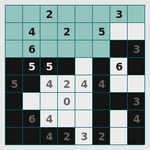
### Visual Description
\n
## Diagram: 10x10 Number Grid Puzzle (Likely Kakuro or Similar)
### Overview
The image displays a 10x10 grid-based number puzzle, resembling a Kakuro or cross-sum puzzle. The grid contains a mix of empty white cells, light blue shaded cells, and black shaded cells. Numerical digits are placed within some of the white cells. There are no explicit axis labels, titles, or legends, as this is a puzzle grid rather than a data chart.
### Components/Axes
* **Grid Structure:** A 10-row by 10-column grid.
* **Cell Types:**
* **White Cells:** Contain numbers or are empty. These are the primary input cells.
* **Light Blue Shaded Cells:** Form a contiguous block in the top-left quadrant (Rows 1-4, Columns 1-6, with some interruptions). These typically act as separators or non-playable areas in such puzzles.
* **Black Shaded Cells:** Scattered throughout the grid, often forming barriers or defining the boundaries of number runs. Notable clusters are in the bottom-left (Rows 6-10, Columns 1-2) and right side (Rows 3-10, Columns 9-10).
* **Numerical Data:** Digits (0-9) are present in specific white cells. Their positions are detailed below.
### Detailed Analysis
**Spatial Layout of Numbers:**
The numbers are distributed across the grid. The following table lists each visible number by its approximate row and column position (Row 1 is the top row, Column 1 is the leftmost column).
| Row | Column | Number |
| :-- | :----- | :----- |
| 1 | 3 | 2 |
| 1 | 8 | 3 |
| 2 | 2 | 4 |
| 2 | 4 | 2 |
| 2 | 7 | 5 |
| 3 | 2 | 6 |
| 3 | 6 | 5 |
| 3 | 10 | 3 |
| 4 | 2 | 5 |
| 4 | 3 | 5 |
| 4 | 8 | 6 |
| 5 | 1 | 5 |
| 5 | 4 | 2 |
| 5 | 5 | 4 |
| 5 | 6 | 4 |
| 6 | 1 | 2 |
| 6 | 4 | 0 |
| 6 | 9 | 3 |
| 7 | 2 | 6 |
| 7 | 10 | 4 |
| 8 | 3 | 4 |
| 9 | 4 | 2 |
| 9 | 6 | 3 |
| 9 | 8 | 2 |
| 10 | 3 | 4 |
| 10 | 5 | 2 |
| 10 | 7 | 3 |
| 10 | 9 | 4 |
**Shaded Region Analysis:**
* **Light Blue Block:** Occupies a large area from (Row 1, Col 1) to (Row 4, Col 6), but is not a perfect rectangle. It is interrupted by white cells containing numbers at (1,3), (2,2), (2,4), (3,2), (4,2), and (4,3).
* **Black Cells:** Create distinct corridors and islands. For example, a vertical black bar runs down Column 10 from Row 3 to Row 10. Another cluster blocks the bottom-left corner.
### Key Observations
1. **Number Distribution:** Numbers are not randomly placed. They appear to be clustered in the central and right portions of the grid, avoiding the dense light blue block in the top-left.
2. **Digit Range:** The visible digits range from 0 to 6, with 2, 3, 4, 5, and 6 being most common. The single '0' at (6,4) is notable.
3. **Puzzle State:** The grid appears to be a puzzle in progress or a puzzle setup. Many white cells are empty, suggesting they are meant to be filled by the solver based on puzzle rules (e.g., sums for Kakuro).
4. **Structural Patterns:** The black and light blue cells create a complex network of isolated and connected white cell runs, which is characteristic of puzzles where numbers must sum to clues placed in the shaded cells.
### Interpretation
This image is a **technical diagram of a logic puzzle grid**, not a data chart. Therefore, it does not present empirical data or trends to interpret. Instead, its "information" is its structural configuration.
* **Purpose:** The grid defines the playing field for a number-placement puzzle. The shaded cells (light blue and black) are immutable barriers that define the "words" (runs of white cells) for which sums or other relationships must be satisfied.
* **Relationships:** The numbers currently placed in white cells are likely either given clues or partial solutions entered by a user. Their positions relative to the shaded barriers determine which puzzle rules apply to them (e.g., a number in a horizontal run must contribute to the sum for that run's clue).
* **Notable Anomaly:** The presence of a '0' at (Row 6, Column 4) is unusual for many number-sum puzzles, as they typically use positive integers. This could indicate a specific variant of the puzzle or an error in the puzzle's state.
* **Missing Information:** The critical "clue" numbers that would typically be printed inside the shaded cells (light blue or black) to indicate the target sums for adjacent runs are **not visible** in this image. Without these clues, the puzzle is unsolvable, and the placed numbers lack context. The image shows the grid's skeleton and some filled cells, but not the complete rule set required to solve it.
**Conclusion:** The image provides a complete spatial map of a 10x10 puzzle grid's layout, including all barrier positions and currently entered digits. However, it lacks the essential clue data that would allow one to deduce the puzzle's rules or verify the correctness of the placed numbers. It is a snapshot of a puzzle's structure, not a self-contained dataset.
</details>
Figure 22: Mosaic: Fill in the grid given clues about number of nearby black squares.
<details>
<summary>extracted/5699650/img/puzzles/net.png Details</summary>
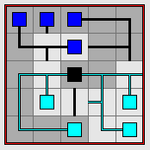
### Visual Description
## Diagram: Network Flow Schematic
### Overview
The image displays a schematic diagram on an 8x8 grid background. It depicts two distinct networks of colored square nodes connected by lines, converging at a central black node. The diagram appears to represent a logical or physical flow, possibly a circuit, data flow, or organizational chart. There is no embedded text, labels, or numerical data within the image.
### Components/Axes
* **Grid:** An 8x8 grid of light gray squares forms the background canvas.
* **Nodes:** There are three types of square nodes:
* **Blue Nodes:** 5 solid blue squares.
* **Cyan Nodes:** 4 solid cyan (light blue) squares.
* **Black Node:** 1 solid black square.
* **Connections (Edges):** Lines connect the nodes.
* **Black Lines:** Connect the blue nodes and the black node.
* **Teal Lines:** Connect the cyan nodes and the black node.
* **Legend:** No explicit legend is present. Color and line style are the primary differentiators.
### Detailed Analysis
**Spatial Grounding & Component Isolation:**
* **Header Region (Top 4 rows):**
* Contains all 5 **Blue Nodes**.
* They are interconnected via a network of **black lines**.
* The connections form a branching structure. One blue node (row 2, column 3) acts as a local hub, connecting to three other blue nodes and also sending a single black line down to the central black node.
* The blue network is primarily located in the top-left quadrant of the grid.
* **Central Junction:**
* A single **Black Node** is positioned at the grid intersection of row 5, column 4 (counting from top-left).
* It receives one black line from the blue network above.
* It receives one teal line from the cyan network below.
* It acts as the sole connection point between the two colored networks.
* **Footer Region (Bottom 4 rows):**
* Contains all 4 **Cyan Nodes**.
* They are interconnected via a network of **teal lines**.
* The connections form a more linear, daisy-chained structure compared to the blue network. The teal lines run along the grid lines, creating right-angle paths.
* The cyan network is primarily located in the bottom-right quadrant of the grid.
**Flow Direction Inference:**
While arrows are not present, the topology suggests a potential flow:
1. Information or material originates in the distributed **blue network**.
2. It is aggregated or processed through the blue network's internal connections.
3. It flows down a single path to the central **black node**.
4. From the black node, it is distributed into the **cyan network** via a single path, which then propagates through the cyan nodes.
### Key Observations
1. **Asymmetry:** The two networks are not symmetrical. The blue network has more nodes (5 vs. 4) and a more complex, branched interconnection pattern. The cyan network is more linear.
2. **Central Bottleneck:** All interaction between the two distinct systems (blue and cyan) is forced through a single point—the black node. This represents a critical point of failure or control.
3. **Color-Coded Systems:** The use of distinct colors (blue/teal) for nodes and their corresponding connection lines clearly demarcates two separate subsystems or domains.
4. **Grid-Based Layout:** The placement of nodes appears deliberate on the grid, suggesting the spatial arrangement may be significant (e.g., representing physical location, logical hierarchy, or stages in a process).
### Interpretation
This diagram is a **Peircean diagram of a relational system**. It visually argues that two complex, internally connected systems (the blue and cyan networks) are fundamentally separate but can interact through a defined, singular interface (the black node).
* **What it demonstrates:** It models a common architectural pattern: **modularity with a controlled interface**. The blue and cyan clusters represent independent modules with high internal cohesion. The black node is the API, gateway, or mediator that allows limited, structured communication between them.
* **Why it matters:** This pattern is fundamental in engineering (microservices, integrated circuits), biology (neural pathways, organ systems), and organizational design (departmental silos with a liaison). The diagram highlights both the strength (isolation, independence) and the vulnerability (single point of failure) of such a design.
* **Notable Anomaly:** The complete lack of labels is the most significant feature. It renders the diagram purely abstract. Its meaning is entirely dependent on the context in which it is presented. It is a template for a relationship, not a description of a specific one. The viewer must supply the identity of the nodes and the nature of the flow.
</details>
Figure 23: Net: Rotate each tile to reassemble the network.
<details>
<summary>extracted/5699650/img/puzzles/netslide.png Details</summary>
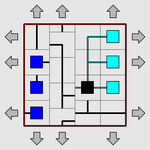
### Visual Description
## Diagram: Networked System Schematic
### Overview
The image displays a schematic diagram of a networked system or process flow, contained within a red-bordered square. The diagram features a grid layout with interconnected colored nodes (squares) of varying types, linked by lines of different styles. Gray arrows point outward from all four sides of the border, indicating external inputs, outputs, or directional flow. The image is low-resolution and pixelated, with no embedded textual labels, titles, or legends.
### Components/Axes
* **Border:** A solid red square outline defines the system boundary.
* **Grid:** An internal, implied grid structure organizes the placement of nodes and connections.
* **Nodes (Squares):** Colored squares represent system components. Observed colors and approximate positions:
* **Dark Blue (3):** Clustered vertically on the left side of the grid.
* **Black (1):** Located in the lower-center region, acting as a central hub.
* **Light Blue (1):** Positioned in the upper-right quadrant.
* **Cyan (2):** Located on the right side, one above the other.
* **Connections (Lines):** Lines of varying styles connect the nodes:
* **Solid Black Lines:** Form the primary network paths, connecting most nodes.
* **Dashed/Dotted Lines:** Appear as secondary or alternative pathways, notably connecting the central black node to the cyan nodes on the right.
* **External Arrows:** Eight gray arrows (two per side) point radially outward from the red border, suggesting interaction with an external environment.
### Detailed Analysis
* **Spatial Layout:** The diagram is asymmetric. The left side is dominated by a vertical stack of dark blue nodes. The center features the black hub node. The right side contains the light blue and cyan nodes.
* **Connection Topology:**
* The central black node is the most connected, with solid lines linking to the dark blue cluster on the left and the light blue node above it. Dashed lines connect it to the two cyan nodes on the right.
* The dark blue nodes are interconnected vertically and link to the central black node.
* The light blue node connects to the central black node and appears to have a dashed line extending towards the upper cyan node.
* The two cyan nodes are connected to each other via a vertical dashed line and each connects back to the central black node.
* **Flow Direction:** The external arrows imply a bidirectional or omnidirectional interface with the surroundings. The internal line styles (solid vs. dashed) may indicate primary vs. secondary, or different types of flow (e.g., data, power, material).
### Key Observations
1. **Central Hub:** The black node is the topological center of the network, connecting all other colored node groups.
2. **Clustered Inputs/Outputs:** The dark blue nodes form a distinct cluster, possibly representing a set of similar inputs or a subsystem. The cyan nodes form another pair on the opposite side.
3. **Dual Connection Types:** The use of both solid and dashed lines suggests the system has at least two distinct types of relationships or pathways between components.
4. **Lack of Textual Annotation:** The diagram conveys information purely through color, shape, line style, and spatial arrangement, with no explanatory text.
### Interpretation
This diagram represents a **centralized network architecture**. The black node likely functions as a core processor, controller, or router. The dark blue cluster could represent a bank of sensors, input devices, or a source subsystem. The light blue and cyan nodes on the right may represent different types of output devices, actuators, or destination subsystems.
The dashed connections to the cyan nodes might indicate a secondary communication protocol, a backup pathway, or a different class of signal (e.g., control signals vs. data signals). The outward-pointing arrows emphasize that this is an open system, constantly interacting with its environment through multiple channels.
The absence of labels makes specific identification impossible, but the structure is classic for illustrating concepts in systems engineering, computer network design, or process control, where the focus is on the relationship and flow between functional blocks rather than their specific identity. The visual weight is on the **hierarchy** (central hub) and **modularity** (distinct colored groups) of the system.
</details>
Figure 24: Netslide: Slide a row at a time to reassemble the network.
<details>
<summary>extracted/5699650/img/puzzles/palisade.png Details</summary>
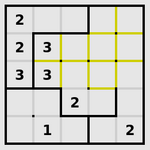
### Visual Description
## Diagram: 4x4 Number Grid with Path
### Overview
The image displays a 4x4 grid diagram, likely representing a logic puzzle or a pathfinding problem. The grid is subdivided into four 2x2 quadrants by thicker black lines. Some cells contain single-digit numbers (1, 2, or 3), while others are empty. A continuous yellow line traces a specific path through the grid, connecting certain cells.
### Components/Axes
* **Grid Structure:** A 4x4 square grid. The grid is further divided into four equal 2x2 subgrids (quadrants) by thicker black lines forming a cross in the center.
* **Cell Content:** Numbers are placed in specific cells. The numbers present are: 1, 2, and 3.
* **Path Element:** A solid yellow line of uniform thickness. It does not follow the grid lines but cuts through the centers of cells, forming a connected path.
### Detailed Analysis
**1. Grid Cell Content (by row, from top-left):**
* **Row 1:** Cell (1,1): `2` | Cell (1,2): Empty | Cell (1,3): Empty | Cell (1,4): Empty
* **Row 2:** Cell (2,1): `2` | Cell (2,2): `3` | Cell (2,3): Empty | Cell (2,4): Empty
* **Row 3:** Cell (3,1): `3` | Cell (3,2): `3` | Cell (3,3): `2` | Cell (3,4): Empty
* **Row 4:** Cell (4,1): Empty | Cell (4,2): `1` | Cell (4,3): Empty | Cell (4,4): `2`
**2. Yellow Path Description:**
The path is a single, continuous, non-branching line. Its trajectory is as follows:
* **Start:** The path begins in the top-right quadrant, specifically in the cell at Row 1, Column 3 (which is empty of a number).
* **Segment 1:** It travels vertically downward through the center of cell (1,3) into cell (2,3).
* **Segment 2:** It turns 90 degrees left (west) and travels horizontally through the center of cell (2,3) into cell (2,2), which contains the number `3`.
* **Segment 3:** It turns 90 degrees down (south) and travels vertically through the center of cell (2,2) into cell (3,2), which contains the number `3`.
* **Segment 4:** It turns 90 degrees right (east) and travels horizontally through the center of cell (3,2) into cell (3,3), which contains the number `2`.
* **Segment 5:** It turns 90 degrees up (north) and travels vertically through the center of cell (3,3) back into cell (2,3).
* **Segment 6:** It turns 90 degrees right (east) and travels horizontally through the center of cell (2,3) into cell (2,4).
* **End:** The path terminates in cell (2,4), which is empty.
**Path Summary:** The yellow line forms a closed loop or circuit that visits the sequence of cells: (1,3) -> (2,3) -> (2,2)[`3`] -> (3,2)[`3`] -> (3,3)[`2`] -> (2,3) -> (2,4). It notably passes through three numbered cells.
### Key Observations
1. **Number Distribution:** Numbers are only present in 7 of the 16 cells. The top-left 2x2 quadrant is the most densely populated (all four cells have numbers). The bottom-right quadrant has only one number.
2. **Number Values:** All numbers are low integers (1, 2, 3). The number `3` appears most frequently (three times), followed by `2` (three times), and `1` (once).
3. **Path and Numbers:** The yellow path deliberately intersects three numbered cells: two `3`s and one `2`. It does not touch the `1` or the other `2`s.
4. **Spatial Layout:** The path is confined to the top-right and center of the grid, avoiding the entire leftmost column and the bottom row except for the central cell (3,2).
### Interpretation
This diagram is characteristic of a **"Number Link" or "Flow Free" style logic puzzle**. The objective in such puzzles is typically to connect all pairs of matching numbers with a continuous, non-overlapping path that fills the entire grid or connects specific points.
* **What the Data Suggests:** The yellow line is likely the **solution path** for connecting the two `3`s and the `2` in the center. The path starts and ends in empty cells, which is unusual for standard Number Link (where paths start/end on numbers). This could indicate:
* A variant where the path must form a specific shape or loop.
* That the path shown is only a *segment* of a larger solution.
* That the empty start/end cells have an implied value or rule not visible in the static image.
* **Anomalies:** The presence of the isolated `1` in cell (4,2) and the `2` in cell (4,4) is notable. They are not connected by the yellow path. In a complete puzzle, they would likely need to be connected to their matching numbers (another `1` and `2`, respectively) by separate paths, but those matching numbers or paths are not shown. This implies the image captures an **intermediate state or a partial solution**.
* **Underlying Logic:** The puzzle's rules are not fully stated, but the visual evidence points to a constraint-based game where numbers act as terminals for paths, and the grid's subdivision into quadrants may impose additional rules (e.g., paths cannot cross quadrant borders, or must visit each quadrant). The yellow path's specific route suggests it is navigating around or through the numbered cells as required by the puzzle's logic.
</details>
Figure 25: Palisade: Divide the grid into equal-sized areas in accordance with the clues.
<details>
<summary>extracted/5699650/img/puzzles/pattern.png Details</summary>
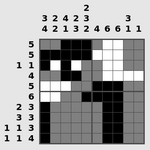
### Visual Description
## Nonogram Puzzle: Partially Solved 10x10 Grid
### Overview
The image displays a nonogram (also known as picross or griddlers) puzzle. It consists of a 10x10 grid with numerical clues placed above each column and to the left of each row. The grid is partially filled with black (filled), white (empty), and gray (likely uncertain or in-progress) cells. The puzzle appears to be in a state of partial solution.
### Components/Axes
- **Main Grid**: 10 rows × 10 columns.
- **Column Clues**: Positioned above the grid in a tabular layout with 8 rows and 10 columns. Each column's clues are listed vertically.
- **Row Clues**: Positioned to the left of the grid in a tabular layout with 10 rows and up to 3 columns. Each row's clues are listed horizontally.
- **Cell States**:
- Black: Filled cell.
- White: Empty cell.
- Gray: Uncertain or partially filled cell (common in puzzle interfaces).
### Detailed Analysis
#### Column Clues (from left to right, top to bottom for each column)
- **Column 1**: [3, 2, 4, 2] (rows 1–4)
- **Column 2**: [2, 3, 2, 4, 6, 0, 1, 1] (rows 1–8)
- **Column 3**: [4, 2, 3, 2] (rows 1–4)
- **Column 4**: [2, 4, 6, 0, 1, 1] (rows 1–6)
- **Column 5**: [2, 3] (rows 1–2)
- **Column 6**: [2, 4, 6, 0, 1, 1] (rows 1–6)
- **Column 7**: [3] (row 1)
- **Column 8**: [2, 3] (rows 1–2)
- **Column 9**: [2, 4, 6, 0, 1, 1] (rows 1–6)
- **Column 10**: [1, 1] (rows 1–2)
#### Row Clues (from top to bottom, left to right for each row)
- **Row 1**: [5, 5]
- **Row 2**: [1, 1]
- **Row 3**: [4, 4]
- **Row 4**: [1, 1]
- **Row 5**: [5, 5]
- **Row 6**: [2, 2]
- **Row 7**: [3, 3]
- **Row 8**: [1, 1, 3]
- **Row 9**: [1, 1, 3]
- **Row 10**: [1, 1, 4]
#### Grid State (Approximate Visual Pattern)
- **Upper Left Quadrant (Rows 1–4, Columns 1–4)**: Contains a cluster of black cells, suggesting filled blocks. For example, Row 1 has black cells in Columns 1–4.
- **Upper Right Quadrant (Rows 1–4, Columns 5–10)**: Mostly white cells, indicating empty spaces.
- **Lower Left Quadrant (Rows 5–10, Columns 1–4)**: Mix of white and black cells, with some gray cells appearing.
- **Lower Right Quadrant (Rows 5–10, Columns 5–10)**: Dominated by gray cells, with a few black cells in Columns 8–9 (e.g., Row 6 Column 8, Row 7 Column 9). This area appears unresolved or in progress.
### Key Observations
1. **Clue Complexity**: Column 2 has an unusually high number of clues (8 blocks), which is atypical for a 10-row grid, as the minimum required cells would exceed 10. This suggests the clues might represent a different encoding or the puzzle is non-standard.
2. **Gray Cells**: The concentration of gray cells in the lower right indicates this section is likely unsolved or under consideration.
3. **Pattern Asymmetry**: The black cells are not uniformly distributed, hinting at an underlying image or shape once solved.
4. **Clue Repetition**: Columns 4, 6, and 9 share identical clue sequences [2, 4, 6, 0, 1, 1], which is unusual and may indicate a repeating pattern or error.
### Interpretation
This nonogram puzzle presents a logical challenge where the solver must use the numerical clues to determine which cells to fill. The clues represent the lengths of consecutive filled cells in each row and column, separated by at least one empty cell. However, the extracted clues for some columns (e.g., Column 2) seem mathematically inconsistent with a 10-cell grid, suggesting either:
- The puzzle uses a non-standard rule set (e.g., allowing zero-length blocks or overlapping).
- The image captures a work-in-progress where clues are being adjusted.
- The gray cells represent a "guess" mode in a digital solver, where the user is testing hypotheses.
The partially filled grid implies the solver has made progress, particularly in the upper left, but the lower right remains ambiguous. The repetition in column clues might hint at a symmetrical or patterned final image. Overall, the puzzle demonstrates the interplay between numerical constraints and spatial reasoning, with the gray areas highlighting the iterative nature of problem-solving.
</details>
Figure 26: Pattern: Fill in the pattern in the grid, given only the lengths of runs of black squares.
<details>
<summary>extracted/5699650/img/puzzles/pearl.png Details</summary>
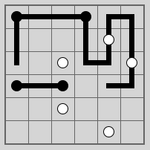
### Visual Description
\n
## Diagram: Grid-Based Path Puzzle
### Overview
The image displays an 8x8 square grid with a light gray background and darker gray grid lines. Superimposed on this grid are two distinct, continuous black paths and several isolated elements: black line segments and white circles. The diagram appears to be a logic puzzle or a representation of a network/pathfinding problem, where the goal might be to connect specific points or trace routes without crossing.
### Components/Axes
* **Grid:** An 8x8 matrix of squares. No numerical labels or axes are present.
* **Black Paths/Lines:** Thick, solid black lines that follow the grid lines, connecting various intersection points (grid vertices).
* **White Circles:** Solid white circles placed at specific grid intersections. There are 5 circles in total.
* **Black Line Segments:** Shorter, disconnected black line segments that do not form part of the main continuous paths.
### Detailed Analysis
The diagram can be segmented into regions for clarity:
**1. Top-Left Quadrant (Rows 1-4, Columns 1-4):**
* A continuous black path starts at the intersection of Row 2, Column 1. It travels:
* Right 3 units to (Row 2, Column 4).
* Down 1 unit to (Row 3, Column 4).
* Left 2 units to (Row 3, Column 2).
* Down 1 unit to (Row 4, Column 2).
* An isolated horizontal black line segment connects (Row 5, Column 2) to (Row 5, Column 3).
* A white circle is located at the intersection (Row 6, Column 3).
**2. Top-Right Quadrant (Rows 1-4, Columns 5-8):**
* A second continuous black path starts at (Row 1, Column 5). It travels:
* Right 2 units to (Row 1, Column 7).
* Down 2 units to (Row 3, Column 7).
* Left 1 unit to (Row 3, Column 6).
* Down 2 units to (Row 5, Column 6).
* Right 1 unit to (Row 5, Column 7).
* Down 1 unit to (Row 6, Column 7).
* Left 2 units to (Row 6, Column 5).
* A white circle is located at (Row 3, Column 6), which is a point on this path.
* Another white circle is located at (Row 5, Column 7), which is also a point on this path.
**3. Bottom Half (Rows 5-8):**
* The path from the top-right quadrant terminates at (Row 6, Column 5).
* An isolated vertical black line segment connects (Row 6, Column 8) to (Row 7, Column 8).
* A white circle is located at (Row 8, Column 6).
### Key Observations
* **Path Connectivity:** The two main black paths are completely separate and do not intersect or connect to each other.
* **Circle Placement:** Three of the five white circles are positioned directly on the path in the top-right quadrant. The other two circles (at (6,3) and (8,6)) are isolated and not connected to any line.
* **Line Segments:** There are two disconnected line segments: one horizontal in the middle-left and one vertical in the bottom-right.
* **Spatial Distribution:** Elements are concentrated in the top half of the grid. The bottom two rows are mostly empty except for one circle and one line segment.
### Interpretation
This diagram is likely a visual representation of a constraint-based puzzle, such as a "Hashiwokakero" (Bridges) variant or a custom path-connection logic puzzle. The white circles represent nodes or islands, and the black lines represent bridges or paths connecting them.
* **What the data suggests:** The puzzle appears to be in an unsolved or partially solved state. The rule might be to connect all white circles with black lines (paths) that run along the grid lines, possibly without lines crossing. The existing paths and segments could be given clues or incorrect attempts.
* **Relationships:** The key relationship is between the white circle nodes and the black line paths. The circles on the path in the top-right quadrant are "connected," while the isolated circles are "unconnected." The isolated line segments may be red herrings or part of an incomplete solution.
* **Notable Anomalies:** The most significant anomaly is the presence of two entirely separate, non-interacting main paths. In a typical connection puzzle, one would expect a single network. This could indicate the puzzle has multiple independent components or that the image captures an intermediate, incorrect step in solving it. The isolated line segments that connect no circles are also unusual for a final puzzle state.
**Language Declaration:** No textual language is present in the image. The description is based solely on visual elements.
</details>
Figure 27: Pearl: Draw a single closed loop, given clues about corner and straight squares.
<details>
<summary>extracted/5699650/img/puzzles/pegs.png Details</summary>
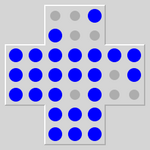
### Visual Description
## Diagram: Cross-Shaped Dot Grid with Binary Color Encoding
### Overview
The image displays a cross-shaped diagram composed of five interconnected 4x4 square grids. Each grid contains 16 circular dots arranged in a 4x4 matrix. The dots are colored in one of two colors: a vibrant blue and a neutral gray. The overall shape forms a plus sign or cross, with a central square and four arms extending to the top, bottom, left, and right. There is no accompanying text, labels, axes, or legend within the image itself.
### Components/Axes
* **Structure:** A cross shape formed by five distinct 4x4 grids (Top Arm, Left Arm, Center, Right Arm, Bottom Arm).
* **Data Elements:** 80 total circular dots (16 per grid * 5 grids).
* **Color Encoding:** Two colors are used:
* **Blue:** A saturated, medium-dark blue.
* **Gray:** A neutral, medium gray.
* **Spatial Layout:**
* The **Center** grid is the intersection point.
* The **Top Arm** grid is directly above the Center.
* The **Bottom Arm** grid is directly below the Center.
* The **Left Arm** grid is directly to the left of the Center.
* The **Right Arm** grid is directly to the right of the Center.
* **Legend:** No explicit legend is present. The meaning of the blue vs. gray encoding is not defined in the image.
### Detailed Analysis
A precise count and positional analysis of the colored dots within each 4x4 grid (numbered 1-16, reading left-to-right, top-to-bottom):
**1. Top Arm Grid (Position: Top-Center)**
* **Blue Dots:** 12
* **Gray Dots:** 4
* **Pattern:** Gray dots are located at positions: 2, 4, 6, 8 (forming a diagonal from top-right to bottom-left within the top two rows).
**2. Left Arm Grid (Position: Center-Left)**
* **Blue Dots:** 14
* **Gray Dots:** 2
* **Pattern:** Gray dots are located at positions: 7, 11 (forming a vertical pair in the third column).
**3. Center Grid (Position: Center)**
* **Blue Dots:** 8
* **Gray Dots:** 8
* **Pattern:** A distinct checkerboard or alternating pattern. Gray dots are at positions: 2, 4, 5, 7, 10, 12, 13, 15. This creates a symmetrical, interlaced design.
**4. Right Arm Grid (Position: Center-Right)**
* **Blue Dots:** 12
* **Gray Dots:** 4
* **Pattern:** Gray dots are located at positions: 6, 8, 14, 16 (forming a diagonal from top-left to bottom-right within the bottom two rows).
**5. Bottom Arm Grid (Position: Bottom-Center)**
* **Blue Dots:** 16
* **Gray Dots:** 0
* **Pattern:** All dots are blue. This is the only grid with no gray dots.
**Summary Data Table (Reconstructed):**
| Grid Location | Total Dots | Blue Count | Gray Count | Gray Dot Positions (1-16) |
| :--- | :--- | :--- | :--- | :--- |
| Top Arm | 16 | 12 | 4 | 2, 4, 6, 8 |
| Left Arm | 16 | 14 | 2 | 7, 11 |
| Center | 16 | 8 | 8 | 2, 4, 5, 7, 10, 12, 13, 15 |
| Right Arm | 16 | 12 | 4 | 6, 8, 14, 16 |
| Bottom Arm | 16 | 16 | 0 | (None) |
| **TOTAL** | **80** | **62** | **18** | |
### Key Observations
1. **Symmetry and Asymmetry:** The Top and Right arms are mirror images in their gray dot placement (diagonals in opposite directions). The Left arm has a unique vertical pair. The Bottom arm is a complete outlier with no gray dots.
2. **Central Complexity:** The Center grid has the highest density and most complex pattern of gray dots (50% gray), forming a perfect checkerboard. This suggests it is the focal point or area of highest activity/variation.
3. **Gradient of "Activity":** If gray represents a state like "inactive," "selected," or "different," there is a clear gradient. The Bottom Arm is fully blue (0% gray), the Left Arm is mostly blue (12.5% gray), the Top and Right Arms are moderately mixed (25% gray), and the Center is highly mixed (50% gray).
4. **Absence of Text:** The diagram conveys all information purely through spatial arrangement and color contrast. Any meaning must be inferred from context not provided in the image.
### Interpretation
This diagram is a **spatial data visualization using a binary color code on a structured grid**. It likely represents the state, classification, or value of 80 discrete units arranged in a cross-shaped network or field.
* **What it Suggests:** The data demonstrates a non-uniform distribution. The central node (or region) exhibits the most heterogeneity or "mixed state." The arms show varying degrees of uniformity, with one arm (Bottom) being completely homogeneous. This could model scenarios like:
* A **sensor network** where the central hub has the most diverse readings.
* A **material sample** under analysis, with the center showing a different crystalline or composite structure.
* A **user interface or control panel** where the central area has the most active or toggled elements.
* A **game board or puzzle state** (e.g., a Minesweeper variant or logic puzzle).
* **Relationships:** The spatial relationship is key. The pattern in the Center is distinct from the arms. The Top and Right arms share a similar diagonal motif (mirrored), suggesting a related function or property. The Bottom arm's complete uniformity makes it a potential control, baseline, or "reset" state.
* **Notable Anomalies:** The **Bottom Arm** is the most significant anomaly. Its complete lack of gray dots breaks the pattern seen in all other arms and the center. This demands explanation—is it a different type of component, an uninitialized state, or a result of a specific process? The **Left Arm's** unique vertical pair of gray dots also stands out against the diagonal patterns in the Top and Right arms.
**In essence, the image encodes a dataset where location and binary state are intrinsically linked, revealing a structured yet non-uniform pattern with a highly active core and one distinctly uniform periphery.**
</details>
Figure 28: Pegs: Jump pegs over each other to remove all but one.
<details>
<summary>extracted/5699650/img/puzzles/range.png Details</summary>
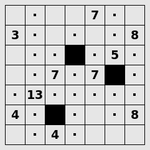
### Visual Description
## Diagram: 7x7 Logic Puzzle Grid
### Overview
The image displays a 7x7 grid, characteristic of a logic puzzle such as a nonogram or picross. The grid contains a mixture of empty cells (represented by dots `·`), numbered cells, and solid black cells. The numbers serve as clues for solving the puzzle.
### Components/Axes
* **Grid Structure:** A square grid with 7 rows and 7 columns.
* **Cell Types:**
1. **Empty/Unspecified Cells:** Marked with a centered dot (`·`).
2. **Clue Cells:** Contain a single integer (3, 4, 5, 7, 8, 13).
3. **Filled/Black Cells:** Solid black squares.
* **Spatial Layout:** The grid is presented without external labels, axes, or a legend. The internal elements (numbers, dots, black cells) are the sole data.
### Detailed Analysis
The grid contents, transcribed row by row from top to bottom, left to right:
| Row | Col 1 | Col 2 | Col 3 | Col 4 | Col 5 | Col 6 | Col 7 |
| :-- | :---- | :---- | :---- | :---- | :---- | :---- | :---- |
| **1** | · | · | · | · | **7** | · | · |
| **2** | **3** | · | · | · | · | · | **8** |
| **3** | · | · | · | **■** | · | **5** | · |
| **4** | · | · | · | **7** | **7** | **■** | · |
| **5** | · | **13**| · | · | · | · | · |
| **6** | **4** | **■** | · | · | · | · | **8** |
| **7** | · | · | **4** | · | · | · | · |
**Key:**
* `·` = Dot (empty/unspecified cell)
* `■` = Solid black cell
* **Bold numbers** = Clue values within cells.
### Key Observations
1. **Clue Distribution:** Clues are sparse. The highest value, **13**, is located at (Row 5, Column 2). Other clues (3, 4, 5, 7, 8) are scattered.
2. **Black Cell Placement:** Three black cells are present at coordinates (3,4), (4,6), and (6,2). They do not form an immediately obvious pattern.
3. **Number Repetition:** The number **7** appears twice, consecutively in Row 4 (Columns 4 and 5). The number **8** appears twice, in opposite corners (Row 2, Col 7 and Row 6, Col 7). The number **4** appears twice (Row 6, Col 1 and Row 7, Col 3).
4. **Spatial Grouping:** A cluster of clues and a black cell exists in the center-right area (Rows 3-4, Columns 4-6). The leftmost column contains two clues (3 and 4).
### Interpretation
This image is a **puzzle state or setup**, not a data chart. It presents the initial conditions for a deductive logic puzzle.
* **What it represents:** In a nonogram, numbers outside or inside a grid indicate the lengths of consecutive filled (black) cells in that row or column. Here, the numbers are *inside* the grid, which is a common variant. The solver must use these clues to determine which empty cells (`·`) should be filled or left blank to reveal a hidden picture.
* **Relationship between elements:** The numbers are constraints. For example, the **7** in Row 1, Column 5 likely indicates that the 5th row (or column, depending on puzzle rules) contains a run of 7 consecutive filled cells. The existing black cells are fixed parts of the solution. The dots are the unknown variables.
* **Notable anomalies/puzzles:**
* The clue **13** in a 7-cell row/column is impossible if interpreted as a single run. This suggests it might be a sum of multiple runs (e.g., 7+6) or that the puzzle uses a different rule set (e.g., the number indicates the total count of filled cells in that row/column, not run length).
* The placement of black cells seems arbitrary without the solved state, but they serve as critical anchors for deduction.
* The repetition of numbers (7, 8, 4) in different locations provides multiple, separate constraints that must be satisfied simultaneously.
**Conclusion:** The image contains all necessary data to begin solving a specific logic puzzle. To extract further meaning, one would need to apply the puzzle's rules to deduce the complete pattern of filled cells, which is not present in the image itself. The factual content is fully captured in the grid transcription above.
</details>
Figure 29: Range: Place black squares to limit the visible distance from each numbered cell.
<details>
<summary>extracted/5699650/img/puzzles/rect.png Details</summary>
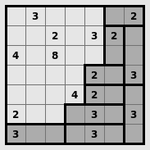
### Visual Description
\n
## Logic Puzzle Grid: Number Placement Puzzle
### Overview
The image displays a 9x9 grid-based logic puzzle, similar in structure to a Sudoku or Kakuro puzzle. The grid contains a mix of numbered cells and shaded (gray) cells. The numbers appear to be clues or given values placed in specific cells, while the shaded cells likely represent barriers or separators that define regions or blocks within the puzzle. There are no explicit axis labels, titles, or legends; the puzzle's rules are implied by its structure.
### Components/Axes
* **Grid Structure:** A 9x9 square grid, divided into 81 individual cells.
* **Cell Content:** Cells contain either a single digit (2, 3, 4, or 8) or are shaded gray. Some cells are empty (white with no number).
* **Spatial Layout:** The grid is presented without any external labels, titles, or a legend. The shading pattern is the primary visual element defining the puzzle's internal structure.
### Detailed Analysis
The grid is analyzed row by row, from top to bottom. The position is described using (Row, Column) coordinates, where Row 1 is the top row and Column 1 is the leftmost column.
**Row 1:** (1,1): Empty | (1,2): **3** | (1,3): Empty | (1,4): Empty | (1,5): Empty | (1,6): Empty | (1,7): **Shaded** | (1,8): Empty | (1,9): **2**
**Row 2:** (2,1): Empty | (2,2): Empty | (2,3): Empty | (2,4): **2** | (2,5): Empty | (2,6): **3** | (2,7): **2** | (2,8): **Shaded** | (2,9): Empty
**Row 3:** (3,1): **4** | (3,2): Empty | (3,3): **8** | (3,4): Empty | (3,5): Empty | (3,6): Empty | (3,7): **Shaded** | (3,8): **Shaded** | (3,9): **Shaded**
**Row 4:** (4,1): Empty | (4,2): Empty | (4,3): Empty | (4,4): Empty | (4,5): Empty | (4,6): Empty | (4,7): **Shaded** | (4,8): **2** | (4,9): **3**
**Row 5:** (5,1): Empty | (5,2): Empty | (5,3): Empty | (5,4): Empty | (5,5): Empty | (5,6): **2** | (5,7): **Shaded** | (5,8): **Shaded** | (5,9): **Shaded**
**Row 6:** (6,1): Empty | (6,2): Empty | (6,3): Empty | (6,4): Empty | (6,5): **4** | (6,6): **2** | (6,7): **Shaded** | (6,8): **Shaded** | (6,9): **3**
**Row 7:** (7,1): **2** | (7,2): Empty | (7,3): Empty | (7,4): Empty | (7,5): **Shaded** | (7,6): **Shaded** | (7,7): **Shaded** | (7,8): **Shaded** | (7,9): **3**
**Row 8:** (8,1): **3** | (8,2): **Shaded** | (8,3): **Shaded** | (8,4): **Shaded** | (8,5): **Shaded** | (8,6): **3** | (8,7): **Shaded** | (8,8): **Shaded** | (8,9): **Shaded**
**Row 9:** (9,1): **Shaded** | (9,2): **Shaded** | (9,3): **Shaded** | (9,4): **Shaded** | (9,5): **Shaded** | (9,6): **3** | (9,7): **Shaded** | (9,8): **Shaded** | (9,9): **Shaded**
**Summary of Given Numbers:**
* **2:** Found at (1,9), (2,4), (2,7), (4,8), (5,6), (6,6), (7,1).
* **3:** Found at (1,2), (2,6), (4,9), (6,9), (7,9), (8,6), (9,6).
* **4:** Found at (3,1), (6,5).
* **8:** Found at (3,3).
**Shading Pattern:** The shaded cells form a continuous, connected region primarily in the bottom-right quadrant of the grid, extending upwards along the rightmost column and leftwards along the bottom rows. This creates a large, irregular "L" or staircase-shaped block. The top-left 6x6 area of the grid is mostly unshaded, containing all the given numbers.
### Key Observations
1. **Clustering of Numbers:** All given numbers are located within the unshaded (white) region of the grid, specifically in the top-left 6x6 area. No numbers appear in the shaded region.
2. **Shading as a Barrier:** The shaded cells appear to act as a single, contiguous barrier or wall, separating the grid into at least two distinct zones: the active puzzle area (top-left) and the inactive/shaded area (bottom-right).
3. **Number Distribution:** The numbers 2 and 3 are the most common clues. The numbers 4 and 8 appear only once each. The highest number, 8, is placed in a central position within the active area (Row 3, Column 3).
4. **Potential Puzzle Type:** The structure strongly suggests a "Fillomino" or "Nurikabe" style puzzle. In such puzzles, the goal is often to fill the unshaded cells with numbers such that connected groups of cells containing the same number form regions (polyominoes) of a size equal to that number. The shaded cells typically represent the "sea" or non-numbered area.
### Interpretation
This image presents the **initial state or clue set** for a logic puzzle. The data (the placed numbers and the shading pattern) defines the puzzle's constraints.
* **What it demonstrates:** The puzzle provides a starting configuration. The solver must use the given numbers and the shading pattern to deduce the correct number for every unshaded cell, following specific rules (not provided in the image but implied by the genre).
* **Relationship between elements:** The numbers are the primary clues. The shading defines the boundaries of the playable area and likely dictates that numbers cannot be placed there. The spatial relationship between numbers (e.g., the 8 at (3,3) is surrounded by empty cells) is critical for logical deduction.
* **Notable patterns/anomalies:** The most significant pattern is the strict separation of clues and shading. There are no numbers in the shaded zone, and the shading forms one unbroken mass. This is a common and intentional design in such puzzles to create a solvable logical path. The placement of the single '8' is a key anchor point, as it will require a large connected region of eight cells, heavily influencing the solution in the top-left quadrant.
**In essence, the image does not show a chart of data trends but rather a logical problem statement. The "information" is the set of constraints (clues and barriers) from which a unique solution must be derived.**
</details>
Figure 30: Rectangles: Divide the grid into rectangles with areas equal to the numbers.
<details>
<summary>extracted/5699650/img/puzzles/samegame.png Details</summary>
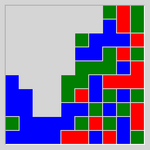
### Visual Description
## Categorical Grid Heatmap: Color Distribution Pattern
### Overview
The image displays a 10x10 grid of colored squares, forming a categorical heatmap or spatial distribution chart. There are no textual labels, axis titles, legends, or numerical markers present in the image. The information is conveyed entirely through color coding and spatial arrangement. The grid uses four distinct colors: blue, green, red, and light gray.
### Components/Axes
* **Grid Structure:** A 10x10 matrix of square cells.
* **Color Legend (Inferred):** No explicit legend is provided. The colors are:
* **Blue**
* **Green**
* **Red**
* **Light Gray**
* **Axes/Labels:** None present. The grid lacks X/Y axis labels, a title, or any explanatory text.
### Detailed Analysis
The grid can be segmented into regions based on color dominance. The following is a cell-by-cell description, reading left-to-right, top-to-bottom (Row 1 is the top row).
**Row 1:** Gray, Gray, Gray, Gray, Gray, Gray, Gray, Gray, Green, Red
**Row 2:** Gray, Gray, Gray, Gray, Gray, Gray, Gray, Blue, Green, Red
**Row 3:** Gray, Gray, Gray, Gray, Gray, Gray, Blue, Blue, Green, Red
**Row 4:** Gray, Gray, Gray, Gray, Gray, Blue, Blue, Green, Green, Red
**Row 5:** Gray, Gray, Gray, Gray, Blue, Blue, Green, Green, Red, Red
**Row 6:** Gray, Gray, Gray, Blue, Blue, Green, Green, Red, Red, Red
**Row 7:** Gray, Gray, Blue, Blue, Green, Green, Red, Red, Red, Red
**Row 8:** Gray, Blue, Blue, Green, Green, Red, Red, Red, Red, Red
**Row 9:** Blue, Blue, Green, Green, Red, Red, Red, Red, Red, Red
**Row 10:** Blue, Blue, Blue, Blue, Red, Red, Red, Red, Red, Red
**Spatial Distribution Summary:**
* **Light Gray Region:** Occupies a large, contiguous block in the **top-left** quadrant, forming a rough triangular or stepped shape. It spans from Row 1, Column 1 down to approximately Row 8, Column 1, and extends rightward to varying degrees in each row.
* **Blue Region:** Concentrated in the **bottom-left** quadrant. It forms a dense cluster from Row 10, Column 1 up to Row 5, Column 5, with a protrusion up the leftmost column.
* **Green Region:** Forms a diagonal band or cluster running from the **center-left** (around Row 7, Column 3) towards the **top-right** (Row 1, Column 9). It is generally sandwiched between the blue and red regions.
* **Red Region:** Dominates the **right side and bottom-right** quadrant. It is most dense from Row 5, Column 8 down to Row 10, Column 10, and also occupies the top-right corner (Row 1, Column 10).
### Key Observations
1. **No Textual Data:** The chart contains zero alphanumeric information. All meaning must be inferred from color and position.
2. **Clear Color Segregation:** The colors are not randomly mixed. They form distinct, contiguous regions with sharp boundaries, suggesting categorical separation or a gradient of some property.
3. **Diagonal Gradient Pattern:** There is a clear visual trend from the **top-left (Gray)** to the **bottom-right (Red)**, with **Blue** and **Green** forming intermediate bands. The progression is roughly: Gray -> Blue -> Green -> Red.
4. **Asymmetry:** The distribution is not symmetrical. The gray and blue areas are more block-like, while the green and red areas form more diagonal or scattered patterns.
5. **Density Variation:** The red region appears to have the highest density of its color in the bottom-right corner, while the gray region is most solid in the top-left.
### Interpretation
Without labels, the precise meaning is ambiguous, but the visual structure suggests several possibilities:
* **Categorical Heatmap:** This could represent the distribution of four discrete categories across a two-dimensional space (e.g., terrain types on a map, material composition in a sample, or classification results in a machine learning model). The sharp boundaries imply hard categories rather than a continuous variable.
* **Phase Diagram or Transition Map:** The diagonal gradient from Gray to Red via Blue and Green might illustrate a transition between states or phases across two changing parameters (the implicit X and Y axes). The gray area could represent an initial or undefined state.
* **Spatial Process Output:** It could be the result of a simulation (e.g., cellular automaton, diffusion-limited aggregation) showing the growth or spread of different "agents" or "materials" (represented by colors) from different starting points.
* **Notable Anomaly:** The single **Red** cell in the top-right corner (Row 1, Column 10) is isolated from the main red mass by green and blue cells. This could be a significant outlier, a seed point, or an error in the data generation process.
**Conclusion:** The image is a purely visual, non-textual data representation showing a structured, non-random distribution of four categories across a grid. The primary information is the spatial relationship and relative proportions of the colored regions, indicating a strong directional trend or gradient from the top-left to the bottom-right of the mapped area. To extract factual data, a legend or accompanying text defining the meaning of each color is essential.
</details>
Figure 31: Same Game: Clear the grid by removing touching groups of the same colour squares.
<details>
<summary>extracted/5699650/img/puzzles/signpost.png Details</summary>
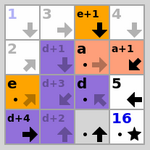
### Visual Description
## Diagram: 4x4 State Transition or Computational Grid
### Overview
The image displays a 4x4 grid or matrix. Each cell contains a combination of alphanumeric text, mathematical expressions, directional arrows, and/or star symbols. Several cells have distinct background colors (orange, purple, blue). The diagram appears to represent a state space, computational grid, or transition table, where cells contain values or expressions and arrows indicate possible movements or operations.
### Components/Axes
* **Grid Structure:** A 4x4 matrix with 16 cells.
* **Cell Content:** Each cell contains one or more of the following:
* **Numbers:** `1`, `2`, `3`, `4`, `5`, `16`.
* **Letters/Variables:** `a`, `d`, `e`.
* **Expressions:** `a+1`, `d+1`, `d+2`, `d+3`, `d+4`, `e+1`.
* **Directional Arrows:** Black or gray arrows pointing in eight possible directions (up, down, left, right, and the four diagonals).
* **Star Symbol:** A black five-pointed star (`★`).
* **Color Coding:** Cells have solid background colors:
* **Orange:** Cells containing `e+1`, `a`, `a+1`, `e`.
* **Purple:** Cells containing `d+1`, `d+3`, `d`, `d+4`, `d+2`.
* **Blue:** The cell containing `16`.
* **Light Gray/White:** All other cells (`1`, `2`, `3`, `4`, `5`, `1`).
### Detailed Analysis
**Cell-by-Cell Content (Row-major order, top-left to bottom-right):**
1. **Row 1, Column 1 (Top-Left):** Light gray background. Text: `1`. No arrow.
2. **Row 1, Column 2:** Light gray background. Text: `3`. Gray arrow pointing down (`↓`).
3. **Row 1, Column 3:** Orange background. Text: `e+1`. Black arrow pointing down (`↓`).
4. **Row 1, Column 4 (Top-Right):** Light gray background. Text: `4`. Gray arrow pointing down (`↓`).
5. **Row 2, Column 1:** Light gray background. Text: `2`. No arrow.
6. **Row 2, Column 2:** Purple background. Text: `d+1`. Gray arrow pointing right (`→`).
7. **Row 2, Column 3:** Orange background. Text: `a`. Black arrow pointing right (`→`).
8. **Row 2, Column 4:** Orange background. Text: `a+1`. Black arrow pointing diagonally up-right (`↗`).
9. **Row 3, Column 1:** Orange background. Text: `e`. Black arrow pointing right (`→`).
10. **Row 3, Column 2:** Purple background. Text: `d+3`. Black arrow pointing diagonally up-right (`↗`).
11. **Row 3, Column 3:** Purple background. Text: `d`. Black arrow pointing left (`←`).
12. **Row 3, Column 4:** Light gray background. Text: `5`. Black star (`★`).
13. **Row 4, Column 1 (Bottom-Left):** Purple background. Text: `d+4`. Black arrow pointing right (`→`).
14. **Row 4, Column 2:** Purple background. Text: `d+2`. Black arrow pointing diagonally up-right (`↗`).
15. **Row 4, Column 3:** Light gray background. Text: `1`. Black star (`★`).
16. **Row 4, Column 4 (Bottom-Right):** Blue background. Text: `16`. Black star (`★`).
### Key Observations
1. **Color-Content Correlation:** Orange cells contain variables `a` and `e` or their increments. Purple cells contain the variable `d` or its increments. The single blue cell contains the highest number (`16`).
2. **Arrow Patterns:** Arrows are present in 12 of 16 cells. Their directions are varied, with no single uniform flow. Cells with stars (`5`, `1`, `16`) do not have arrows.
3. **Star Symbol Placement:** Stars appear in three cells: `5` (R3,C4), `1` (R4,C3), and `16` (R4,C4). These may denote terminal states, goal states, or special values.
4. **Numerical Values:** Numbers present are `1`, `2`, `3`, `4`, `5`, `16`. The number `1` appears twice (R1,C1 and R4,C3). `16` is the largest value and is uniquely colored blue.
5. **Expressions:** All expressions are simple increments of a base variable (`a+1`, `d+1`, `d+2`, `d+3`, `d+4`, `e+1`).
### Interpretation
This diagram likely represents a **state transition diagram for a grid-based algorithm or puzzle**. The cells are states, and the arrows indicate permissible moves or operations from one state to another.
* **Variables as State Descriptors:** The letters `a`, `d`, and `e` likely represent parameters, coordinates, or state identifiers. The expressions (e.g., `d+3`) suggest states derived from a base value.
* **Color as State Type:** The color coding groups states by their underlying variable (`a/e` in orange, `d` in purple), suggesting different categories or phases within the system. The unique blue cell for `16` marks it as a distinct, possibly final or target, state.
* **Flow and Termination:** The arrows show a complex, non-linear flow between states. The absence of arrows from cells with stars (`5`, `1`, `16`) strongly implies these are **absorbing or terminal states**. The system's process ends upon reaching any of these cells.
* **Possible Context:** This could be a visual representation of a dynamic programming table, a pathfinding algorithm's state space, a puzzle solution map (like a sliding tile puzzle), or a finite state machine. The grid layout and directional arrows are characteristic of spatial or sequential decision processes. The presence of both numbers and variable expressions suggests it models a process where states can be defined both by fixed values and by computed relationships.
</details>
Figure 32: Signpost: Connect the squares into a path following the arrows.
<details>
<summary>extracted/5699650/img/puzzles/singles.png Details</summary>
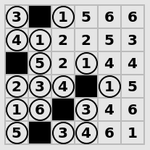
### Visual Description
## Diagram: 6×6 Number Grid Puzzle with Blocked Cells
### Overview
The image displays a 6×6 grid-based logic puzzle, likely a variant of Sudoku or a similar number-placement puzzle. The grid contains numerical digits (1 through 6) and solid black squares that act as blocked or separator cells. The objective appears to be filling the white cells with numbers according to specific, unstated rules.
### Components/Axes
* **Grid Structure:** A 6-row by 6-column matrix.
* **Cell Types:** Two distinct types:
1. **White Cells:** Contain a single digit from 1 to 6.
2. **Black Cells:** Completely filled with black, serving as blockers or dividers.
* **Labels/Axes:** There are no explicit row/column labels, axis titles, or legends. The grid is presented without external annotations.
### Detailed Analysis
The following is a precise transcription of the grid's content, read left-to-right, top-to-bottom. `■` denotes a black cell.
**Row 1:** `3`, `■`, `1`, `5`, `6`, `6`
**Row 2:** `4`, `1`, `2`, `2`, `5`, `3`
**Row 3:** `■`, `5`, `2`, `■`, `4`, `4`
**Row 4:** `2`, `3`, `■`, `4`, `■`, `5`
**Row 5:** `1`, `6`, `■`, `3`, `4`, `6`
**Row 6:** `5`, `■`, `3`, `4`, `6`, `1`
**Spatial Distribution of Black Cells:**
* Row 1, Column 2
* Row 3, Column 1
* Row 3, Column 4
* Row 4, Column 3
* Row 4, Column 5
* Row 5, Column 3
* Row 6, Column 2
### Key Observations
1. **Number Range:** All visible digits are within the 1-6 range, consistent with a 6x6 puzzle format.
2. **Duplicate Numbers in Rows:** Several rows contain duplicate numbers within the same row, which is atypical for standard Sudoku rules. For example:
* Row 1 has two `6`s.
* Row 2 has two `2`s.
* Row 3 has two `4`s.
* Row 5 has two `6`s.
3. **Pattern of Black Cells:** The black cells are not placed in a simple checkerboard or symmetrical pattern. Their distribution seems irregular, potentially defining separate regions or "cages" within the grid for the puzzle's logic.
4. **No Clear "Solved" State:** The presence of duplicates suggests this is either an initial puzzle state with clues, a puzzle with non-standard rules (e.g., allowing repeats in rows/columns), or an error in the puzzle's construction.
### Interpretation
This image presents a logic puzzle in its initial state. The black cells are fundamental to its structure, likely defining the boundaries of regions or "cages" where specific rules (like unique sums or number sets) apply. The duplicate numbers in rows are the most significant feature; they strongly indicate that the governing rules are **not** the classic Sudoku constraint of "each number appears exactly once per row and column."
Instead, the puzzle likely follows a different set of rules, such as:
* **Killer Sudoku/Cage Sums:** Numbers within a region (defined by black cells) must sum to a target, and numbers may repeat within a row or column if allowed by the cage boundaries.
* **Another Variant:** Rules could involve arithmetic operations, non-unique row/column constraints, or path-following.
Without the explicit rules or target sums, the puzzle is unsolvable. The image provides the *board state* but not the *ruleset*. To progress, one would need the accompanying instructions that define the purpose of the black cells and the constraints on placing numbers in the white cells. The data suggests a complex, region-based logic puzzle rather than a simple placement grid.
</details>
Figure 33: Singles: Black out the right set of duplicate numbers.
<details>
<summary>extracted/5699650/img/puzzles/sixteen.png Details</summary>
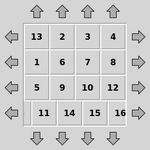
### Visual Description
## Diagram: Numbered Grid with Directional Arrows
### Overview
The image displays a 4x4 grid of numbered cells (1 through 16) arranged in a non-sequential order. The grid is surrounded on all four sides by outward-pointing arrows, suggesting a directional or interactive interface, such as a control pad, puzzle element, or navigation diagram.
### Components/Axes
* **Central Grid:** A 4x4 matrix of square cells, each containing a number.
* **Numbers:** The numbers 1 through 16 are present, each in a unique cell.
* **Directional Arrows:** Gray, upward-pointing arrows are positioned above each column. Gray, downward-pointing arrows are positioned below each column. Gray, left-pointing arrows are positioned to the left of each row. Gray, right-pointing arrows are positioned to the right of each row. All arrows point away from the central grid.
### Detailed Analysis
**Grid Content (Row by Row, from top to bottom):**
* **Row 1 (Top):** 13, 2, 3, 4
* **Row 2:** 1, 6, 7, 8
* **Row 3:** 5, 9, 10, 12
* **Row 4 (Bottom):** 11, 14, 15, 16
**Spatial Layout of Arrows:**
* **Top Edge:** Four arrows, each aligned with one of the four columns, pointing up.
* **Bottom Edge:** Four arrows, each aligned with one of the four columns, pointing down.
* **Left Edge:** Four arrows, each aligned with one of the four rows, pointing left.
* **Right Edge:** Four arrows, each aligned with one of the four rows, pointing right.
### Key Observations
1. **Non-Sequential Numbering:** The numbers are not arranged in a standard left-to-right, top-to-bottom order (e.g., 1 is in the second row, first column; 13 is in the first row, first column).
2. **Complete Set:** All integers from 1 to 16 are present exactly once.
3. **Symmetrical Arrow Layout:** The arrows form a perfectly symmetrical frame around the grid, with one arrow per row/column on each side.
4. **Visual Style:** The diagram uses a simple, clean aesthetic with a light gray background, white grid cells with gray borders, black numbers, and solid gray arrows.
### Interpretation
This diagram likely represents a **keypad, controller, or puzzle grid** where the arrangement of numbers is significant. The arrows strongly imply that each row and column can be activated or scrolled in the indicated direction.
The non-sequential numbering is the most critical feature. It suggests the grid is not a simple counter but encodes a specific pattern. This could be:
* A **cipher or code** where the position of a number (e.g., "13" in the top-left) is the key, not its value.
* A **sliding puzzle** (like a 15-puzzle) in a specific scrambled state, where the arrows indicate possible moves for the empty space (though no empty space is visually marked).
* A **custom input layout** for a device or game, where the physical or logical mapping of numbers to directional inputs is defined by this chart.
The primary information conveyed is the **exact spatial relationship between the numbers 1-16 and the four cardinal directions**. To use this diagram, one would need to reference the specific number at a given grid coordinate and its associated directional arrows.
</details>
Figure 34: Sixteen: Slide a row at a time to arrange the tiles into order.
<details>
<summary>extracted/5699650/img/puzzles/slant.png Details</summary>
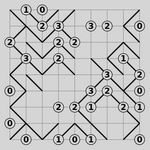
### Visual Description
## Logic Puzzle Diagram: Numbered Grid with Path
### Overview
The image displays a 6x6 grid-based logic puzzle, likely a variant of "Slitherlink" or "Loop the Loop." The grid contains numbers within certain cells, and a continuous, non-intersecting black line (a loop) is drawn along the grid lines, connecting the dots at the corners of the cells. The numbers indicate how many of the four edges of that specific cell are part of the loop. The puzzle appears to be in a solved state, as the drawn loop satisfies all numerical constraints.
### Components/Axes
* **Grid Structure:** A 6x6 square grid, creating 36 individual cells. The grid lines are light gray.
* **Numerical Labels:** Numbers (0, 1, 2, 3) are placed inside specific cells. These are the puzzle's constraints.
* **Path/Loop:** A thick, black line forms a single, continuous closed loop that travels along the grid lines. It does not cross itself or branch.
* **Spatial Layout:** The grid occupies the entire image frame. There are no axis titles, legends, or external labels. The numbers are the only embedded text.
### Detailed Analysis
**Grid Content (Row by Row, from top-left):**
* **Row 1:** Cell(1,1): `1` | Cell(1,2): `0` | Cell(1,3): (empty) | Cell(1,4): `3` | Cell(1,5): `3` | Cell(1,6): `2`
* **Row 2:** Cell(2,1): `2` | Cell(2,2): `3` | Cell(2,3): `2` | Cell(2,4): `2` | Cell(2,5): (empty) | Cell(2,6): `0`
* **Row 3:** Cell(3,1): `2` | Cell(3,2): `3` | Cell(3,3): (empty) | Cell(3,4): (empty) | Cell(3,5): `3` | Cell(3,6): `2`
* **Row 4:** Cell(4,1): (empty) | Cell(4,2): `2` | Cell(4,3): `2` | Cell(4,4): `3` | Cell(4,5): `2` | Cell(4,6): `0`
* **Row 5:** Cell(5,1): `0` | Cell(5,2): (empty) | Cell(5,3): `2` | Cell(5,4): `1` | Cell(5,5): `1` | Cell(5,6): `2`
* **Row 6:** Cell(6,1): `0` | Cell(6,2): (empty) | Cell(6,3): `0` | Cell(6,4): `1` | Cell(6,5): `1` | Cell(6,6): `0`
**Path Description (Trend Verification):**
The black line forms a single, winding loop. It starts and ends at the same point, creating a closed circuit. The path's trend is meandering, with no clear directional bias (e.g., not predominantly left-to-right or top-to-bottom). It carefully navigates around the grid to satisfy the number in each cell.
**Component Isolation & Path Trace (Approximate):**
A precise trace is complex, but key segments include:
* The loop runs along the entire top edge of the grid from column 2 to column 5.
* It makes a deep incursion into the bottom-left quadrant, forming a rectangular detour around cells (5,1), (6,1), (6,2), and (5,2).
* It has a significant "finger" that extends down the right side, covering the right edges of cells (1,6) through (4,6).
* The path frequently makes 90-degree turns at grid intersections to avoid crossing itself and to meet the edge-count requirements of adjacent numbered cells.
### Key Observations
1. **Constraint Satisfaction:** Every numbered cell has a loop segment count matching its number. For example, all `0` cells (e.g., top-left of Row 1, bottom-right corner) have no black lines on any of their four edges. All `3` cells have exactly three of their four edges used by the loop.
2. **Empty Cells:** Cells without numbers have no constraint; the loop passes through them as needed to connect the path.
3. **Loop Integrity:** The path is a single, continuous, non-branching loop with no loose ends. It does not intersect itself.
4. **Spatial Distribution:** The numbers are distributed across the grid, with a slight concentration of higher numbers (`2`, `3`) in the top-left and central areas, and more `0`s and `1`s toward the bottom and right edges.
### Interpretation
This image is the solution to a deductive logic puzzle. The data (the numbers and the drawn line) demonstrates a valid state where all local constraints (the number in each cell) are satisfied by a global structure (the single loop).
* **What it demonstrates:** It shows the application of logical rules to determine the only possible path that fulfills all given conditions. The puzzle tests spatial reasoning and constraint propagation.
* **Relationship between elements:** The numbers are the rules; the black line is the solution that obeys those rules. Each number dictates the local behavior of the line around it, and the line's global continuity links all these local decisions into one coherent whole.
* **Notable patterns:** The `0` cells act as "barriers" the loop must go around. The `3` cells are "attractors" that force the loop to use three of their sides, often creating complex turns. The solved state shows no contradictions, indicating a well-formed puzzle.
* **Underlying information:** The puzzle likely has a unique solution. The image provides all necessary information to verify the solution's correctness by checking each numbered cell's edge count against the drawn loop. It is a self-contained record of a completed logic problem.
</details>
Figure 35: Slant: Draw a maze of slanting lines that matches the clues.
<details>
<summary>extracted/5699650/img/puzzles/solo.png Details</summary>
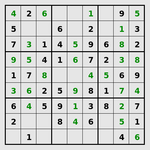
### Visual Description
## Data Table: Partially Filled 9x9 Sudoku Grid
### Overview
The image displays a standard 9x9 Sudoku puzzle grid. The grid is partially filled with single-digit integers (1-9). The cells are demarcated by thin black lines, with thicker lines delineating the nine 3x3 sub-grids (boxes). The background is white, and the numbers are printed in a clear, black, sans-serif font. No puzzle title, instructions, or other textual labels are present.
### Components/Axes
- **Structure:** A 9x9 grid composed of 81 individual cells.
- **Sub-grids:** The grid is divided into nine 3x3 boxes by thicker border lines.
- **Content:** Numerical digits (1-9) and empty cells. No axis labels, legends, or titles are present, as this is a puzzle grid, not a chart.
### Detailed Analysis
The following table reconstructs the state of the Sudoku grid. "Blank" indicates an empty cell. The grid is presented in standard Sudoku notation, with rows 1-9 from top to bottom and columns 1-9 from left to right.
| Row | Col 1 | Col 2 | Col 3 | Col 4 | Col 5 | Col 6 | Col 7 | Col 8 | Col 9 |
| :-- | :---- | :---- | :---- | :---- | :---- | :---- | :---- | :---- | :---- |
| **1** | 4 | 2 | 6 | Blank | 1 | Blank | 9 | 5 | Blank |
| **2** | 5 | Blank | Blank | Blank | Blank | 6 | Blank | 1 | 3 |
| **3** | 7 | 3 | 1 | 4 | 5 | 9 | 6 | 8 | 2 |
| **4** | 9 | 5 | 4 | 1 | 6 | 7 | 3 | Blank | Blank |
| **5** | 1 | 7 | 6 | Blank | Blank | Blank | 4 | 5 | 9 |
| **6** | 8 | Blank | Blank | 2 | 5 | 9 | 7 | 1 | 6 |
| **7** | 6 | 4 | 5 | 9 | 1 | 3 | 8 | 2 | 7 |
| **8** | 2 | Blank | 8 | 4 | 6 | Blank | 5 | 1 | Blank |
| **9** | Blank | 1 | Blank | Blank | Blank | Blank | Blank | 4 | 6 |
**Box Breakdown (3x3 Sub-grids):**
- **Box 1 (Top-Left):** Rows 1-3, Cols 1-3. Contains: 4,2,6 / 5,_,_ / 7,3,1
- **Box 2 (Top-Center):** Rows 1-3, Cols 4-6. Contains: _,1,_ / _,_,6 / 4,5,9
- **Box 3 (Top-Right):** Rows 1-3, Cols 7-9. Contains: 9,5,_ / _,1,3 / 6,8,2
- **Box 4 (Middle-Left):** Rows 4-6, Cols 1-3. Contains: 9,5,4 / 1,7,6 / 8,_,_
- **Box 5 (Center):** Rows 4-6, Cols 4-6. Contains: 1,6,7 / _,_,_ / 2,5,9
- **Box 6 (Middle-Right):** Rows 4-6, Cols 7-9. Contains: 3,_,_ / 4,5,9 / 7,1,6
- **Box 7 (Bottom-Left):** Rows 7-9, Cols 1-3. Contains: 6,4,5 / 2,_,8 / _,1,_
- **Box 8 (Bottom-Center):** Rows 7-9, Cols 4-6. Contains: 9,1,3 / 4,6,_ / _,_,_
- **Box 9 (Bottom-Right):** Rows 7-9, Cols 7-9. Contains: 8,2,7 / 5,1,_ / _,4,6
### Key Observations
1. **Density:** The grid is moderately filled. Of the 81 cells, 46 are pre-filled with numbers, and 35 are blank.
2. **Row Completeness:** Row 3 is completely filled. Rows 7 and 9 have the fewest filled cells (7 and 3, respectively).
3. **Column Completeness:** Column 7 is completely filled. Column 5 has the fewest filled cells (4).
4. **Box Completeness:** Box 3 (Top-Right) and Box 9 (Bottom-Right) are completely filled. Box 5 (Center) has the fewest filled cells (4).
5. **Number Distribution:** A quick visual scan suggests no immediate repetition of numbers within any row, column, or 3x3 box, adhering to the fundamental rule of Sudoku.
### Interpretation
This image presents a **logic puzzle in progress**. The data (the pre-filled numbers) constitutes the given clues for a Sudoku puzzle. The relationship between elements is defined by the rules of Sudoku: each row, each column, and each of the nine 3x3 boxes must contain the digits 1 through 9 exactly once.
The **informational content** is not a dataset to be analyzed for trends, but a **constraint satisfaction problem**. The "meaning" is found in the logical pathways a solver would use to deduce the missing numbers. For example:
* The complete Row 3 provides strong constraints for Columns 1-9 and Boxes 1-3.
* The nearly complete Column 7 (missing only one number in Row 4) allows for easy deduction of that missing digit.
* The sparse Center Box (Box 5) and Bottom-Center Box (Box 8) represent the areas of greatest uncertainty, requiring more complex cross-referencing with intersecting rows and columns to solve.
The puzzle appears to be of **moderate difficulty**. The presence of several nearly-complete rows, columns, and boxes provides good entry points for a solver, while the emptier regions in the center and bottom will require more advanced techniques. The ultimate "trend" or "pattern" hidden within this data is the unique, fully completed grid that satisfies all given constraints.
</details>
Figure 36: Solo: Fill in the grid so that each row, column and square block contains one of every digit.
<details>
<summary>extracted/5699650/img/puzzles/tents.png Details</summary>
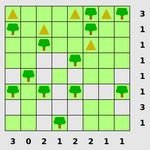
### Visual Description
## Diagram: 8x8 Grid with Symbolic Elements and Numerical Annotations
### Overview
The image displays an 8x8 grid composed of alternating light green and white squares, resembling a checkerboard pattern. The grid contains two types of symbolic icons: green deciduous trees and yellow triangles. Some trees have a small red dot at their apex. Numerical values are aligned along the right vertical edge and the bottom horizontal edge of the grid, likely serving as row and column identifiers or counts.
### Components/Axes
* **Grid Structure:** 8 rows by 8 columns.
* **Row Labels (Right Side):** A vertical column of numbers positioned to the right of the grid, aligned with each row. From top to bottom: `1, 3, 1, 1, 1, 1, 3, 1`.
* **Column Labels (Bottom):** A horizontal row of numbers positioned below the grid, aligned with each column. From left to right: `3, 0, 2, 1, 2, 2, 1, 1`.
* **Symbols:**
* **Green Tree:** A stylized, rounded green tree icon. Some instances have a small red dot centered on the top of the canopy.
* **Yellow Triangle:** A simple, upward-pointing yellow triangle.
* **Grid Cells:** The background alternates between a solid light green and white in a standard checkerboard pattern.
### Detailed Analysis
**Symbol Placement (Row, Column) - using 1-based indexing from top-left:**
* **Yellow Triangles:**
* (1, 1)
* (1, 4)
* (1, 6)
* (1, 7)
* (2, 3)
* **Green Trees (without red dot):**
* (2, 2)
* (4, 5)
* (5, 1)
* (5, 3)
* (5, 6)
* (5, 8)
* (6, 2)
* (6, 4)
* (6, 7)
* (7, 1)
* (7, 5)
* (7, 8)
* **Green Trees (with red dot):**
* (1, 2)
* (2, 1)
* (3, 2)
* (4, 1)
* (4, 3)
* (4, 6)
* (4, 8)
* (6, 1)
* (6, 3)
* (6, 6)
* (7, 2)
* (7, 4)
* (7, 7)
* (8, 1)
* (8, 3)
* (8, 5)
* (8, 7)
**Numerical Annotations:**
* **Right-side (Row) Values:** `1, 3, 1, 1, 1, 1, 3, 1`
* **Bottom (Column) Values:** `3, 0, 2, 1, 2, 2, 1, 1`
### Key Observations
1. **Symbol Distribution:** Yellow triangles are confined to the top two rows. Green trees (both types) are distributed throughout the remaining grid, with a higher concentration in the lower half (rows 5-8).
2. **Red Dot Pattern:** The red dot appears on a significant majority of the tree icons (17 out of 23 total trees). Its presence does not follow an immediately obvious spatial pattern but is frequent in columns 1, 3, and 7.
3. **Numerical Correlation:** The numbers along the edges do not have an immediately obvious direct correlation with the count of symbols in their respective rows or columns. For example, Row 2 has a label of `3` but contains only one tree and one triangle. Column 1 has a label of `3` and contains four trees (three with red dots). This suggests the numbers may represent a different metric, such as a puzzle clue, a score, or a constraint.
### Interpretation
This diagram most likely represents the state of a logic puzzle, a grid-based game (similar to Minesweeper or a nonogram), or a spatial constraint problem. The trees and triangles are distinct types of objects or markers placed on the board. The numbers on the periphery are almost certainly clues or constraints related to the puzzle's rules.
* **Potential Rule Hypothesis:** The numbers could indicate the total count of a specific type of object (e.g., trees with red dots, or all trees) within that row or column. However, a quick visual count does not match the provided numbers, indicating a more complex rule. For instance, the rule might involve the sum of objects in a row/column *and* their adjacency to other objects or grid edges.
* **Symbolic Meaning:** The red dot on the trees likely differentiates them as a special subtype, crucial for solving the underlying puzzle. The yellow triangles, being only at the top, might represent a starting condition, a different class of object, or markers for a specific rule.
* **Purpose:** The image serves as a visual record of a specific puzzle configuration. To solve it, one would need the accompanying rule set that defines how the peripheral numbers relate to the placement of the trees and triangles within the grid. Without those rules, the diagram is a static representation of a problem state, not a solution.
</details>
Figure 37: Tents: Place a tent next to each tree.
<details>
<summary>extracted/5699650/img/puzzles/towers.png Details</summary>
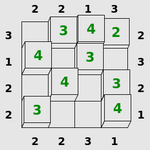
### Visual Description
## Diagram: 5x5 Number Grid with Edge Constraints
### Overview
The image displays a 5x5 grid of squares. Some squares contain green numbers, while others are empty. Along the outer edges of the grid, black numbers are positioned, appearing to correspond to the rows and columns. The overall presentation suggests a logic puzzle or constraint-based grid, similar to games like Nonogram or Sumplete, where edge numbers provide clues about the contents of the grid.
### Components/Axes
The diagram consists of the following elements:
1. **Grid Structure**: A 5x5 matrix of cells. Rows can be referenced as R1 (top) to R5 (bottom). Columns can be referenced as C1 (left) to C5 (right).
2. **Edge Numbers (Black)**: These are placed outside the grid, aligned with the gaps between cells or the cells themselves.
* **Top Edge (above columns)**: From left to right: `2`, `2`, `1`, `3`. (Note: There are four numbers for five columns, suggesting they may align with the first four columns or the spaces between columns).
* **Bottom Edge (below columns)**: From left to right: `2`, `2`, `3`, `1`.
* **Left Edge (beside rows)**: From top to bottom: `3`, `1`, `2`, `2`.
* **Right Edge (beside rows)**: From top to bottom: `2`, `3`, `2`, `1`.
3. **Grid Content (Green Numbers)**: Specific cells contain a number rendered in green font. The identified cells and their values are:
* R1C2: `4`
* R1C3: `3`
* R1C4: `2`
* R2C1: `4`
* R2C3: `3`
* R3C2: `4`
* R3C4: `3`
* R4C1: `3`
* R4C5: `4`
* All other cells (R1C1, R1C5, R2C2, R2C4, R2C5, R3C1, R3C3, R3C5, R4C2, R4C3, R4C4, R5C1, R5C2, R5C3, R5C4, R5C5) are empty.
### Detailed Analysis
**Grid Content Map:**
| | C1 | C2 | C3 | C4 | C5 |
|:--- |:---:|:---:|:---:|:---:|:---:|
| **R1** | | 4 | 3 | 2 | |
| **R2** | 4 | | 3 | | |
| **R3** | | 4 | | 3 | |
| **R4** | 3 | | | | 4 |
| **R5** | | | | | |
**Edge Number Alignment Hypothesis:**
The edge numbers are ambiguous in their precise alignment. Two primary interpretations exist:
1. **Alignment with Cells**: The four numbers on each edge correspond to the first four rows/columns. For example, the top numbers `2,2,1,3` would correspond to columns C1, C2, C3, and C4.
2. **Alignment with Gaps**: The numbers correspond to the lines between cells. For a 5x5 grid, there are 4 internal lines between rows and 4 between columns, matching the count of edge numbers.
**Trend/Pattern Verification (Under Cell Alignment Hypothesis):**
If we assume the edge numbers correspond to the first four rows/columns, we can check for consistency with the visible green numbers.
* **Left Edge (Rows)**: `3,1,2,2`. Row 1 (R1) has 3 green numbers (4,3,2) → matches `3`. Row 2 (R2) has 2 green numbers (4,3) → does **not** match `1`. This indicates a discrepancy or that the hypothesis is incorrect.
* **Top Edge (Columns)**: `2,2,1,3`. Column 1 (C1) has 2 green numbers (4,3) → matches `2`. Column 2 (C2) has 2 green numbers (4,4) → matches `2`. Column 3 (C3) has 2 green numbers (3,3) → does **not** match `1`. Column 4 (C4) has 2 green numbers (2,3) → does **not** match `3`.
The lack of consistent correlation suggests the edge numbers are not simple counts of green numbers in the corresponding row/column under this alignment.
### Key Observations
1. **Sparse Fill**: Only 9 out of 25 cells (36%) contain a number.
2. **Number Range**: All green numbers are single-digit integers from 2 to 4.
3. **Edge Number Discrepancy**: The count of edge numbers (4 per side) does not match the grid dimension (5x5), creating ambiguity in their reference.
4. **No Obvious Arithmetic Pattern**: Simple sums of green numbers per row/column (e.g., R1 sum=9, C1 sum=7) do not directly match the adjacent edge numbers.
5. **Spatial Distribution**: Green numbers are clustered in the top-left and central areas, with the entire bottom row (R5) and several other cells empty.
### Interpretation
This image is most likely a snapshot of a **logic puzzle in progress**. The edge numbers serve as constraints or clues, and the green numbers represent the solver's current entries.
* **What the Data Suggests**: The puzzle likely requires the solver to fill the grid such that each row and column satisfies the condition indicated by its corresponding edge number. The nature of the condition is not explicitly stated but could be a sum, a count of specific numbers, or another rule. The current state shows an incomplete solution, with some entries made and many cells still blank.
* **Relationship Between Elements**: The edge numbers are the primary ruleset. The green numbers are the variables being placed to satisfy those rules. The empty cells are the unknowns yet to be determined.
* **Notable Anomalies**: The primary anomaly is the **misalignment between the count of edge numbers and grid size**. This is a critical clue. It strongly implies that the edge numbers correspond to the **lines between cells** rather than the cells themselves. In many grid puzzles (e.g., "Sumplete"), numbers on the edges indicate the sum of the numbers in the adjacent cells across that line. For example, the top-left `2` might be the sum of the numbers in R1C1 and R1C2. Testing this hypothesis with the visible data (e.g., top-left `2` = R1C1(?) + R1C2(4)) would require R1C1 to be -2, which is impossible, suggesting the rule might be different (e.g., count of filled cells, or a different operation).
* **Conclusion**: Without the puzzle's explicit rules, the exact meaning cannot be determined. However, the structure is classic for a constraint-satisfaction puzzle. The image captures a moment of reasoning, where some deductions have been made (the green numbers), but the solution is not yet complete. To solve it, one would need to deduce the rule linking the edge numbers to the grid contents and then logically fill the remaining empty cells.
</details>
Figure 38: Towers: Complete the latin square of towers in accordance with the clues.
<details>
<summary>extracted/5699650/img/puzzles/tracks.png Details</summary>
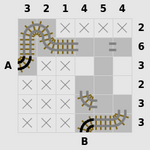
### Visual Description
## Diagram: Grid-Based Path or Matrix with Marked Cells
### Overview
The image displays a 7x7 grid diagram with labeled rows and columns. The grid contains a mix of marked cells (with "X" symbols), shaded gray areas, and two distinct graphical elements resembling segmented, worm-like or snake-like paths located in the top-left and bottom-right corners. The diagram appears to represent a state, a pathfinding problem, or a matrix with specific constraints or highlighted regions.
### Components/Axes
* **Column Headers (Top Row):** The numbers `3`, `2`, `1`, `4`, `5`, `4`, `2` are positioned above the seven columns, from left to right.
* **Row Headers (Left Column):** The labels `A`, `6`, `3`, `2`, `3`, `3`, `B` are positioned to the left of the seven rows, from top to bottom.
* **Grid Cells:** The intersection of each row and column forms a cell. The content of each cell is one of the following:
1. An "X" symbol.
2. A solid light gray shading.
3. Part of a detailed graphical element.
4. Empty (white background).
* **Graphical Elements:**
* **Top-Left Element:** A curved, segmented shape originating near the intersection of row `A` and column `3`. It extends rightwards and downwards, overlapping cells in rows `A` and `6` and columns `3`, `2`, and `1`. It has a detailed, almost skeletal or mechanical texture.
* **Bottom-Right Element:** A similar curved, segmented shape originating near the intersection of row `B` and column `2`. It extends leftwards and upwards, overlapping cells in rows `B` and the row above it (labeled `3`) and columns `2`, `4`, and `5`. Its texture matches the top-left element.
* **Shaded Region:** A contiguous block of light gray shading covers a specific set of cells, forming a rough diagonal or stepped pattern from the upper-middle to the lower-middle of the grid.
### Detailed Analysis
**Grid Content Matrix (Row Label, Column Content from left to right):**
* **Row A:** `[Graphical Element start]`, `[Graphical Element]`, `[Graphical Element]`, `X`, `X`, `X`, `X`
* **Row 6:** `X`, `X`, `[Shaded]`, `[Shaded]`, `X`, `X`, `X`
* **Row 3 (first):** `X`, `[Shaded]`, `[Shaded]`, `[Shaded]`, `[Shaded]`, `X`, `X`
* **Row 2:** `X`, `[Shaded]`, `[Shaded]`, `[Shaded]`, `[Shaded]`, `[Shaded]`, `X`
* **Row 3 (second):** `X`, `X`, `[Shaded]`, `[Shaded]`, `[Shaded]`, `X`, `X`
* **Row 3 (third):** `X`, `X`, `X`, `[Shaded]`, `[Shaded]`, `X`, `X`
* **Row B:** `X`, `X`, `X`, `X`, `[Graphical Element]`, `[Graphical Element]`, `[Graphical Element end]`
**Spatial Grounding of Key Features:**
* The **"X" marks** are predominantly located in the leftmost and rightmost columns, and in the top and bottom rows, forming a rough border around the central shaded area.
* The **shaded gray area** is centrally located, forming a connected region that is widest in the middle rows (rows `2` and the first `3` below it) and narrows towards the top and bottom.
* The **graphical elements** are positioned at opposite corners: one starting at the top-left (Row A, Column 3) and one ending at the bottom-right (Row B, Column 5). They appear to be entering or exiting the grid.
### Key Observations
1. **Symmetry and Pattern:** The grid of "X" marks and shaded cells exhibits approximate vertical symmetry around the central column (column `4`). The pattern of "X"s is not perfectly symmetric but follows a similar density on the left and right flanks.
2. **Path or Obstacle Representation:** The "X" marks likely represent blocked cells, obstacles, or invalid positions. The shaded area could represent a valid path, a region of interest, or a different state. The graphical elements resemble a "snake" or "worm" that might be navigating this grid, with its head/tail at the corners.
3. **Numerical Labels:** The row and column headers are numerical (`2`, `3`, `4`, `5`, `6`) with the exceptions of `A` and `B`, which likely denote start and end points or specific rows of interest. The numbers do not follow a simple sequential order (e.g., columns: 3,2,1,4,5,4,2), suggesting they may be identifiers, weights, or costs rather than simple indices.
4. **No Explicit Legend:** The diagram lacks a formal legend. The meaning of "X", shading, and the graphical elements must be inferred from context, common in puzzles, algorithm visualizations, or state diagrams.
### Interpretation
This diagram is most likely a visualization of a **pathfinding problem, a puzzle state (like Snake or a maze), or a matrix representing a game board or constraint satisfaction problem**.
* **What the data suggests:** The grid defines a space with allowed (shaded/white) and disallowed ("X") cells. The numbers on the axes could represent coordinates, cell values, or movement costs. The two graphical elements strongly imply an agent (a snake, a path, a connection) that exists at the boundaries of this space, potentially needing to traverse the central shaded region.
* **How elements relate:** The "X"s form barriers that channel movement or define the perimeter of the playable/solvable area. The shaded region is the core area of operation. The corner elements (`A` and `B`) are likely the start and end points for a path or the current position of an agent split across the board.
* **Notable anomalies/patterns:** The non-sequential numbering of rows and columns is the most striking feature. It implies the grid is not a simple coordinate system but perhaps a graph where the labels are node identifiers. The perfect connectivity of the shaded region suggests it is a single, contiguous zone of importance. The placement of the graphical elements at `A` and `B` frames the entire grid as a problem to be solved between these two points.
**In essence, the image conveys a structured problem space with clear boundaries (X's), a core operational area (shading), and defined start/end conditions (A, B, and the graphical elements), typical of computational logic puzzles or algorithm demonstrations.**
</details>
Figure 39: Tracks: Fill in the railway track according to the clues.
<details>
<summary>extracted/5699650/img/puzzles/twiddle.png Details</summary>
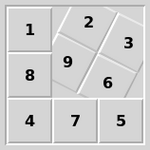
### Visual Description
\n
## Diagram: Numbered Tile Puzzle Layout
### Overview
The image displays a 3x3 grid containing nine numbered tiles. The tiles are a mix of square and diamond (rotated square) shapes, arranged in a specific pattern. The numbers 1 through 9 are present, but they are not in sequential order from left-to-right, top-to-bottom. The background is a uniform light gray, and the tiles have a subtle bevel and shadow effect, giving them a slightly raised, three-dimensional appearance.
### Components/Axes
* **Grid Structure:** A 3x3 matrix.
* **Tile Shapes:** Two distinct shapes are used:
* **Square Tiles:** Oriented normally.
* **Diamond Tiles:** Rotated 45 degrees.
* **Tile Content:** Each tile contains a single, centered numeral in a dark, sans-serif font.
* **Spatial Layout:**
* **Top Row (Left to Right):** Square (1), Diamond (2), Diamond (3).
* **Middle Row (Left to Right):** Square (8), Diamond (9), Diamond (6).
* **Bottom Row (Left to Right):** Square (4), Square (7), Square (5).
### Detailed Analysis
The arrangement of numbers and tile shapes creates a non-sequential pattern.
* **Numerical Sequence:** The numbers are placed as follows:
* Position (1,1): 1 (Square)
* Position (1,2): 2 (Diamond)
* Position (1,3): 3 (Diamond)
* Position (2,1): 8 (Square)
* Position (2,2): 9 (Diamond)
* Position (2,3): 6 (Diamond)
* Position (3,1): 4 (Square)
* Position (3,2): 7 (Square)
* Position (3,3): 5 (Square)
* **Shape Distribution:** The diamond-shaped tiles form a connected diagonal cluster from the top-center (2) to the middle-right (6), passing through the center (9). All other tiles (1, 8, 4, 7, 5) are squares and occupy the left column and the entire bottom row.
### Key Observations
1. **Non-Sequential Order:** The numbers do not follow a standard reading order (e.g., 1,2,3 / 4,5,6 / 7,8,9). The sequence jumps significantly (e.g., from 3 to 8, from 6 to 4).
2. **Shape-Number Correlation:** There is a clear correlation between tile shape and numerical value in this specific configuration. All numbers greater than or equal to 6 (6, 7, 8, 9) are present, but only 6 and 9 are on diamond tiles. The diamond tiles exclusively hold the numbers 2, 3, 6, and 9.
3. **Visual Grouping:** The diamond tiles create a distinct visual group in the upper-right quadrant of the grid, contrasting with the square tiles that frame them on the left and bottom.
### Interpretation
This image most likely represents a specific state or configuration of a **sliding tile puzzle** (like the classic 8-puzzle, but with numbers 1-9). In such puzzles, tiles slide into an empty space, and the goal is to arrange them in sequential order.
* **Puzzle State:** The arrangement shown is a scrambled or intermediate state. The diamond shape may indicate tiles that are "active," "movable," or part of a specific subgroup within the puzzle's logic. Alternatively, it could simply be a stylistic choice to differentiate certain tiles.
* **Pattern Analysis:** The clustering of higher numbers (6, 8, 9) in the center and upper-right, with lower numbers (1, 2, 3, 4, 5) on the periphery, suggests a configuration that is far from the solved state (which would typically be 1,2,3 / 4,5,6 / 7,8,9). The presence of the number 9 in the center is notable, as in many puzzles the central tile is fixed or has special significance.
* **Functional Clue:** The shape differentiation is the most critical piece of information beyond the numbers themselves. It implies a rule or property that applies to the diamond tiles (2, 3, 6, 9) that does not apply to the square tiles. This could relate to movement rules, scoring, or a secondary objective within the puzzle.
</details>
Figure 40: Twiddle: Rotate the tiles around themselves to arrange them into order.
<details>
<summary>extracted/5699650/img/puzzles/undead.png Details</summary>
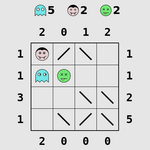
### Visual Description
## Logic Puzzle Grid: Icon Placement and Clue Analysis
### Overview
The image displays a 4x4 grid-based logic puzzle, likely a variant of a "Nonogram" or "Picross" puzzle with added icon placement rules. The puzzle includes numerical clues for rows and columns, a legend of icons with required counts, and a partially filled grid containing diagonal lines and placed icons. The goal appears to be to correctly place the specified number of each icon type into the grid while satisfying the row and column numerical constraints.
### Components/Axes
**1. Legend (Top-Left Corner):**
* **Icon 1:** A light blue cloud icon. Label: `5`. This indicates 5 cloud icons must be placed in the grid total.
* **Icon 2:** A pink circular face icon. Label: `2`. This indicates 2 pink face icons must be placed in the grid total.
* **Icon 3:** A green smiley face icon. Label: `2`. This indicates 2 green smiley icons must be placed in the grid total.
**2. Column Clues (Top of Grid, below legend):**
* A horizontal row of numbers: `2 0 1 0`.
* These correspond to the four columns of the grid, from left to right.
* They likely represent the number of *filled* or *active* cells in each column, though the exact rule (e.g., filled vs. icon) requires interpretation.
**3. Row Clues (Left of Grid):**
* A vertical column of numbers: `1`, `1`, `3`, `1`.
* These correspond to the four rows of the grid, from top to bottom.
* They likely represent the number of *filled* or *active* cells in each row.
**4. Grid (Center):**
* A 4x4 table. Each cell can be in one of several states:
* **Empty:** Blank white cell.
* **Contains a Diagonal Line:** A black line from one corner to the opposite. Two orientations exist: `\` (top-left to bottom-right) and `/` (top-right to bottom-left).
* **Contains an Icon:** One of the three icons from the legend is placed within the cell.
**5. Footer Clues (Bottom-Left, below Row Clues):**
* A horizontal row of numbers: `2 0 0 0`.
* These align with the columns but are positioned at the bottom. Their meaning is ambiguous; they could be secondary column clues, a checksum, or related to a different puzzle rule.
### Detailed Analysis
**Grid State (Row-by-Row, from top to bottom):**
* **Row 1 (Clue: 1):**
* Cell (1,1): Contains a **Pink Face** icon.
* Cell (1,2): Contains a diagonal line `\`.
* Cell (1,3): Contains a diagonal line `/`.
* Cell (1,4): Empty.
* *Analysis:* The row clue is `1`. If the clue counts icons, this row is satisfied (1 pink face). If it counts "marked" cells (icons or lines), it has 3, which does not match.
* **Row 2 (Clue: 1):**
* Cell (2,1): Contains a **Blue Cloud** icon.
* Cell (2,2): Contains a **Green Smiley** icon.
* Cell (2,3): Empty.
* Cell (2,4): Contains a diagonal line `/`.
* *Analysis:* The row clue is `1`. If the clue counts icons, this row has 2 (cloud, smiley), which is an overcount. If it counts "marked" cells, it has 3.
* **Row 3 (Clue: 3):**
* Cell (3,1): Empty.
* Cell (3,2): Contains a diagonal line `/`.
* Cell (3,3): Contains a diagonal line `\`.
* Cell (3,4): Contains a diagonal line `/`.
* *Analysis:* The row clue is `3`. This row contains 3 diagonal lines and no icons. This strongly suggests the numerical clues (`1,1,3,1` and `2,0,1,0`) count **diagonal lines**, not icons or total marks.
* **Row 4 (Clue: 1):**
* Cell (4,1): Empty.
* Cell (4,2): Contains a diagonal line `/`.
* Cell (4,3): Contains a diagonal line `/`.
* Cell (4,4): Contains a diagonal line `\`.
* *Analysis:* The row clue is `1`. This row contains 3 diagonal lines, which does not match the clue. This indicates the puzzle is in an **incorrect or intermediate state**.
**Column Analysis (Based on the hypothesis that clues count diagonal lines):**
* **Column 1 (Top Clue: 2, Footer Clue: 2):**
* Contains: Pink Face (R1), Blue Cloud (R2), two empty cells.
* Diagonal Lines: 0.
* *Analysis:* Does not match the clue of `2`.
* **Column 2 (Top Clue: 0, Footer Clue: 0):**
* Contains: Diagonal `\` (R1), Green Smiley (R2), Diagonal `/` (R3), Diagonal `/` (R4).
* Diagonal Lines: 3.
* *Analysis:* Does not match the clue of `0`.
* **Column 3 (Top Clue: 1, Footer Clue: 0):**
* Contains: Diagonal `/` (R1), Empty (R2), Diagonal `\` (R3), Diagonal `/` (R4).
* Diagonal Lines: 3.
* *Analysis:* Does not match the clue of `1`.
* **Column 4 (Top Clue: 0, Footer Clue: 0):**
* Contains: Empty (R1), Diagonal `/` (R2), Diagonal `/` (R3), Diagonal `\` (R4).
* Diagonal Lines: 3.
* *Analysis:* Does not match the clue of `0`.
**Icon Count Verification (vs. Legend):**
* **Blue Cloud:** Legend requires `5`. Present in grid: `1` (at R2,C1). **Shortfall: 4.**
* **Pink Face:** Legend requires `2`. Present in grid: `1` (at R1,C1). **Shortfall: 1.**
* **Green Smiley:** Legend requires `2`. Present in grid: `1` (at R2,C2). **Shortfall: 1.**
### Key Observations
1. **State of Completion:** The puzzle is clearly **unsolved or incorrectly filled**. The placed icons and diagonal lines do not satisfy the numerical row/column clues under the most logical interpretation (that clues count diagonal lines).
2. **Dual Clue Sets:** The presence of two sets of column clues (`2 0 1 0` at top, `2 0 0 0` at bottom) is unusual. They may represent different constraints (e.g., one for lines, one for icons) or one set may be erroneous/a red herring.
3. **Icon vs. Line Conflict:** The grid contains both icons and diagonal lines. The core puzzle logic likely involves determining which cells should contain which type of mark (icon or line) to satisfy all constraints simultaneously.
4. **Spatial Layout:** The legend is positioned top-left, standard for such puzzles. Row clues are left-aligned, and column clues are top-aligned. The footer clues are an atypical addition.
### Interpretation
This image captures a **logic puzzle in progress**. The solver has begun placing elements but has not yet found a consistent solution.
* **Puzzle Mechanics:** The puzzle has two layers of constraints:
1. **Global Icon Count:** A fixed number of each icon type must be placed somewhere in the grid (5 clouds, 2 pink faces, 2 green smileys).
2. **Local Line Count:** Each row and column must contain a specific number of cells marked with a diagonal line (Row clues: 1,1,3,1; Column clues: 2,0,1,0).
* **Current State Analysis:** The current grid state violates both constraint sets. The icon counts are far from met, and the diagonal line counts in each row/column do not match the clues. The placement of icons in cells that also need to satisfy line-count rules creates conflict. For example, placing an icon in a cell likely precludes it from containing a diagonal line, or vice-versa.
* **The Role of the Footer Clues (`2 0 0 0`):** Their meaning is the largest ambiguity. They could be:
* A second set of column constraints (perhaps for icons?).
* A checksum or error code.
* Part of a different, overlapping puzzle.
* A misprint or irrelevant artifact.
* **What the Data Suggests:** The image doesn't provide "data" in a traditional sense but rather a **problem state**. It demonstrates the complexity of multi-constraint logic puzzles where elements (icons, lines) compete for cell space under independent rules. The solver must use deductive reasoning to find the unique arrangement that satisfies all clues: the correct placement of 9 total icons and the correct distribution of diagonal lines per row/column.
**In essence, the image is a snapshot of a deductive reasoning challenge, highlighting the gap between an initial, incorrect attempt and the final, logically consistent solution.**
</details>
Figure 41: Undead: Place ghosts, vampires and zombies so that the right numbers of them can be seen in mirrors.
<details>
<summary>extracted/5699650/img/puzzles/unequal.png Details</summary>
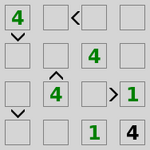
### Visual Description
## Diagram: 4x4 Logic Puzzle Grid with Numerical and Symbolic Constraints
### Overview
The image displays a 4x4 grid containing a logic puzzle. The grid consists of 16 square cells arranged in four rows and four columns. Some cells contain green-colored numbers, while others contain black directional arrows or comparison symbols. The symbols appear to be placed on the grid lines between cells, indicating relationships or constraints between adjacent cells.
### Components/Axes
* **Grid Structure:** A 4x4 matrix of square cells.
* **Cell Contents:**
* **Numbers:** The digits `1` and `4`, rendered in a green color.
* **Symbols:** Black arrows (`↓`, `↑`) and comparison operators (`<`, `>`). These are positioned on the boundaries between cells.
* **Spatial Layout:** The grid is presented without external labels, titles, or axes. All information is contained within the grid itself.
### Detailed Analysis
**Grid Content by Cell (Row, Column):**
* **Row 1:**
* (1,1): Green number `4`. A black downward arrow (`↓`) is positioned on the bottom edge of this cell.
* (1,2): Empty.
* (1,3): Empty. A black less-than symbol (`<`) is positioned on the right edge of this cell.
* (1,4): Empty.
* **Row 2:**
* (2,1): Empty.
* (2,2): Empty. A black upward arrow (`↑`) is positioned on the top edge of this cell.
* (2,3): Green number `4`.
* (2,4): Empty.
* **Row 3:**
* (3,1): Empty. A black downward arrow (`↓`) is positioned on the bottom edge of this cell.
* (3,2): Green number `4`.
* (3,3): Empty. A black greater-than symbol (`>`) is positioned on the right edge of this cell.
* (3,4): Green number `1`.
* **Row 4:**
* (4,1): Empty.
* (4,2): Empty.
* (4,3): Green number `1`.
* (4,4): Green number `4`.
**Symbol Placement and Implied Relationships:**
* The downward arrow (`↓`) below cell (1,1) likely indicates a relationship or constraint between cell (1,1) and the cell directly below it, (2,1).
* The upward arrow (`↑`) above cell (2,2) likely indicates a relationship between cell (2,2) and the cell directly above it, (1,2).
* The downward arrow (`↓`) below cell (3,1) likely indicates a relationship between cell (3,1) and the cell directly below it, (4,1).
* The less-than symbol (`<`) to the right of cell (1,3) likely indicates that the value in cell (1,3) is less than the value in cell (1,4).
* The greater-than symbol (`>`) to the right of cell (3,3) likely indicates that the value in cell (3,3) is greater than the value in cell (3,4).
### Key Observations
1. **Limited Number Set:** Only the numbers `1` and `4` are present in the grid.
2. **Symbolic Constraints:** The puzzle uses two types of constraints: directional arrows (vertical relationships) and inequality signs (horizontal relationships).
3. **Sparse Population:** Only 6 out of 16 cells are pre-filled with numbers, suggesting the puzzle requires deducing the remaining 10 values.
4. **Color Coding:** The numbers are consistently green, while the constraint symbols are black, creating a clear visual distinction between given data and rules.
### Interpretation
This image represents a **constrained logic puzzle**, likely a variant of a "Futoshiki" or "Inequality Sudoku" puzzle. The goal is to fill the empty cells with numbers (likely from a defined set, such as 1-4) such that all given numerical constraints are satisfied.
* **What the Data Suggests:** The pre-filled numbers (`1` and `4`) and the placed symbols form the initial conditions of the puzzle. The arrows and inequality signs define the rules that must be followed to find a unique solution.
* **How Elements Relate:** The numbers are the puzzle's state. The symbols are the rules governing the relationships between adjacent cells. The empty cells are the unknowns to be solved.
* **Notable Patterns/Anomalies:** The distribution of numbers and symbols is asymmetric. The left side of the grid features vertical arrow constraints, while the right side features horizontal inequality constraints. This suggests different logical deduction strategies will be needed for different sections of the grid. The presence of two `4`s in the same column (Column 3, Rows 1 and 2) is immediately notable and would be a critical starting point for solving, as it likely violates standard puzzle rules unless the column allows duplicates (which is atypical). This could indicate a more complex rule set or a specific puzzle variant.
**In summary, the image is not a data chart but a self-contained logic problem. Its informational content is the set of initial numbers and the symbolic constraints that define the puzzle's rules. To extract all information is to transcribe the grid's state and the rules implied by the symbol placements, which has been done above.**
</details>
Figure 42: Unequal: Complete the latin square in accordance with the > signs.
<details>
<summary>extracted/5699650/img/puzzles/unruly.png Details</summary>
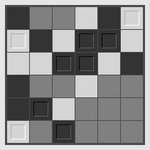
### Visual Description
## Diagram: 6x6 Grayscale Grid with Bordered Cells
### Overview
The image displays a 6x6 grid (matrix) composed of square cells. Each cell is filled with a shade of gray, ranging from very light (near white) to very dark (near black). There is no textual information, labels, titles, or numerical data present in the image. The primary visual features are the varying grayscale values and the presence of distinct double borders on specific cells.
### Components/Axes
* **Grid Structure:** A perfect 6x6 matrix, totaling 36 individual cells.
* **Cell Fill:** Each cell is filled with a uniform, solid shade of gray. The shades are not labeled with values.
* **Cell Borders:** Most cells have a single, thin black border. A subset of cells features a prominent **double border** (a black square within a black square), making them visually distinct.
* **Legend/Labels:** None present.
* **Axes/Titles:** None present.
### Detailed Analysis
The grid can be described by row (1-6, top to bottom) and column (1-6, left to right). The following table reconstructs the visual state of each cell. Shades are described qualitatively due to the lack of a numerical scale.
| Row | Col 1 | Col 2 | Col 3 | Col 4 | Col 5 | Col 6 |
| :-- | :---- | :---- | :---- | :---- | :---- | :---- |
| **1** | Dark Gray | Medium Gray | Light Gray | Very Light Gray | Dark Gray | Light Gray |
| **2** | Light Gray | Dark Gray | **[Double Border]** | **[Double Border]** | Light Gray | Very Light Gray |
| **3** | Very Light Gray | Light Gray | **[Double Border]** | **[Double Border]** | Dark Gray | Medium Gray |
| **4** | Dark Gray | Very Light Gray | **[Double Border]** | Light Gray | Medium Gray | Medium Gray |
| **5** | Medium Gray | **[Double Border]** | Medium Gray | Medium Gray | Medium Gray | Medium Gray |
| **6** | Light Gray | Medium Gray | **[Double Border]** | Medium Gray | Medium Gray | Medium Gray |
**Spatial Grounding of Bordered Cells:**
The cells with double borders are located at the following coordinates:
* (Row 2, Column 3)
* (Row 2, Column 4)
* (Row 3, Column 3)
* (Row 3, Column 4)
* (Row 4, Column 3)
* (Row 5, Column 2)
* (Row 6, Column 3)
This creates a clustered pattern in the center-left of the grid (Rows 2-4, Columns 3-4) with two outlier bordered cells at (5,2) and (6,3).
### Key Observations
1. **No Textual Data:** The image contains zero alphanumeric characters, symbols, or labels.
2. **Grayscale Variation:** The fill shades appear to be randomly or pseudo-randomly distributed without an immediately obvious gradient or pattern (e.g., not a smooth transition from light to dark across rows or columns).
3. **Bordered Cell Pattern:** The double-bordered cells are not randomly scattered. They form a connected 2x2 block at (R2-3, C3-4), with extensions downward to (R4,C3) and diagonally to (R5,C2) and (R6,C3). This suggests a deliberate, non-random selection.
4. **Visual Hierarchy:** The double borders create a strong visual emphasis, drawing the eye to the specific cells they highlight against the background of varying grays.
### Interpretation
This image is an abstract visual representation, likely a **matrix or state map** for a technical or computational process. The lack of text implies it is meant to be interpreted in context with accompanying documentation.
* **What it suggests:** The grid likely represents a 2D array of data, a memory map, a configuration state, or the output of an algorithm (e.g., a cellular automaton step, a pathfinding visualization, or a feature map from a neural network).
* **Relationship of elements:** The grayscale fill of each cell probably encodes a single value or state (e.g., 0-255 intensity, activation level, occupancy, or a categorical value). The double borders are metadata, highlighting cells of particular interest—perhaps "active" nodes, "selected" memory addresses, "changed" states, or a "path" through the grid.
* **Notable patterns:** The cluster of bordered cells suggests a region of activity or focus. The two outlier bordered cells at (5,2) and (6,3) could indicate the propagation of a process, a branching path, or noise in the data. The random-seeming grayscale background might represent initial conditions, noise, or a separate data layer.
**In essence, this is a data visualization stripped of its explanatory text. To fully understand it, one would need the key that maps grayscale values to meanings and explains the significance of the double-bordered selection.**
</details>
Figure 43: Unruly: Fill in the black and white grid to avoid runs of three.
<details>
<summary>extracted/5699650/img/puzzles/untangle.png Details</summary>
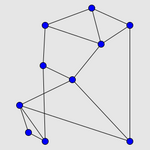
### Visual Description
\n
## Network Graph Diagram: Unlabeled Node-Edge Structure
### Overview
The image displays an undirected graph diagram consisting of nodes (vertices) and edges (connections) on a plain light gray background. There is no textual information, labels, titles, legends, or numerical data present in the image. The diagram is purely structural, showing relationships between points.
### Components/Axes
* **Nodes:** 10 distinct nodes, represented as solid blue circles.
* **Edges:** Straight gray lines connecting the nodes. The graph is undirected (no arrowheads).
* **Layout:** The nodes are arranged in a roughly hierarchical, three-layer structure.
* **Top Layer:** 3 nodes.
* **Middle Layer:** 4 nodes.
* **Bottom Layer:** 3 nodes.
* **Text/Labels:** None present. No axis titles, legends, or annotations are visible.
### Detailed Analysis
**Graph Topology and Connectivity:**
The graph's structure can be described by the connections between its layers. Using relative positioning (top-left, center, etc.) for description:
1. **Top Layer (3 nodes):**
* The top-left node connects to two nodes in the middle layer (the leftmost and the center-left).
* The top-center node connects to two nodes in the middle layer (the center-left and center-right).
* The top-right node connects to two nodes in the middle layer (the center-right and the rightmost).
2. **Middle Layer (4 nodes):**
* The leftmost node connects to the top-left node, the center-left node, and two nodes in the bottom layer (left and center).
* The center-left node connects to the top-left, top-center, leftmost, and center-right nodes.
* The center-right node connects to the top-center, top-right, center-left, and rightmost nodes.
* The rightmost node connects to the top-right, center-right, and one node in the bottom layer (right).
3. **Bottom Layer (3 nodes):**
* The bottom-left node connects to the middle-leftmost node and the bottom-center node.
* The bottom-center node connects to the middle-leftmost node, the bottom-left node, and the bottom-right node.
* The bottom-right node connects to the middle-rightmost node and the bottom-center node.
**Visual Style:**
* **Node Color:** Uniform medium blue (#3366CC approx.).
* **Edge Color:** Uniform medium gray.
* **Background:** Solid light gray (#E0E0E0 approx.).
* **Node Size:** All nodes appear to be of equal size.
### Key Observations
1. **No Textual Data:** The image contains zero alphanumeric characters. All information is conveyed through the visual structure of the graph.
2. **Symmetry:** The graph exhibits approximate bilateral symmetry along a vertical axis running through the center of the image.
3. **Connectivity Pattern:** Each node in the top layer connects to two nodes in the middle layer. Nodes in the middle layer have varying degrees of connectivity (number of edges), ranging from 3 to 4. The bottom layer nodes are less connected, primarily linking to the middle layer and each other.
4. **Planar Drawing:** The graph is drawn in a way that edges do not cross, suggesting it may represent a planar graph.
### Interpretation
This image is a pure structural diagram, not a data chart. Its purpose is to illustrate relationships or connections within a system.
* **What it Demonstrates:** It visualizes a network topology. The specific meaning of the nodes (e.g., people, computers, concepts) and edges (e.g., friendships, network links, relationships) is undefined due to the lack of labels.
* **Relationships Between Elements:** The diagram shows a clear hierarchical flow from the top layer to the bottom, with the middle layer acting as a highly interconnected hub. The symmetry suggests a balanced or mirrored system design.
* **Notable Patterns:** The most notable feature is the complete absence of explanatory text. This makes the diagram abstract; its interpretation is entirely dependent on external context not provided in the image. It could represent anything from a social network and a computer network topology to an organizational chart or a conceptual map. The structured, non-random layout implies it was deliberately designed to show a specific pattern of connections.
**Conclusion for Technical Documentation:** This image provides a visual representation of a 10-node network graph with a specific, symmetrical connection pattern. To be useful in a technical document, it requires accompanying text or labels to define what the nodes and edges represent. Without that context, it only conveys abstract relational structure.
</details>
Figure 44: Untangle: Reposition the points so that the lines do not cross.
## Appendix E Puzzle-specific Metadata
### E.1 Action Space
We display the action spaces for all supported puzzles in Table 5. The action spaces vary in size and in the types of actions they contain. As a result, an agent must learn the meaning of each action independently for each puzzle.
Table 5: The action spaces for each puzzle are listed, along with their cardinalities. The actions are listed with their name in the original Puzzle Collection C code.
| Black Box | 5 | UP, DOWN, LEFT, RIGHT, SELECT |
| --- | --- | --- |
| Bridges | 5 | UP, DOWN, LEFT, RIGHT, SELECT |
| Cube | 4 | UP, DOWN, LEFT, RIGHT |
| Dominosa | 5 | UP, DOWN, LEFT, RIGHT, SELECT |
| Fifteen | 4 | UP, DOWN, LEFT, RIGHT |
| Filling | 13 | UP, DOWN, LEFT, RIGHT, 1, 2, 3, 4, 5, 6, 7, 8, 9 |
| Flip | 5 | UP, DOWN, LEFT, RIGHT, SELECT |
| Flood | 5 | UP, DOWN, LEFT, RIGHT, SELECT |
| Galaxies | 5 | UP, DOWN, LEFT, RIGHT, SELECT |
| Guess | 5 | UP, DOWN, LEFT, RIGHT, SELECT |
| Inertia | 9 | 1, 2, 3, 4, 6, 7, 8, 9, UNDO |
| Keen | 14 | UP, DOWN, LEFT, RIGHT, SELECT2, 1, 2, 3, 4, 5, 6, 7, 8, 9 |
| Light Up | 5 | UP, DOWN, LEFT, RIGHT, SELECT |
| Loopy | 6 | UP, DOWN, LEFT, RIGHT, SELECT, SELECT2 |
| Magnets | 6 | UP, DOWN, LEFT, RIGHT, SELECT, SELECT2 |
| Map | 5 | UP, DOWN, LEFT, RIGHT, SELECT |
| Mines | 7 | UP, DOWN, LEFT, RIGHT, SELECT, SELECT2, UNDO |
| Mosaic | 6 | UP, DOWN, LEFT, RIGHT, SELECT, SELECT2 |
| Net | 5 | UP, DOWN, LEFT, RIGHT, SELECT |
| Netslide | 5 | UP, DOWN, LEFT, RIGHT, SELECT |
| Palisade | 5 | UP, DOWN, LEFT, RIGHT, CTRL |
| Pattern | 6 | UP, DOWN, LEFT, RIGHT, SELECT, SELECT2 |
| Pearl | 5 | UP, DOWN, LEFT, RIGHT, SELECT |
| Pegs | 6 | UP, DOWN, LEFT, RIGHT, SELECT, UNDO |
| Range | 5 | UP, DOWN, LEFT, RIGHT, SELECT |
| Rectangles | 5 | UP, DOWN, LEFT, RIGHT, SELECT |
| Same Game | 6 | UP, DOWN, LEFT, RIGHT, SELECT, UNDO |
| Signpost | 6 | UP, DOWN, LEFT, RIGHT, SELECT, SELECT2 |
| Singles | 6 | UP, DOWN, LEFT, RIGHT, SELECT, SELECT2 |
| Sixteen | 6 | UP, DOWN, LEFT, RIGHT, SELECT, SELECT2 |
| Slant | 6 | UP, DOWN, LEFT, RIGHT, SELECT, SELECT2 |
| Solo | 13 | UP, DOWN, LEFT, RIGHT, 1, 2, 3, 4, 5, 6, 7, 8, 9 |
| Tents | 6 | UP, DOWN, LEFT, RIGHT, SELECT, SELECT2 |
| Towers | 14 | UP, DOWN, LEFT, RIGHT, SELECT2, 1, 2, 3, 4, 5, 6, 7, 8, 9 |
| Tracks | 5 | UP, DOWN, LEFT, RIGHT, SELECT |
| Twiddle | 6 | UP, DOWN, LEFT, RIGHT, SELECT, SELECT2 |
| Undead | 8 | UP, DOWN, LEFT, RIGHT, SELECT2, 1, 2, 3 |
| Unequal | 13 | UP, DOWN, LEFT, RIGHT, 1, 2, 3, 4, 5, 6, 7, 8, 9 |
| Unruly | 6 | UP, DOWN, LEFT, RIGHT, SELECT, SELECT2 |
| Untangle | 5 | UP, DOWN, LEFT, RIGHT, SELECT |
### E.2 Optional Parameters
We display the optional parameters for all supported puzzles in LABEL:tab:parameters. If none are supplied upon initialization, a set of default parameters gets used for the puzzle generation process.
Table 6: For each puzzle, all optional parameters a user may supply are shown and described. We also give the required data type of variable, where applicable (e.g., int or char). For parameters that accept one of a few choices (such as difficulty), the accepted values and corresponding explanation are given in braces. As as example: a difficulty parameter is listed as d{int} with allowed values {0 = easy, 1 = medium, 2 = hard}. In this case, choosing medium difficulty would correspond to d1.
| Black Box | w8h8m5M5 | w{int} | grid width | (w $·$ h + w + h + 1) |
| --- | --- | --- | --- | --- |
| h{int} | grid height | $·$ (w + 2) $·$ (h + 2) | | |
| m{int} | minimum number of balls | | | |
| M{int} | maximum number of balls | | | |
| Bridges | 7x7i5e2m2d0 | {int}x{int} | grid width $×$ grid height | 3 $·$ w $·$ $·$ (w + h + 8) |
| i{int} | percentage of island squares | | | |
| e{int} | expansion factor | | | |
| m{int} | max bridges per direction | | | |
| d{int} | difficulty {0 = easy, 1 = medium, 2 = hard} | | | |
| Cube | c4x4 | {char} | type {c = cube, t = tetrahedron, | w $·$ $·$ F |
| o = octahedron, i = icosahedron} | F = number of the body’s faces | | | |
| {int}x{int} | grid width $×$ grid height | | | |
| Dominosa | 6db | {int} | maximum number of dominoes | $\frac{1}{2}≤ft(w^2 + 3w + 2\right)$ |
| d{char} | difficulty {t = trivial, b = basic, h = hard, | $·(4√{w^2 + 3w + 2} + 1)$ | | |
| e = extreme, a = ambiguous} | | | | |
| Fifteen | 4x4 | {int}x{int} | grid width $×$ grid height | $(w· h)^4$ |
| Filling | 13x9 | {int}x{int} | grid width $×$ grid height | $(w· h)·(w+h+1)$ |
| Flip | 5x5c | {int}x{int} | grid width $×$ grid height | $(w· h)·(w+h+1)$ |
| {char} | type {c = crosses, r = random} | | | |
| Flood | 12x12c6m5 | {int}x{int} | grid width $×$ grid height | $(w· h)·(w+h+1)$ |
| c{int} | number of colors | | | |
| m{int} | extra moves permitted (above the | | | |
| solver’s minimum) | | | | |
| Galaxies | 7x7dn | {int}x{int} | grid width $×$ grid height | $(2· w· h-w-h)$ |
| d{char} | difficulty {n = normal, u = unreasonable} | $·(2· w+2· h+1)$ | | |
| Guess | c6p4g10Bm | c{int} | number of colors | $(p+1)· g·(c+p)$ |
| p{int} | pegs per guess | | | |
| g{int} | maximum number of guesses | | | |
| {char} | allow blanks {B = no, b = yes} | | | |
| {char} | allow duplicates {M = no, m = yes} | | | |
| Inertia | 10x8 | {int}x{int} | grid width $×$ grid height | $0.2· w^2· h^2$ |
| Keen | 6dn | {int} | grid size | $(2· w+1)· w^2$ |
| d{char} | difficulty {e = easy, n = normal, h = hard, | | | |
| x = extreme, u = unreasonable} | | | | |
| {char} | (Optional) multiplication only {m = yes} | | | |
| Light Up | 7x7b20s4d0 | {int}x{int} | grid width $×$ grid height | $\frac{1}{2}·(w+h+1)$ |
| b{int} | percentage of black squares | $·(w· h+1)$ | | |
| s{int} | symmetry {0 = none, 1 = 2-way mirror, | | | |
| 2 = 2-way rotational, 3 = 4-way mirror, | | | | |
| 4 = 4-way rotational} | | | | |
| d{int} | difficulty {0 = easy, 1 = tricky, 2 = hard} | | | |
| Loopy | 10x10t12dh | {int}x{int} | grid width $×$ grid height | $(2· w· h+1)· 3·(w· h)^2$ |
| t{int} | type {0 = squares, 1 = triangular, | | | |
| 2 = honeycomb, 3 = snub-square, | | | | |
| 4 = cairo, 5 = great-hexagonal, | | | | |
| 6 = octagonal, 7 = kites, | | | | |
| 8 = floret, 9 = dodecagonal, | | | | |
| 10 = great-dodecagonal, | | | | |
| 11 = Penrose (kite/dart), | | | | |
| 12 = Penrose (rhombs), | | | | |
| 13 = great-great-dodecagonal, | | | | |
| 14 = kagome, 15 = compass-dodecagonal, | | | | |
| 16 = hats} | | | | |
| d{char} | difficulty {e = easy, n = normal, | | | |
| t = tricky, h = hard} | | | | |
| Magnets | 6x5dtS | {int}x{int} | grid width $×$ grid height | $w· h·(w+h+2)$ |
| d{char} | difficulty {e = easy, t = tricky | | | |
| {char} | (Optional) strip clues {S = yes} | | | |
| Map | 20x15n30dn | {int}x{int} | grid width $×$ grid height | $2· n·(1+w+h)$ |
| n{int} | number of regions | | | |
| d{char} | difficulty {e = easy, n = normal, h = hard, | | | |
| u = unreasonable} | | | | |
| Mines | 9x9n10 | {int}x{int} | grid width $×$ grid height | $w· h·(w+h+1)$ |
| n{int} | number of mines | | | |
| p{char} | (Optional) ensure solubility {a = no} | | | |
| Mosaic | 10x10h0 | {int}x{int} | grid width $×$ grid height | $w· h·(w+h+1)$ |
| {str} | (Optional) aggressive generation {h0 = no} | | | |
| Net | 5x5wb0.5 | {int}x{int} | grid width $×$ grid height | $w· h·(w+h+3)$ |
| {char} | (Optional) walls wrap around {w = yes} | | | |
| b{float} | barrier probability, interval: [0, 1] | | | |
| {char} | (Optional) ensure unique solution {a = no} | | | |
| Netslide | 4x4wb1m2 | {int}x{int} | grid width $×$ grid height | $2· w· h·(w+h-1)$ |
| {char} | (Optional) walls wrap around {w = yes} | | | |
| b{float} | barrier probability, interval: [0, 1] | | | |
| m{int} | (Optional) number of shuffling moves | | | |
| Palisade | 5x5n5 | {int}x{int} | grid width $×$ grid height | $(2· w· h-w-h)$ |
| n{int} | region size | $·(w+h+3)$ | | |
| Pattern | 15x15 | {int}x{int} | grid width $×$ grid height | $w· h(w+h+1)$ |
| Pearl | 8x8dtn | {int}x{int} | grid width $×$ grid height | $w· h·(w+h+2)$ |
| d{char} | difficulty {e = easy, t = tricky} | | | |
| {char} | allow unsoluble {n = yes} | | | |
| Pegs | 7x7cross | {int}x{int} | grid width $×$ grid height | $w· h·(w+h+2)$ |
| {str} | type {cross, octagon, random} | | | |
| Range | 9x6 | {int}x{int} | grid width $×$ grid height | $w· h·(w+h+1)$ |
| Rectangles | 7x7e4 | {int}x{int} | grid width $×$ grid height | $2· w· h·(w+h+1)$ |
| e{int} | expansion factor | | | |
| {char} | ensure unique solution {a = no} | | | |
| Same Game | 5x5c3s2 | {int}x{int} | grid width $×$ grid height | $w· h·(w+h+2)$ |
| c{int} | number of colors | | | |
| s{int} | scoring system {1 = $(n-1)^2$ , | | | |
| 2 = $(n-2)^2$ } | | | | |
| {char} | (Optional) ensure solubility {r = no} | | | |
| Signpost | 4x4c | {int}x{int} | grid width $×$ grid height | $2· w· h·(w+h+1)$ |
| {char} | (Optional) start and end in corners | | | |
| {c = yes} | | | | |
| Singles | 5x5de | {int}x{int} | grid width $×$ grid height | $w· h·(w+h+1)$ |
| d{char} | difficulty {e = easy, k = tricky} | | | |
| Sixteen | 5x5m2 | {int}x{int} | grid width $×$ grid height | $w· h·(w+h+3)$ |
| m{int} | (Optional) number of shuffling moves | | | |
| Slant | 8x8de | {int}x{int} | grid width $×$ grid height | $w· h·(w+h+1)$ |
| d{char} | difficulty {e = easy, h = hard} | | | |
| Solo | 3x3 | {int}x{int} | rows of sub-blocks $×$ cols of sub-blocks | $(w· h)^2*(2· w· h+1)$ |
| {char} | (Optional) require every digit on each | | | |
| main diagonal {x = yes} | | | | |
| * | | {char} | (Optional) jigsaw (irregularly shaped | |
| sub-blocks) main diagonal {j = yes} | | | | |
| * | | {char} | (Optional) killer (digit sums) {k = yes} | |
| * | | {str} | (Optional) symmetry. If not set, | |
| it is 2-way rotation. {a = None, | | | | |
| m2 = 2-way mirror, m4 = 4-way mirror, | | | | |
| r4 = 4-way rotation, m8 = 8-way mirror, | | | | |
| md2 = 2-way diagonal mirror, | | | | |
| md4 = 4-way diagonal mirror} | | | | |
| d{char} | difficulty {t = trivial, b = basic, | | | |
| i = intermediate, a = advanced, | | | | |
| e = extreme, u = unreasonable} | | | | |
| Tents | 8x8de | {int}x{int} | grid width $×$ grid height | $\frac{1}{4}·(w+1)·(h+1)$ |
| d{char} | difficulty {e = easy, t = tricky} | $·(w+h+1)$ | | |
| Towers | 5de | {int} | grid size | $2·(w+1)· w^2$ |
| d{char} | difficulty {e = easy, h = hard | | | |
| x = extreme, u = unreasonable} | | | | |
| Tracks | 8x8dto | {int}x{int} | grid width $×$ grid height | $w· h(2·(w+h)+1)$ |
| d{char} | difficulty {e = easy, t = tricky, h = hard} | | | |
| {char} | (Optional) disallow consecutive 1 clues | | | |
| {o = no} | | | | |
| Twiddle | 3x3n2 | {int}x{int} | grid width $×$ grid height | $(2· w· h· n^2+1)$ |
| n{int} | rotating block size | $·(w+h-2· n+1)$ | | |
| {char} | (Optional) one number per row {r = yes} | | | |
| {char} | (Optional) orientation matters {o = yes} | | | |
| m{int} | (Optional) number of shuffling moves | | | |
| Undead | 4x4dn | {int}x{int} | grid width $×$ grid height | $w· h·(w+h+1)$ |
| d{char} | difficulty {e = easy, n = normal, t = tricky} | | | |
| Unequal | 4adk | {int} | grid size | $w^2·(2· w+1)$ |
| {char} | (Optional) adjacent mode {a = yes} | | | |
| d{char} | difficulty {t = trivial, e = easy, k = tricky, | | | |
| x = extreme, r = recursive} | | | | |
| Unruly | 8x8dt | {int} | grid size | $w· h·(w+h+1)$ |
| {char} | (Optional) unique rows and cols {u = yes} | | | |
| d{char} | difficulty {t = trivial, e = easy, n = normal} | | | |
| Untangle | 25 | {int} | number of points | $n·(n+√{3n}· 4+2)$ |
### E.3 Baseline Parameters
In Table 7, the parameters used for training the agents used for the comparisons in Section 3 is shown.
Table 7: Listed below are the generation parameters supplied to each puzzle instance before training an agent, as well as some puzzle-specific notes. We propose the easiest preset difficulty setting as a first challenge for RL algorithms to reach human-level performance.
| Black Box | w2h2m2M2 | w5h5m3M3 | |
| --- | --- | --- | --- |
| Bridges | 3x3 | 7x7i30e10m2d0 | |
| Cube | c3x3 | c4x4 | |
| Dominosa | 1dt | 3dt | |
| Fifteen | 2x2 | 4x4 | |
| Filling | 2x3 | 9x7 | |
| Flip | 3x3c | 3x3c | |
| Flood | 3x3c6m5 | 12x12c6m5 | |
| Galaxies | 3x3de | 7x7dn | |
| Guess | c2p3g10Bm | c6p4g10Bm | Episodes were terminated and negatively rewarded |
| after the maximum number of guesses was made | | | |
| without finding the correct solution. | | | |
| Inertia | 4x4 | 10x8 | |
| Keen | 3dem | 4de | Even the minimum allowed problem size |
| proved to be infeasible for a random agent | | | |
| Light Up | 3x3b20s0d0 | 7x7b20s4d0 | |
| Loopy | 3x3t0de | 3x3t0de | |
| Magnets | 3x3deS | 6x5de | |
| Map | 3x3n5de | 20x15n30de | |
| Mines | 4x4n2 | 9x9n10 | |
| Mosaic | 3x3 | 3x3 | |
| Net | 2x2 | 5x5 | |
| Netslide | 2x3b1 | 3x3b1 | |
| Palisade | 2x3n3 | 5x5n5 | |
| Pattern | 3x2 | 10x10 | |
| Pearl | 5x5de | 6x6de | |
| Pegs | 4x4random | 5x7cross | |
| Range | 3x3 | 9x6 | |
| Rectangles | 3x2 | 7x7 | |
| Same Game | 2x3c3s2 | 5x5c3s2 | |
| Signpost | 2x3 | 4x4c | |
| Singles | 2x3de | 5x5de | |
| Sixteen | 2x3 | 3x3 | |
| Slant | 2x2de | 5x5de | |
| Solo | 2x2 | 2x2 | |
| Tents | 4x4de | 8x8de | |
| Towers | 3de | 4de | |
| Tracks | 4x4de | 8x8de | |
| Twiddle | 2x3n2 | 3x3n2r | |
| Undead | 3x3de | 4x4de | |
| Unequal | 3de | 4de | |
| Unruly | 6x6dt | 8x8dt | Even the minimum allowed problem size |
| proved to be infeasible for a random agent | | | |
| Untangle | 4 | 6 | |
### E.4 Detailed Baseline Results
We summarize all evaluated algorithms in Table 8.
Table 8: Summary of all evaluated RL algorithms.
| Proximal Policy Optimization (PPO) [61] Recurrent PPO [62] Advantage Actor Critic (A2C) [63] | On-Policy On-Policy On-Policy | No No No |
| --- | --- | --- |
| Asynchronous Advantage Actor Critic (A3C) [63] | On-Policy | No |
| Trust Region Policy Optimization (TRPO) [64] | On-Policy | No |
| Deep Q-Network (DQN) [11] | Off-Policy | No |
| Quantile Regression DQN (QRDQN) [65] | Off-Policy | No |
| MuZero [66] | Off-Policy | Yes |
| DreamerV3 [67] | Off-Policy | No |
As we limited the agents to a single final reward upon completion, where possible, we chose puzzle parameters that allowed random policies to successfully find a solution. Note that if a random policy fails to find a solution, an RL algorithm without guidance (such as intermediate rewards) will also be affected by this. If an agent has never accumulated a reward with the initial (random) policy, it will be unable to improve its performance at all.
The chosen parameters roughly corresponded to the smallest and easiest puzzles, as more complex puzzles were found to be intractable. This fact is highlighted for example in Solo/Sudoku, where the reasoning needed to find a valid solution is already rather complex, even for a grid with 2 $×$ 2 sub-blocks. A few puzzles were still intractable due to the minimum complexity permitted by Tathams’s puzzle-specific problem generators, such as with Unruly.
For the RGB pixel observations, the window size chosen for these small problems was set at 128 $×$ 128 pixels.
Table 9: Listed below are the detailed results for all evaluated algorithms. Results show the average number of steps required for all successful episodes and standard deviation with respect to the random seeds. In brackets, we show the overall percentage of successful episodes. In the summary row, the last number in brackets denotes the total number of puzzles where a solution below the upper bound of optimal steps was found. Entries without values mean that no successful policy was found among all random seeds. This Table is continued in Table 10.
Puzzle Supplied Parameters Optimal Random PPO TRPO DreamerV3 MuZero Blackbox w2h2m2M2 $144$ $2206$ $(99.2\$ $1773± 472$ $(59.5\$ $1744± 454$ $(96.3\$ $32± 5$ $(100.0\$ $46± 0$ $(0.1\$ Bridges 3x3 $378$ $547$ $(100.0\$ $682± 197$ $(85.1\$ $546± 13$ $(100.0\$ $9± 0$ $(100.0\$ $397± 181$ $(86.7\$ Cube c3x3 $54$ $4181$ $(66.9\$ $744± 1610$ $(77.5\$ $433± 917$ $(99.8\$ $5068± 657$ $(22.5\$ - Dominosa 1dt $32$ $1980$ $(99.2\$ $457± 954$ $(70.0\$ $12± 1$ $(100.0\$ $11± 1$ $(100.0\$ $3659± 0$ $(0.0\$ Fifteen 2x2 $256$ $54$ $(100.0\$ $3± 0$ $(100.0\$ $3± 0$ $(100.0\$ $4± 0$ $(100.0\$ $5± 1$ $(100.0\$ Filling 2x3 $36$ $820$ $(100.0\$ $290± 249$ $(97.5\$ $9± 2$ $(100.0\$ $443± 56$ $(83.4\$ $1099± 626$ $(15.0\$ Flip 3x3c $63$ $3138$ $(88.9\$ $3008± 837$ $(40.1\$ $2951± 564$ $(90.8\$ $1762± 568$ $(8.0\$ $1207± 1305$ $(3.1\$ Flood 3x3c6m5 $63$ $134$ $(97.4\$ $12± 0$ $(99.9\$ $21± 4$ $(99.6\$ $14± 1$ $(100.0\$ $994± 472$ $(14.4\$ Galaxies 3x3de $156$ $4306$ $(33.9\$ $3860± 1778$ $(8.3\$ $4755± 527$ $(24.8\$ $3367± 1585$ $(11.0\$ $6046± 2722$ $(8.2\$ Guess c2p3g10Bm $200$ $358$ $(73.4\$ - $316± 52$ $(72.0\$ $268± 226$ $(77.0\$ $24± 0$ $(0.8\$ Inertia 4x4 $51$ $13$ $(6.5\$ $22± 9$ $(6.3\$ $635± 1373$ $(5.7\$ $926± 217$ $(5.7\$ $104± 73$ $(3.1\$ Keen 3dem $63$ $3152$ $(0.5\$ $3817± 0$ $(0.2\$ $5887± 1526$ $(0.4\$ $4350± 1163$ $(1.3\$ - Lightup 3x3b20s0d0 $35$ $2237$ $(98.1\$ $1522± 1115$ $(82.7\$ $2127± 168$ $(95.8\$ $438± 247$ $(72.0\$ $1178± 1109$ $(2.1\$ Loopy 3x3t0de $4617$ - - - - - Magnets 3x3deS $72$ $1895$ $(99.1\$ $1366± 1090$ $(90.2\$ $1912± 60$ $(99.1\$ $574± 56$ $(78.5\$ $1491± 0$ $(0.7\$ Map 3x3n5de $70$ $903$ $(99.9\$ $1172± 297$ $(75.7\$ $950± 34$ $(99.9\$ $1680± 197$ $(64.9\$ $467± 328$ $(0.9\$ Mines 4x4n2 $144$ $87$ $(18.1\$ $2478± 2424$ $(9.9\$ $123± 66$ $(18.8\$ $272± 246$ $(50.1\$ $19± 22$ $(4.6\$ Mosaic 3x3 $63$ $4996$ $(9.8\$ $4928± 438$ $(2.5\$ $5233± 615$ $(5.0\$ $4469± 387$ $(15.9\$ $5586± 0$ $(0.2\$ Net 2x2 $28$ $1279$ $(100.0\$ $9± 0$ $(100.0\$ $9± 0$ $(100.0\$ $10± 0$ $(100.0\$ $339± 448$ $(8.2\$ Netslide 2x3b1 $48$ $766$ $(100.0\$ $1612± 1229$ $(41.6\$ $635± 145$ $(100.0\$ $12± 0$ $(100.0\$ $683± 810$ $(25.0\$ Netslide 3x3b1 $90$ $4671$ $(11.0\$ $4671± 498$ $(9.2\$ $4008± 1214$ $(8.9\$ $3586± 677$ $(22.4\$ $3721± 1461$ $(13.2\$ Palisade 2x3n3 $56$ $1428$ $(100.0\$ $939± 604$ $(87.0\$ $1377± 35$ $(99.9\$ $39± 56$ $(100.0\$ $86± 0$ $(0.0\$ Pattern 3x2 $36$ $3247$ $(92.9\$ $1542± 1262$ $(71.9\$ $2908± 355$ $(90.2\$ $820± 516$ $(58.0\$ $4063± 1696$ $(1.9\$ Pearl 5x5de $300$ - - - - - Pegs 4x4Random $160$ - - - - - Range 3x3 $63$ $535$ $(100.0\$ $780± 305$ $(65.8\$ $661± 198$ $(99.9\$ $888± 238$ $(55.6\$ $91± 76$ $(5.1\$ Rect 3x2 $72$ $723$ $(100.0\$ $27± 44$ $(99.8\$ $9± 4$ $(100.0\$ $8± 1$ $(100.0\$ - Samegame 2x3c3s2 $42$ $76$ $(100.0\$ $123± 197$ $(98.8\$ $7± 0$ $(100.0\$ $7± 0$ $(100.0\$ $1444± 541$ $(28.7\$ Samegame 5x5c3s2 $300$ $571$ $(32.1\$ $1003± 827$ $(30.5\$ $672± 160$ $(30.8\$ $527± 162$ $(30.2\$ $184± 107$ $(4.9\$ Signpost 2x3 $72$ $776$ $(96.1\$ $838± 53$ $(97.2\$ $799± 13$ $(97.0\$ $859± 304$ $(91.3\$ $4883± 1285$ $(5.9\$ Singles 2x3de $36$ $353$ $(100.0\$ $7± 3$ $(100.0\$ $7± 4$ $(100.0\$ $11± 8$ $(99.9\$ $733± 551$ $(28.4\$ Sixteen 2x3 $48$ $2908$ $(94.1\$ $2371± 1226$ $(55.7\$ $2968± 181$ $(92.8\$ $17± 1$ $(100.0\$ $3281± 472$ $(68.7\$ Slant 2x2de $20$ $447$ $(100.0\$ $333± 190$ $(80.4\$ $21± 2$ $(99.9\$ $596± 163$ $(100.0\$ $1005± 665$ $(7.4\$ Solo 2x2 $144$ - - - - - Tents 4x4de $56$ $4442$ $(44.3\$ $4781± 86$ $(10.3\$ $4828± 752$ $(31.0\$ $3137± 581$ $(12.1\$ $4556± 3259$ $(0.6\$ Towers 3de $72$ $4876$ $(1.0\$ - $3789± 1288$ $(0.5\$ $3746± 1861$ $(0.5\$ - Tracks 4x4de $272$ $5213$ $(0.5\$ $4129± nan$ $(0.1\$ $5499± 2268$ $(0.3\$ $4483± 1513$ $(0.3\$ - Twiddle 2x3n2 $98$ $851$ $(100.0\$ $8± 1$ $(99.9\$ $11± 7$ $(100.0\$ $8± 0$ $(100.0\$ $761± 860$ $(37.6\$ Undead 3x3de $63$ $4390$ $(40.1\$ $4542± 292$ $(5.7\$ $4179± 299$ $(31.0\$ $4088± 297$ $(35.8\$ $3677± 342$ $(9.0\$ Unequal 3de $63$ $4540$ $(6.7\$ - $5105± 193$ $(3.6\$ $2468± 2025$ $(4.8\$ $4944± 368$ $(7.2\$ Unruly 6x6dt $468$ - - - - - Untangle 4 $150$ $141$ $(100.0\$ $13± 1$ $(100.0\$ $11± 0$ $(100.0\$ $6± 0$ $(100.0\$ $499± 636$ $(26.5\$ Untangle 6 $79$ $2165$ $(96.9\$ $2295± 66$ $(96.2\$ $2228± 126$ $(96.5\$ $1683± 74$ $(82.0\$ $2380± 0$ $(11.2\$ Summary - $217$ $1984$ $(71.2\$ $1604± 801$ $(61.6\$ $1773± 639$ $(70.8\$ $1334± 654$ $(62.7\$ $1808± 983$ $(16.0\$
Table 10: Continuation from Table 9. Listed below are the detailed results for all evaluated algorithms. Results show the average number of steps required for all successful episodes and standard deviation with respect to the random seeds. In brackets, we show the overall percentage of successful episodes. In the summary row, the last number in brackets denotes the total number of puzzles where a solution below the upper bound of optimal steps was found. Entries without values mean that no successful policy was found among all random seeds.
Puzzle Supplied Parameters Optimal Random A2C RecurrentPPO DQN QRDQN Blackbox w2h2m2M2 $144$ $2206$ $(99.2\$ $2524± 1193$ $(85.2\$ $2009± 427$ $(98.7\$ $2063± 70$ $(99.0\$ $2984± 1584$ $(76.8\$ Bridges 3x3 $378$ $547$ $(100.0\$ $540± 69$ $(100.0\$ $653± 165$ $(100.0\$ $549± 20$ $(100.0\$ $1504± 2037$ $(83.4\$ Cube c3x3 $54$ $4181$ $(66.9\$ $4516± 954$ $(17.5\$ $4943± 620$ $(16.2\$ $4407± 414$ $(43.4\$ $4241± 283$ $(26.4\$ Dominosa 1dt $32$ $1980$ $(99.2\$ $6408± nan$ $(0.2\$ $3009± 988$ $(80.6\$ $15± 6$ $(100.0\$ $4457± 2183$ $(50.0\$ Fifteen 2x2 $256$ $54$ $(100.0\$ $4± 1$ $(100.0\$ $3± 0$ $(100.0\$ $3± 0$ $(100.0\$ $3± 0$ $(100.0\$ Filling 2x3 $36$ $820$ $(100.0\$ $777± 310$ $(99.3\$ $764± 106$ $(100.0\$ $761± 109$ $(99.7\$ $2828± 2769$ $(63.2\$ Flip 3x3c $63$ $3138$ $(88.9\$ $4345± 1928$ $(29.4\$ $3356± 1412$ $(46.9\$ $3493± 129$ $(87.1\$ $3741± 353$ $(56.8\$ Flood 3x3c6m5 $63$ $134$ $(97.4\$ $406± 623$ $(93.4\$ $120± 17$ $(97.7\$ $128± 12$ $(90.8\$ $1954± 2309$ $(65.2\$ Galaxies 3x3de $156$ $4306$ $(33.9\$ $4586± 980$ $(10.8\$ $3939± 1438$ $(0.4\$ $4657± 147$ $(26.1\$ - Guess c2p3g10Bm $200$ $358$ $(73.4\$ - $323± 52$ $(44.6\$ $550± 248$ $(71.9\$ $3260± 2614$ $(34.4\$ Inertia 4x4 $51$ $13$ $(6.5\$ $105± 197$ $(6.1\$ $1198± 1482$ $(5.6\$ $179± 156$ $(7.1\$ $1330± 296$ $(5.8\$ Keen 3dem $63$ $3152$ $(0.5\$ - - $6774± 1046$ $(0.4\$ - Lightup 3x3b20s0d0 $35$ $2237$ $(98.1\$ $3034± 793$ $(62.7\$ $3493± 929$ $(66.5\$ $2429± 214$ $(97.5\$ $3440± 945$ $(57.8\$ Loopy 3x3t0de $4617$ - - - - - Magnets 3x3deS $72$ $1895$ $(99.1\$ $3057± 1114$ $(47.9\$ $1874± 222$ $(99.2\$ $2112± 331$ $(98.1\$ $5182± 3878$ $(33.8\$ Map 3x3n5de $70$ $903$ $(99.9\$ $2552± 1223$ $(52.5\$ $2608± 1808$ $(59.4\$ $949± 30$ $(99.9\$ $1753± 769$ $(78.1\$ Mines 4x4n2 $144$ $87$ $(18.1\$ $120± 41$ $(14.7\$ $1189± 1341$ $(12.1\$ $207± 146$ $(17.6\$ $1576± 1051$ $(13.2\$ Mosaic 3x3 $63$ $4996$ $(9.8\$ $4937± 424$ $(8.4\$ $4907± 219$ $(8.3\$ $5279± 564$ $(7.0\$ $9490± 155$ $(0.0\$ Net 2x2 $28$ $1279$ $(100.0\$ $149± 288$ $(100.0\$ $1232± 92$ $(100.0\$ $9± 0$ $(100.0\$ $1793± 1663$ $(81.3\$ Netslide 2x3b1 $48$ $766$ $(100.0\$ $976± 584$ $(100.0\$ $2079± 1989$ $(64.7\$ $779± 37$ $(100.0\$ $1023± 206$ $(80.9\$ Netslide 3x3b1 $90$ $4671$ $(11.0\$ $4324± 657$ $(8.1\$ $2737± 1457$ $(1.7\$ $4099± 846$ $(5.1\$ $2025± 1475$ $(0.4\$ Palisade 2x3n3 $56$ $1428$ $(100.0\$ $1666± 198$ $(99.4\$ $1981± 1053$ $(92.5\$ $1445± 96$ $(99.9\$ $1519± 142$ $(99.8\$ Pattern 3x2 $36$ $3247$ $(92.9\$ $3445± 635$ $(82.9\$ $3733± 513$ $(79.7\$ $2809± 733$ $(89.7\$ $3406± 384$ $(51.1\$ Pearl 5x5de $300$ - - - - - Pegs 4x4Random $160$ - - - - - Range 3x3 $63$ $535$ $(100.0\$ $1438± 782$ $(81.4\$ $730± 172$ $(99.9\$ $594± 28$ $(100.0\$ - Rect 3x2 $72$ $723$ $(100.0\$ $3470± 2521$ $(17.6\$ $916± 420$ $(99.6\$ $511± 193$ $(97.4\$ $1560± 1553$ $(81.8\$ Samegame 2x3c3s2 $42$ $76$ $(100.0\$ $8± 1$ $(100.0\$ $1777± 1643$ $(43.5\$ $8± 0$ $(100.0\$ $14± 9$ $(100.0\$ Samegame 5x5c3s2 $300$ $571$ $(32.1\$ $609± 155$ $(29.9\$ $1321± 1170$ $(30.3\$ $850± 546$ $(29.2\$ $5577± 1211$ $(12.8\$ Signpost 2x3 $72$ $776$ $(96.1\$ $2259± 1394$ $(85.9\$ $1000± 266$ $(77.9\$ $793± 17$ $(97.0\$ $2298± 2845$ $(78.0\$ Singles 2x3de $36$ $353$ $(100.0\$ $372± 47$ $(100.0\$ $331± 66$ $(100.0\$ $361± 47$ $(99.1\$ $392± 29$ $(100.0\$ Sixteen 2x3 $48$ $2908$ $(94.1\$ $3903± 479$ $(71.7\$ $3409± 574$ $(67.6\$ $2970± 107$ $(93.2\$ $4550± 848$ $(21.9\$ Slant 2x2de $20$ $447$ $(100.0\$ $984± 470$ $(99.8\$ $465± 34$ $(100.0\$ $496± 97$ $(100.0\$ $1398± 2097$ $(87.1\$ Solo 2x2 $144$ - - - - - Tents 4x4de $56$ $4442$ $(44.3\$ $6157± 1961$ $(2.1\$ $4980± 397$ $(12.8\$ $4515± 59$ $(38.1\$ $5295± 688$ $(7.8\$ Towers 3de $72$ $4876$ $(1.0\$ $9850± nan$ $(0.0\$ $8549± nan$ $(0.0\$ $5836± 776$ $(0.5\$ - Tracks 4x4de $272$ $5213$ $(0.5\$ $4501± nan$ $(0.0\$ - $5809± 661$ $(0.3\$ - Twiddle 2x3n2 $98$ $851$ $(100.0\$ $1248± 430$ $(99.6\$ $827± 71$ $(100.0\$ $83± 149$ $(100.0\$ $3170± 1479$ $(33.4\$ Undead 3x3de $63$ $4390$ $(40.1\$ $5818± 154$ $(0.9\$ $5060± 2381$ $(0.5\$ - - Unequal 3de $63$ $4540$ $(6.7\$ $5067± 1600$ $(1.0\$ $5929± 1741$ $(1.1\$ $5057± 582$ $(5.6\$ - Unruly 6x6dt $468$ - - - - - Untangle 4 $150$ $141$ $(100.0\$ $1270± 1745$ $(90.4\$ $135± 18$ $(100.0\$ $170± 29$ $(100.0\$ $871± 837$ $(99.0\$ Untangle 6 $79$ $2165$ $(96.9\$ $3324± 1165$ $(72.5\$ $2739± 588$ $(91.7\$ $2219± 84$ $(95.9\$ - Summary - $217$ $1984$ $(71.2\$ $2743± 954$ $(54.8\$ $2342± 989$ $(61.1\$ $1999± 365$ $(70.2\$ $2754± 1579$ $(56.0\$
Table 11: We list the detailed results for all the experiments of action masking and input representation. Results show the average number of steps required for all successful episodes and standard deviation with respect to the random seeds. In brackets, we show the overall percentage of successful episodes. In the summary row, the last number in brackets denotes the total number of puzzles where a solution below the upper bound of optimal steps was found. Entries without values mean that no successful policy was found among all random seeds.
Puzzle Supplied Parameters Optimal Random PPO (Internal State) PPO (RGB Pixels) MaskablePPO (Internal State) MaskablePPO (RGB Pixels) Blackbox w2h2m2M2 $144$ $2206$ $(99.2\$ $1773± 472$ $(59.5\$ $1509± 792$ $(97.9\$ $9± 0$ $(99.7\$ $30± 1$ $(99.2\$ Bridges 3x3 $378$ $547$ $(100.0\$ $682± 197$ $(85.1\$ $89± 176$ $(99.1\$ $25± 0$ $(99.4\$ $9± 0$ $(99.6\$ Cube c3x3 $54$ $4181$ $(66.9\$ $744± 1610$ $(77.5\$ $3977± 442$ $(67.7\$ $16± 1$ $(81.2\$ $410± 157$ $(75.1\$ Dominosa 1dt $32$ $1980$ $(99.2\$ $457± 954$ $(70.0\$ $539± 581$ $(100.0\$ $12± 0$ $(100.0\$ $19± 2$ $(100.0\$ Fifteen 2x2 $256$ $54$ $(100.0\$ $3± 0$ $(100.0\$ $37± 26$ $(100.0\$ $4± 0$ $(100.0\$ $3± 0$ $(100.0\$ Filling 2x3 $36$ $820$ $(100.0\$ $290± 249$ $(97.5\$ $373± 175$ $(99.9\$ $7± 0$ $(100.0\$ $34± 3$ $(99.9\$ Flip 3x3c $63$ $3138$ $(88.9\$ $3008± 837$ $(40.1\$ $3616± 395$ $(78.3\$ $2174± 1423$ $(70.3\$ $319± 128$ $(81.3\$ Flood 3x3c6m5 $63$ $134$ $(97.4\$ $12± 0$ $(99.9\$ $28± 12$ $(99.7\$ $12± 0$ $(99.9\$ $14± 0$ $(99.9\$ Galaxies 3x3de $156$ $4306$ $(33.9\$ $3860± 1778$ $(8.3\$ $4439± 224$ $(29.1\$ $3640± 928$ $(40.2\$ $3372± 430$ $(40.5\$ Guess c2p3g10Bm $200$ $358$ $(73.4\$ - $344± 35$ $(72.0\$ $145± 19$ $(75.4\$ - Inertia 4x4 $51$ $13$ $(6.5\$ $22± 9$ $(6.3\$ $237± 10$ $(99.7\$ $41± 19$ $(79.0\$ $169± 233$ $(69.8\$ Keen 3dem $63$ $3152$ $(0.5\$ $3817± 0$ $(0.2\$ - - - Lightup 3x3b20s0d0 $35$ $2237$ $(98.1\$ $1522± 1115$ $(82.7\$ $2401± 148$ $(97.5\$ $25± 8$ $(99.1\$ $1608± 1144$ $(90.1\$ Loopy 3x3t0de $4617$ - - - - - Magnets 3x3deS $72$ $1895$ $(99.1\$ $1366± 1090$ $(90.2\$ $1794± 109$ $(98.7\$ $222± 33$ $(98.8\$ $425± 68$ $(99.2\$ Map 3x3n5de $70$ $903$ $(99.9\$ $1172± 297$ $(75.7\$ $958± 33$ $(99.9\$ $321± 33$ $(99.9\$ $467± 69$ $(99.1\$ Mines 4x4n2 $144$ $87$ $(18.1\$ $2478± 2424$ $(9.9\$ $2406± 296$ $(44.7\$ $412± 268$ $(43.3\$ $653± 396$ $(43.1\$ Mosaic 3x3 $63$ $4996$ $(9.8\$ $4928± 438$ $(2.5\$ $5673± 1547$ $(6.7\$ $3381± 906$ $(29.4\$ $3158± 247$ $(28.5\$ Net 2x2 $28$ $1279$ $(100.0\$ $9± 0$ $(100.0\$ $180± 44$ $(100.0\$ $9± 0$ $(100.0\$ - Netslide 2x3b1 $48$ $766$ $(100.0\$ $1612± 1229$ $(41.6\$ $35± 18$ $(100.0\$ $13± 0$ $(100.0\$ $96± 7$ $(100.0\$ Netslide 3x3b1 $90$ $4671$ $(11.0\$ $4671± 498$ $(9.2\$ - - - Palisade 2x3n3 $56$ $1428$ $(100.0\$ $939± 604$ $(87.0\$ $1412± 23$ $(99.9\$ $90± 55$ $(99.9\$ $347± 26$ $(99.8\$ Pattern 3x2 $36$ $3247$ $(92.9\$ $1542± 1262$ $(71.9\$ $2983± 173$ $(92.5\$ $14± 0$ $(96.9\$ $1201± 1021$ $(88.7\$ Pearl 5x5de $300$ - - - - - Pegs 4x4Random $160$ - - - $1730± 579$ $(34.9\$ $1482± 687$ $(37.3\$ Range 3x3 $63$ $535$ $(100.0\$ $780± 305$ $(65.8\$ $613± 25$ $(100.0\$ $50± 69$ $(100.0\$ $209± 26$ $(100.0\$ Rect 3x2 $72$ $723$ $(100.0\$ $27± 44$ $(99.8\$ $300± 387$ $(100.0\$ $8± 0$ $(100.0\$ $38± 9$ $(100.0\$ Samegame 2x3c3s2 $42$ $76$ $(100.0\$ $123± 197$ $(98.8\$ $11± 8$ $(100.0\$ $8± 0$ $(100.0\$ $9± 0$ $(100.0\$ Samegame 5x5c3s2 $300$ $571$ $(32.1\$ $1003± 827$ $(30.5\$ - - - Signpost 2x3 $72$ $776$ $(96.1\$ $838± 53$ $(97.2\$ $779± 50$ $(97.0\$ $567± 149$ $(97.7\$ $454± 50$ $(97.5\$ Singles 2x3de $36$ $353$ $(100.0\$ $7± 3$ $(100.0\$ $306± 57$ $(100.0\$ $5± 1$ $(100.0\$ $218± 17$ $(100.0\$ Sixteen 2x3 $48$ $2908$ $(94.1\$ $2371± 1226$ $(55.7\$ $3211± 450$ $(89.6\$ $19± 2$ $(94.3\$ $3650± 190$ $(68.5\$ Slant 2x2de $20$ $447$ $(100.0\$ $333± 190$ $(80.4\$ $325± 119$ $(100.0\$ $12± 0$ $(100.0\$ $89± 21$ $(100.0\$ Solo 2x2 $144$ - - - - - Tents 4x4de $56$ $4442$ $(44.3\$ $4781± 86$ $(10.3\$ $4493± 155$ $(37.5\$ $3485± 63$ $(39.9\$ $3485± 456$ $(45.0\$ Towers 3de $72$ $4876$ $(1.0\$ - - - - Tracks 4x4de $272$ $5213$ $(0.5\$ $4129± nan$ $(0.1\$ $4217± nan$ $(1.6\$ $5461± 976$ $(0.3\$ $5019± 2297$ $(0.4\$ Twiddle 2x3n2 $98$ $851$ $(100.0\$ $8± 1$ $(99.9\$ $348± 466$ $(100.0\$ $7± 0$ $(100.0\$ $12± 1$ $(100.0\$ Undead 3x3de $63$ $4390$ $(40.1\$ $4542± 292$ $(5.7\$ $4129± 139$ $(40.0\$ $3415± 379$ $(42.8\$ $3482± 406$ $(46.1\$ Unequal 3de $63$ $4540$ $(6.7\$ - - $2322± 988$ $(38.7\$ $3021± 1368$ $(26.5\$ Unruly 6x6dt $468$ - - - - - Untangle 4 $150$ $141$ $(100.0\$ $13± 1$ $(100.0\$ $35± 58$ $(100.0\$ $12± 0$ $(100.0\$ $7± 0$ $(100.0\$ Untangle 6 $79$ $2165$ $(96.9\$ $2295± 66$ $(96.2\$ - - - Summary - $217$ $1984$ $(71.2\$ $1604± 801$ $(61.6\$ $1619± 380$ $(82.8\$ $814± 428$ $(81.2\$ $1047± 583$ $(79.2\$
### E.5 Episode Length and Early Termination Parameters
In Table 12, the puzzles and parameters used for training the agents for the ablation in Section 3.4 are shown in combination with the results. Due to limited computational budget, we included only a subset of all puzzles at the easy human difficulty preset for DreamerV3. Namely, we have selected all puzzles where a random policy was able to complete at least a single episode successfully within 10,000 steps in 1000 evaluations. It contains a subset of the more challenging puzzles, as can be seen by the performance of many algorithms in Table 9. For some puzzles, e.g. Netslide, Samegame, Sixteen and Untangle, terminating episodes early brings a benefit in final evaluation performance when using a large maximal episode length during training. For the smaller maximal episode length, the difference is not always as pronounced.
Table 12: Listed below are the puzzles and their corresponding supplied parameters. For each setting, we report average success episode length with standard deviation with respect to the random seed, all averaged over all selected puzzles. In brackets, the percentage of successful episodes is reported.
| Bridges | 7x7i30e10m2d0 | $1e4$ | 10 | $4183.0± 2140.5$ (0.2%) |
| --- | --- | --- | --- | --- |
| - | - | | | |
| $1e5$ | 10 | $4017.9± 1390.1$ (0.3%) | | |
| - | $4396.2± 2517.2$ (0.3%) | | | |
| Cube | c4x4 | $1e4$ | 10 | $21.9± 1.4$ (100.0%) |
| - | $21.4± 0.9$ (100.0%) | | | |
| $1e5$ | 10 | $22.6± 2.0$ (100.0%) | | |
| - | $21.3± 1.2$ (100.0%) | | | |
| Flood | 12x12c6m5 | $1e4$ | 10 | - |
| - | - | | | |
| $1e5$ | 10 | - | | |
| - | - | | | |
| Guess | c6p4g10Bm | $1e4$ | 10 | - |
| - | $1060.4± 851.3$ (0.6%) | | | |
| $1e5$ | 10 | $2405.5± 2476.4$ (0.5%) | | |
| - | $3165.2± 1386.8$ (0.6%) | | | |
| Netslide | 3x3b1 | $1e4$ | 10 | $3820.3± 681.0$ (18.4%) |
| - | $3181.3± 485.5$ (21.1%) | | | |
| $1e5$ | 10 | $3624.9± 746.5$ (23.0%) | | |
| - | $4050.6± 505.5$ (10.6%) | | | |
| Samegame | 5x5c3s2 | $1e4$ | 10 | $53.8± 7.5$ (38.3%) |
| - | $717.4± 309.0$ (29.1%) | | | |
| $1e5$ | 10 | $47.3± 6.6$ (36.7%) | | |
| - | $1542.9± 824.0$ (26.4%) | | | |
| Signpost | 4x4c | $1e4$ | 10 | $6848.9± 677.7$ (1.1%) |
| - | $6861.8± 301.8$ (1.5%) | | | |
| $1e5$ | 10 | $6983.7± 392.4$ (1.6%) | | |
| - | - | | | |
| Sixteen | 3x3 | $1e4$ | 10 | $4770.5± 890.5$ (2.9%) |
| - | $4480.5± 2259.3$ (25.5%) | | | |
| $1e5$ | 10 | $3193.3± 2262.0$ (57.0%) | | |
| - | $3517.1± 1846.7$ (23.5%) | | | |
| Undead | 4x4de | $1e4$ | 10 | $5378.0± 1552.7$ (0.5%) |
| - | $5324.4± 557.9$ (0.6%) | | | |
| $1e5$ | 10 | $5666.2± 553.3$ (0.5%) | | |
| - | $5771.3± 2323.6$ (0.4%) | | | |
| Untangle | 6 | $1e4$ | 10 | $474.7± 117.6$ (99.1%) |
| - | $1491.9± 193.8$ (89.3%) | | | |
| $1e5$ | 10 | $597.0± 305.5$ (96.3%) | | |
| - | $1338.4± 283.6$ (88.7%) | | | |