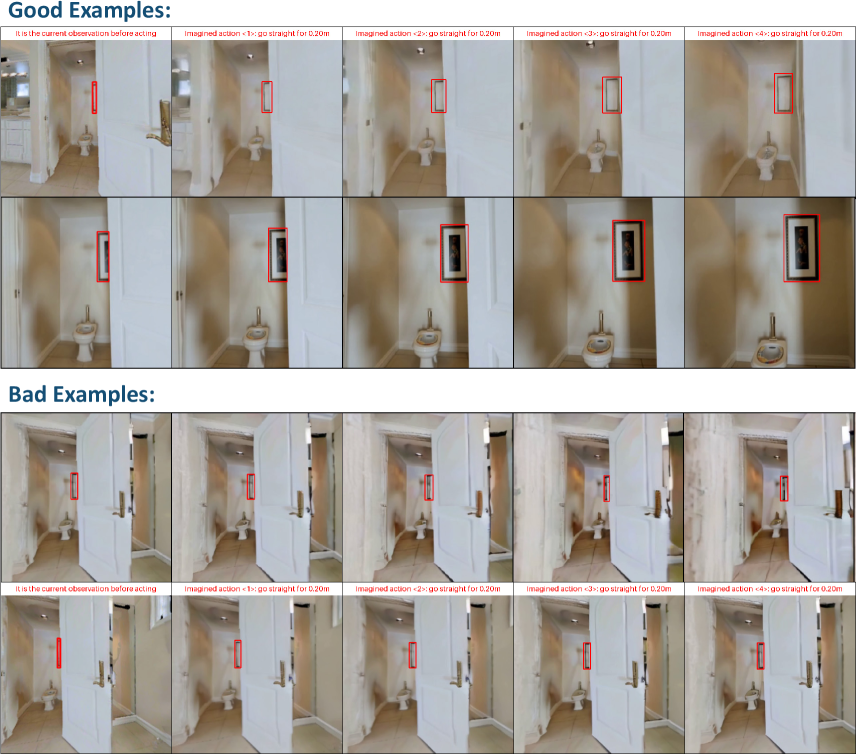
## Screenshot: Action Prediction Visualization Comparison
### Overview
The image presents a side-by-side comparison of "Good Examples" and "Bad Examples" of action prediction visualization. It consists of two sections (top and bottom) with five images each, showing bathroom scenes with annotations. The top section demonstrates accurate predictions, while the bottom section shows errors. Each image includes text captions describing the current observation and an imagined action, with red bounding boxes highlighting predicted regions.
### Components/Axes
- **Sections**:
- Top: "Good Examples" (5 images)
- Bottom: "Bad Examples" (5 images)
- **Image Layout**:
- Each section contains two rows:
- Top row: 3 images
- Bottom row: 2 images
- **Annotations**:
- Red bounding boxes highlight predicted regions
- Text captions below each image describe:
1. Current observation state
2. Imagined action with numerical labels (<1>, <2>, etc.)
### Detailed Analysis
**Good Examples (Top Section)**:
1. **Image 1**:
- Caption: "it is the current observation before acting"
- Action: "<1> go straight for 0.20m"
- Red box: Highlights door handle area
2. **Image 2**:
- Caption: "imagined action <2> go straight for 0.20m"
- Red box: Highlights toilet area
3. **Image 3**:
- Caption: "imagined action <3> go straight for 0.20m"
- Red box: Highlights door frame
4. **Image 4**:
- Caption: "imagined action <4> go straight for 0.20m"
- Red box: Highlights picture frame
5. **Image 5**:
- Caption: "imagined action <5> go straight for 0.20m"
- Red box: Highlights toilet tank
**Bad Examples (Bottom Section)**:
1. **Image 1**:
- Caption: "it is the current observation before acting"
- Action: "<1> go straight for 0.20m"
- Red box: Misplaced on door frame (should be handle)
2. **Image 2**:
- Caption: "imagined action <2> go straight for 0.20m"
- Red box: Incorrectly highlights wall space
3. **Image 3**:
- Caption: "imagined action <3> go straight for 0.20m"
- Red box: Overlaps with door handle but