\n
## Image: Visual Comparison of Object Detection with Varying Gamma Values
### Overview
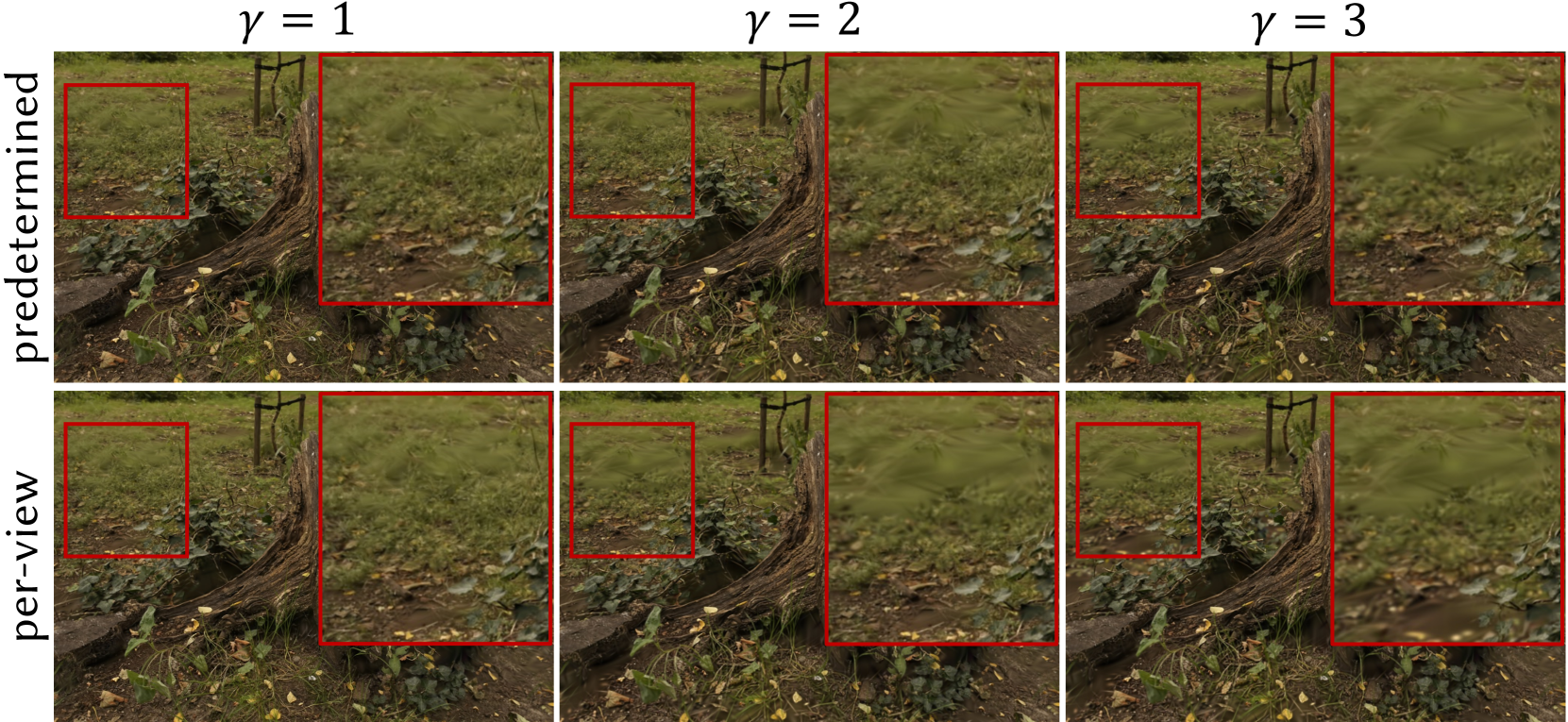
The image presents a 2x3 grid of screenshots, visually comparing the results of object detection on a scene containing a tree trunk and surrounding vegetation. The comparison is based on different gamma (γ) values applied during image processing. The rows represent two different "view" settings: "predetermined" and "per-view". The columns represent gamma values of 1, 2, and 3. Each image contains a red bounding box around a detected object, presumably the tree trunk.
### Components/Axes
* **Rows:** "predetermined", "per-view" - These labels indicate the method used for setting the gamma value.
* **Columns:** γ = 1, γ = 2, γ = 3 - These labels indicate the gamma value used for image processing.
* **Images:** Each cell in the grid displays a screenshot of the scene with object detection results.
* **Bounding Boxes:** Red rectangles highlight detected objects within each image.
### Detailed Analysis or Content Details
The images show a tree trunk and surrounding vegetation. A red bounding box is present in each image, attempting to delineate the tree trunk. The size and position of the bounding box vary depending on the gamma value and view setting.
* **Row 1 (predetermined):**
* γ = 1: The bounding box is relatively small and appears to encompass only a portion of the tree trunk.
* γ = 2: The bounding box is larger than in the γ = 1 case, covering more of the tree trunk.
* γ = 3: The bounding box is significantly larger, encompassing a substantial portion of the tree trunk and some surrounding vegetation.
* **Row 2 (per-view):**
* γ = 1: The bounding box is similar in size and position to the γ = 1 case in the "predetermined" row.
* γ = 2: The bounding box is larger than in the γ = 1 case, but appears slightly smaller than the γ = 2 case in the "predetermined" row.
* γ = 3: The bounding box is very large, similar to the γ = 3 case in the "predetermined" row, encompassing a large portion of the tree trunk and surrounding vegetation.
### Key Observations
* Increasing the gamma value generally leads to a larger bounding box around the tree trunk.
* The "per-view" setting appears to produce slightly smaller bounding boxes compared to the "predetermined" setting for the same gamma value, particularly at γ = 2.
* At higher gamma values (γ = 3), the bounding box becomes overly large, potentially including irrelevant parts of the scene.
### Interpretation
This image demonstrates the impact of gamma correction on object detection performance. Gamma correction adjusts the brightness and contrast of an image. The results suggest that:
* **Gamma Value Sensitivity:** The object detection algorithm is sensitive to the gamma value of the input image.
* **Over-Correction:** Higher gamma values can lead to over-correction, resulting in larger and less accurate bounding boxes. This is likely because the increased contrast emphasizes noise and edges, leading the algorithm to incorrectly identify more pixels as belonging to the object.
* **View Setting Influence:** The "predetermined" and "per-view" settings likely represent different approaches to gamma correction. "Predetermined" might apply a fixed gamma value to the entire image, while "per-view" might adjust the gamma value locally based on the image content. The slight differences in bounding box size suggest that the "per-view" setting can provide more nuanced results.
The image does not provide quantitative data (e.g., precision, recall, IoU) but visually illustrates the trade-offs involved in choosing an appropriate gamma value for object detection. The optimal gamma value likely depends on the specific scene and the characteristics of the object being detected. Further investigation with quantitative metrics would be needed to determine the best setting for this particular scenario.