## Configuration Interface: Trinity-RFT Config Generator
### Overview
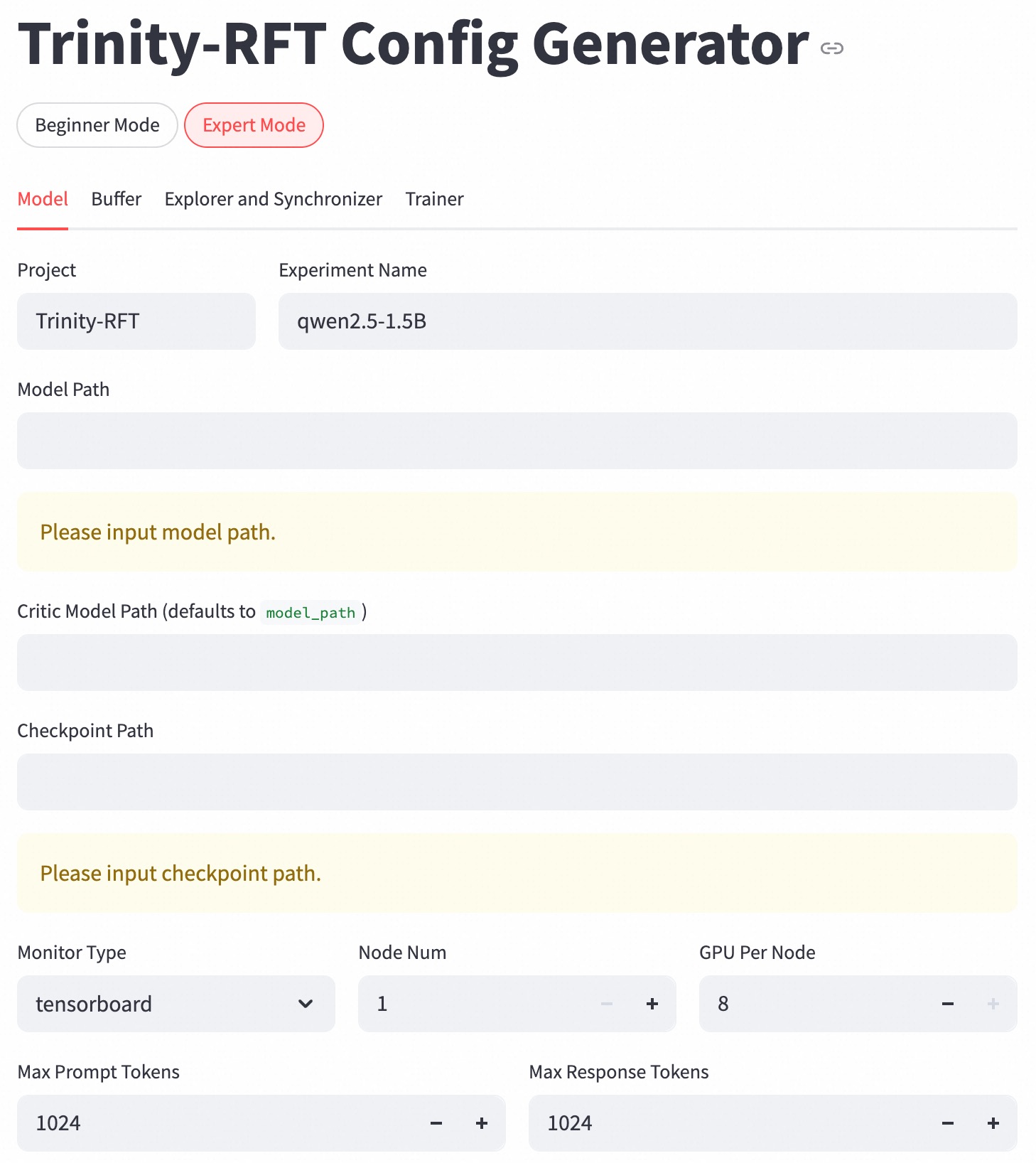
The image depicts a configuration interface, specifically the "Expert Mode" of the "Trinity-RFT Config Generator." It allows users to set parameters for a machine learning model, including project name, model paths, and hardware configurations.
### Components/Axes
* **Header:** "Trinity-RFT Config Generator" with a link icon. Toggle buttons for "Beginner Mode" and "Expert Mode" (Expert Mode is selected). Tabs for "Model," "Buffer," "Explorer and Synchronizer," and "Trainer." The "Model" tab is currently selected.
* **Project:** Text field labeled "Project" with the value "Trinity-RFT."
* **Experiment Name:** Text field labeled "Experiment Name" with the value "qwen2.5-1.5B."
* **Model Path:** Text field labeled "Model Path." Currently empty, with a yellow background and the placeholder text "Please input model path."
* **Critic Model Path:** Text field labeled "Critic Model Path (defaults to model\_path)." Currently empty.
* **Checkpoint Path:** Text field labeled "Checkpoint Path." Currently empty, with a yellow background and the placeholder text "Please input checkpoint path."
* **Monitor Type:** Dropdown menu labeled "Monitor Type" with the selected value "tensorboard."
* **Node Num:** Numerical input field labeled "Node Num" with the value "1." Increment and decrement buttons are present.
* **GPU Per Node:** Numerical input field labeled "GPU Per Node" with the value "8." Increment and decrement buttons are present.
* **Max Prompt Tokens:** Numerical input field labeled "Max Prompt Tokens" with the value "1024." Increment and decrement buttons are present.
* **Max Response Tokens:** Numerical input field labeled "Max Response Tokens" with the value "1024." Increment and decrement buttons are present.
### Detailed Analysis or ### Content Details
The interface is designed for configuring a machine learning model within the Trinity-RFT framework. The user can specify the project and experiment names, model and checkpoint paths, monitoring type, number of nodes, GPUs per node, and maximum token lengths for prompts and responses. The "Expert Mode" suggests a more detailed level of configuration compared to a potential "Beginner Mode." The yellow background on the "Model Path" and "Checkpoint Path" fields indicates that these are required fields.
### Key Observations
* The "Expert Mode" is selected, indicating a more advanced configuration interface.
* The "Model" tab is active, suggesting that the user is currently configuring model-specific parameters.
* The "Model Path" and "Checkpoint Path" fields are highlighted, indicating that these are required inputs.
* The default value for "Critic Model Path" is "model\_path".
* The number of nodes is set to 1, and the number of GPUs per node is set to 8.
* Both "Max Prompt Tokens" and "Max Response Tokens" are set to 1024.
### Interpretation
The configuration interface provides a comprehensive set of parameters for setting up and running a machine learning model within the Trinity-RFT environment. The "Expert Mode" and the availability of tabs for "Buffer," "Explorer and Synchronizer," and "Trainer" suggest a modular and highly configurable system. The highlighted "Model Path" and "Checkpoint Path" fields emphasize the importance of specifying these locations for the model to function correctly. The numerical input fields for node number, GPUs per node, and token lengths allow for fine-tuning the hardware and processing parameters of the model.