## Screenshot: Label Studio Interface
### Overview
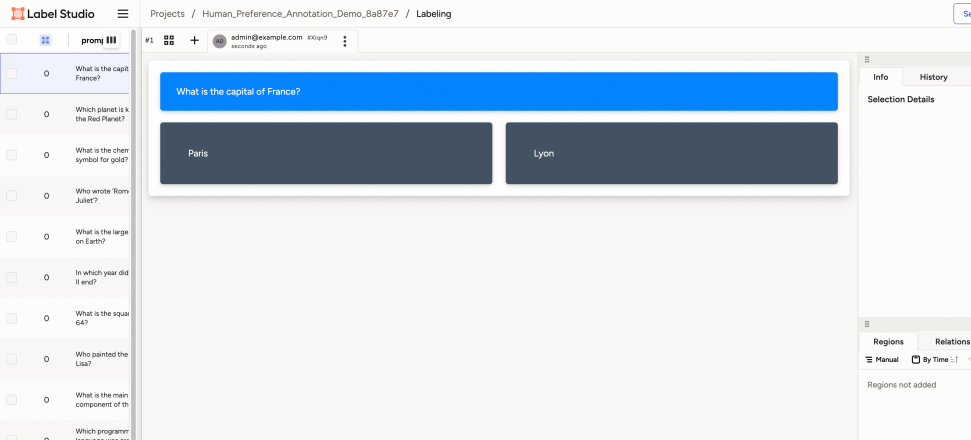
The image depicts a user interface from Label Studio, a data labeling tool. The layout includes a left sidebar with a list of questions, a central area displaying a question and answer options, and a right panel with metadata tabs. The interface is designed for annotating data, likely for machine learning tasks.
### Components/Axes
- **Left Sidebar**:
- A vertical list of questions, each prefixed with a checkbox and a count of "0" (e.g., "What is the capital of France?", "Which planet is known as the Red Planet?").
- The first question ("What is the capital of France?") is highlighted in blue, indicating selection.
- Questions are numbered sequentially (e.g., "0", "1", "2") but lack explicit axis labels.
- **Central Area**:
- A question displayed in a blue banner: "What is the capital of France?"
- Two answer options in dark gray banners: "Paris" (left) and "Lyon" (right).
- No explicit axis titles or legends, but the layout suggests a multiple-choice format.
- **Right Panel**:
- Tabs labeled "Info," "History," and "Selection Details."
- "Selection Details" is empty, with no data or annotations.
- A "Regions" tab is partially visible but lacks content.
### Detailed Analysis
- **Left Sidebar**:
- Questions are static text with no numerical values or trends.
- The count "0" next to each question may indicate unanswered or unselected items.
- **Central Area**:
- The question "What is the capital of France?" is the active focus.
- Answer options "Paris" and "Lyon" are presented as selectable choices.
- **Right Panel**:
- Tabs suggest metadata tracking (e.g., "Info" for general details, "History" for versioning).
- "Selection Details" is empty, implying no data has been saved or processed yet.
### Key Observations
- The interface is in a **pre-labeling state**, as no answers are selected or saved.
- The color scheme uses **blue** for the active question and **dark gray** for answer options, likely to distinguish interactive elements.
- The absence of data in "Selection Details" suggests the user has not yet finalized annotations.
### Interpretation
This interface is designed for **iterative data annotation**, where users select answers from predefined options. The empty "Selection Details" indicates the workflow is in its initial phase, with no committed annotations. The structured layout implies a focus on **efficiency and clarity**, with questions and answers organized for easy navigation. The lack of numerical data or trends suggests the tool prioritizes qualitative labeling over quantitative analysis.
## No numerical data or trends present. The image focuses on UI structure and textual content for data labeling.