## Screenshot: Group Email Agent Instance
### Overview
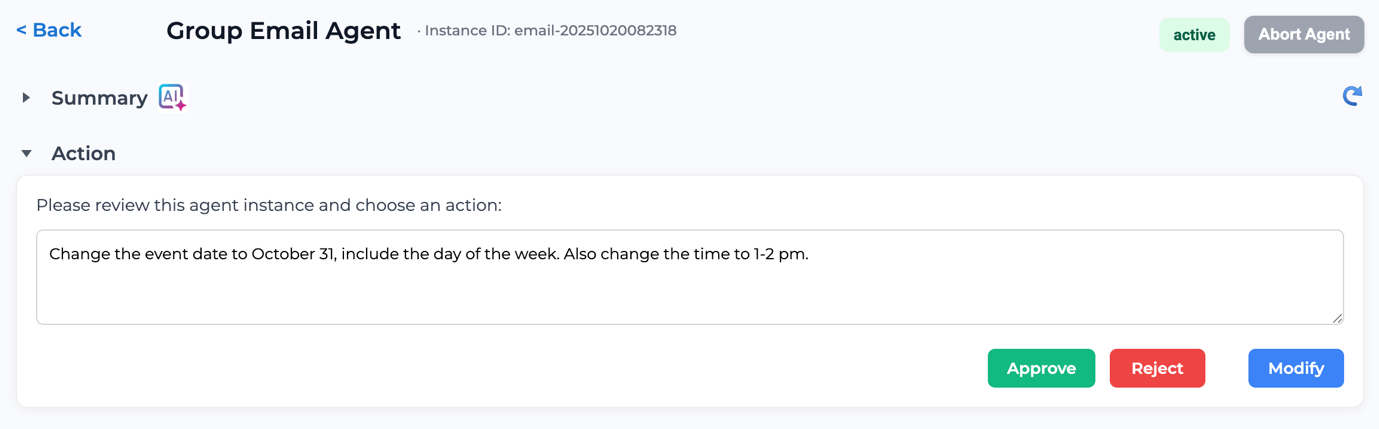
The image is a screenshot of a user interface for managing a "Group Email Agent" instance. It displays the agent's instance ID, status, and provides options to review and modify its settings. The interface includes sections for "Summary" and "Action," with the "Action" section expanded to show a request to change the event date and time.
### Components/Axes
* **Header**:
* "Back" button (labeled "< Back")
* Title: "Group Email Agent"
* Instance ID: "email-20251020082318"
* Status: "active" (in a green button)
* "Abort Agent" button (in a grey button)
* Refresh icon (circular arrow)
* **Summary Section**:
* Section title: "Summary" (collapsed)
* AI icon next to the title
* **Action Section**:
* Section title: "Action" (expanded)
* Instruction text: "Please review this agent instance and choose an action:"
* Text area: Contains the text "Change the event date to October 31, include the day of the week. Also change the time to 1-2 pm."
* Action buttons:
* "Approve" (green button)
* "Reject" (red button)
* "Modify" (blue button)
### Detailed Analysis or ### Content Details
The screenshot shows a specific instance of a "Group Email Agent" with the ID "email-20251020082318." The agent is currently "active." The "Action" section is expanded, indicating that the user is prompted to take action regarding a proposed change. The proposed change involves updating the event date to October 31st, including the day of the week, and changing the time to between 1 and 2 pm. The user has the option to "Approve," "Reject," or "Modify" these changes.
### Key Observations
* The agent is in an "active" state.
* The user is being prompted to review and act on a proposed change to the agent's event date and time.
* The UI provides clear options for approving, rejecting, or modifying the proposed changes.
### Interpretation
The screenshot represents a workflow where a user is reviewing and potentially modifying the settings of an automated email agent. The agent's status is "active," suggesting it is currently operational. The prompt to change the event date and time indicates a need to update the agent's schedule or configuration. The presence of "Approve," "Reject," and "Modify" buttons provides the user with control over the agent's behavior, allowing them to either accept the proposed changes, decline them, or make further adjustments. The AI icon next to the Summary title suggests that AI is involved in the agent's functionality or configuration.