## Database Table Structure: experience_buffer
### Overview
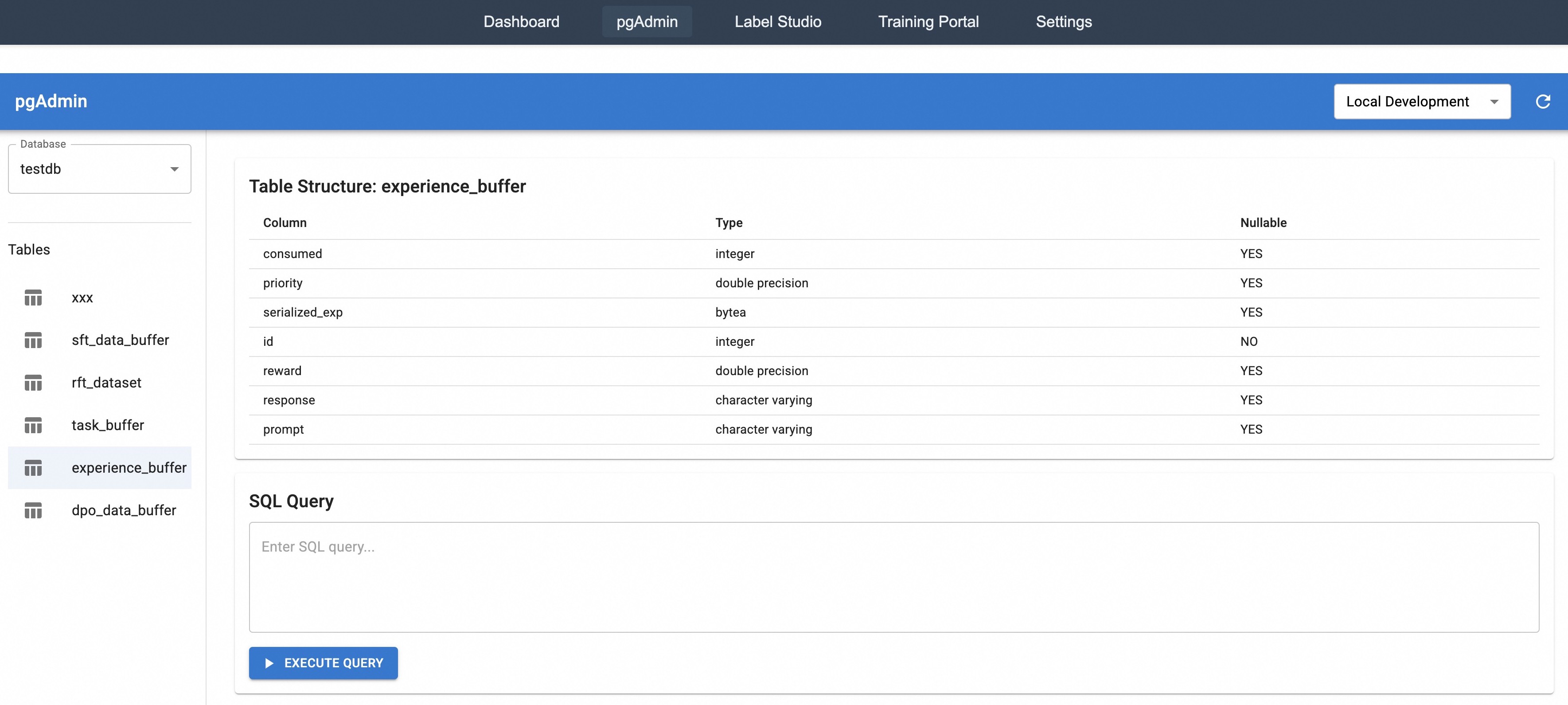
The image is a screenshot of a pgAdmin interface, displaying the structure of a database table named "experience_buffer". It also shows a section for executing SQL queries.
### Components/Axes
* **Header**: Contains navigation links: Dashboard, pgAdmin, Label Studio, Training Portal, Settings. Also includes a "Local Development" dropdown menu.
* **Left Sidebar**:
* Database selection: "testdb" is selected from a dropdown.
* List of Tables: xxx, sft\_data\_buffer, rft\_dataset, task\_buffer, experience\_buffer (selected), dpo\_data\_buffer.
* **Main Content Area**:
* Table Structure: experience\_buffer
* Columns: consumed, priority, serialized\_exp, id, reward, response, prompt
* Types: integer, double precision, bytea, integer, double precision, character varying, character varying
* Nullable: YES, YES, YES, NO, YES, YES, YES
* SQL Query: A text area to enter SQL queries and an "EXECUTE QUERY" button.
### Detailed Analysis or ### Content Details
**Table Structure: experience_buffer**
| Column | Type | Nullable |
| -------------- | ----------------- | -------- |
| consumed | integer | YES |
| priority | double precision | YES |
| serialized\_exp | bytea | YES |
| id | integer | NO |
| reward | double precision | YES |
| response | character varying | YES |
| prompt | character varying | YES |
**SQL Query Section**
* A text input field labeled "Enter SQL query..."
* A button labeled "EXECUTE QUERY"
### Key Observations
* The "experience\_buffer" table has columns with various data types, including integers, double precision numbers, byte arrays, and character strings.
* The "id" column is the only one that is explicitly defined as non-nullable.
* The interface provides a direct way to execute SQL queries against the database.
### Interpretation
The screenshot shows a typical database administration interface, allowing users to view table structures and execute SQL queries. The "experience\_buffer" table likely stores data related to experiences, with fields for consumed resources, priority, serialized data, a unique ID, reward values, responses, and prompts. The fact that most fields are nullable suggests that some data points might be optional or not always available. The SQL query section enables users to interact with the database beyond the basic table structure view.