## Screenshot: pgAdmin Database Interface Showing Table Structure
### Overview
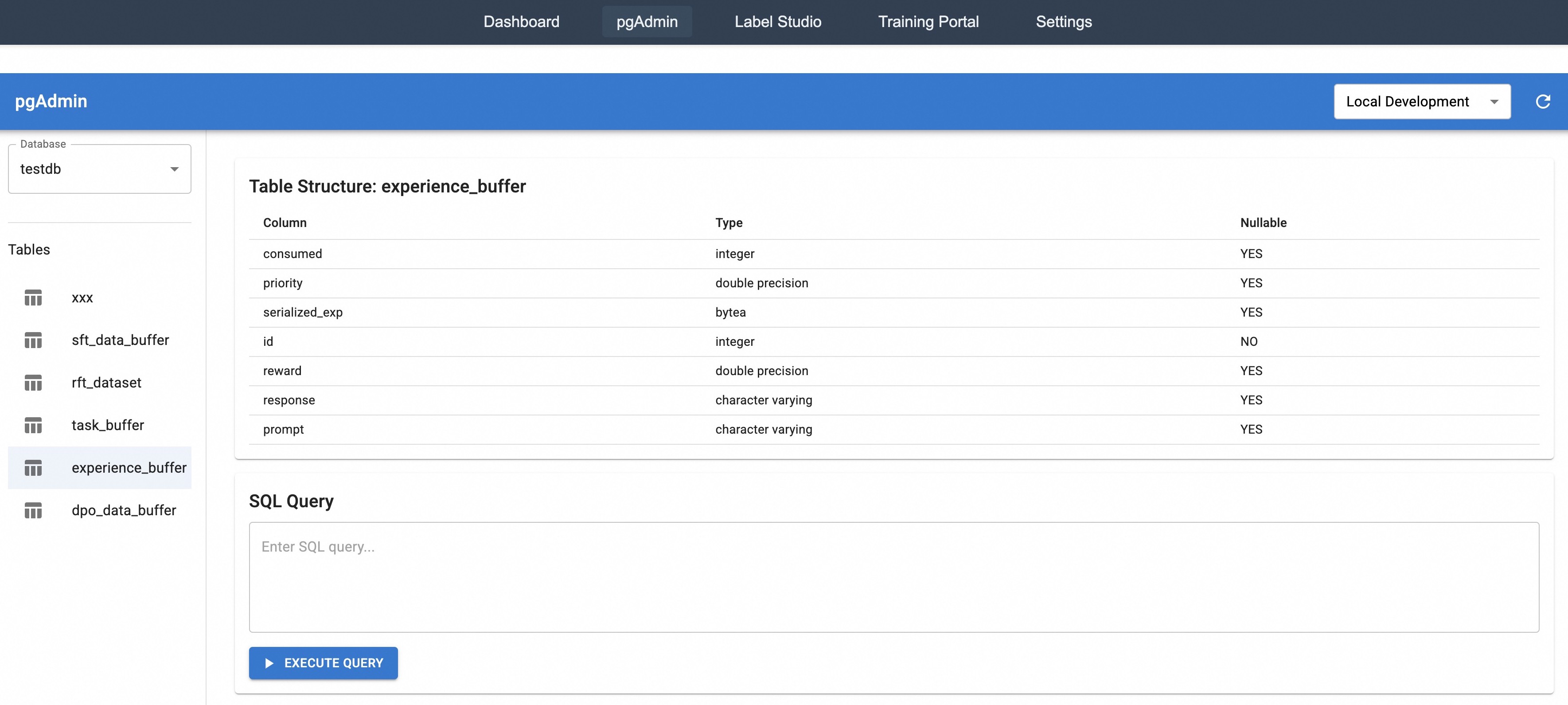
This image is a screenshot of the pgAdmin 4 web interface, a management tool for PostgreSQL databases. The view is focused on displaying the structural definition of a specific table named `experience_buffer` within a database named `testdb`. The interface is divided into a top navigation bar, a left sidebar for database object navigation, and a main content area showing the table schema and a SQL query tool.
### Components/Axes (UI Sections)
1. **Top Navigation Bar (Dark Grey):**
* Contains five tabs: `Dashboard`, `pgAdmin` (currently active, highlighted), `Label Studio`, `Training Portal`, `Settings`.
2. **pgAdmin Header Bar (Blue):**
* Left side: `pgAdmin` logo/title.
* Right side: A dropdown menu displaying `Local Development` and a refresh icon.
3. **Left Sidebar (Database Navigation):**
* **Database Selector:** A dropdown labeled `Database` with `testdb` selected.
* **Tables List:** A section labeled `Tables` containing a list of table names, each with a table icon. The table `experience_buffer` is selected and highlighted.
* List of table names (from top to bottom): `xxx`, `sft_data_buffer`, `rft_dataset`, `task_buffer`, `experience_buffer`, `dpo_data_buffer`.
4. **Main Content Area:**
* **Section 1: Table Structure Display.**
* Title: `Table Structure: experience_buffer`
* A three-column table with headers: `Column`, `Type`, `Nullable`.
* **Section 2: SQL Query Tool.**
* Title: `SQL Query`
* A text input area with placeholder text: `Enter SQL query...`
* A blue button labeled `EXECUTE QUERY` with a play icon.
### Detailed Analysis
**Table Structure for `experience_buffer`:**
The table schema is presented with the following columns and their properties:
| Column Name | Data Type | Nullable |
| :--- | :--- | :--- |
| `consumed` | integer | YES |
| `priority` | double precision | YES |
| `serialized_exp` | bytea | YES |
| `id` | integer | NO |
| `reward` | double precision | YES |
| `response` | character varying | YES |
| `prompt` | character varying | YES |
**Key Data Points from Schema:**
* The primary key or unique identifier is likely the `id` column, as it is the only column marked `Nullable: NO`.
* The table stores a mix of data types: integers (`consumed`, `id`), floating-point numbers (`priority`, `reward`), binary data (`serialized_exp`), and variable-length strings (`response`, `prompt`).
* The column names strongly suggest this table is part of a reinforcement learning or AI training pipeline, designed to store "experiences" (state, action, reward) for replay or analysis.
### Key Observations
1. **Contextual Environment:** The top navigation includes tabs for `Label Studio` and `Training Portal`, indicating this database is part of a larger machine learning development and training ecosystem.
2. **Database Role:** The database is named `testdb`, suggesting it is used for development or testing purposes.
3. **Server Context:** The server connection is labeled `Local Development`, confirming the non-production environment.
4. **Table Relationships:** The list of tables in the sidebar (`sft_data_buffer`, `rft_dataset`, `dpo_data_buffer`, `task_buffer`) alongside `experience_buffer` points to a structured data storage system for different stages or types of AI model training data (e.g., SFT: Supervised Fine-Tuning, RFT: Reinforcement Fine-Tuning, DPO: Direct Preference Optimization).
### Interpretation
This screenshot documents the technical schema of a core data storage component within an AI model training infrastructure. The `experience_buffer` table is designed to log interaction data, likely between a human (or an environment) and an AI model.
* **Purpose of Columns:** The columns `prompt`, `response`, and `reward` are central to training feedback loops. `prompt` is the input, `response` is the model's output, and `reward` is a numerical score evaluating that output. `serialized_exp` likely contains a compact, binary representation of the full "experience" tuple for efficient storage and retrieval. `priority` and `consumed` are operational fields, possibly used to manage a prioritized experience replay buffer, a common technique in reinforcement learning to sample important experiences more frequently.
* **System Workflow:** The presence of this table, alongside others for different training methodologies (SFT, DPO), suggests a pipeline where raw experiences are collected, stored in buffers like this one, and then used to train or fine-tune models. The SQL query interface below the schema allows developers to directly inspect, debug, or manipulate this training data.
* **Anomaly/Note:** The table `xxx` in the sidebar appears to be a placeholder or test table, which is consistent with the `testdb` database name and `Local Development` server context.