## Dashboard: RFT Portal Dashboard
### Overview
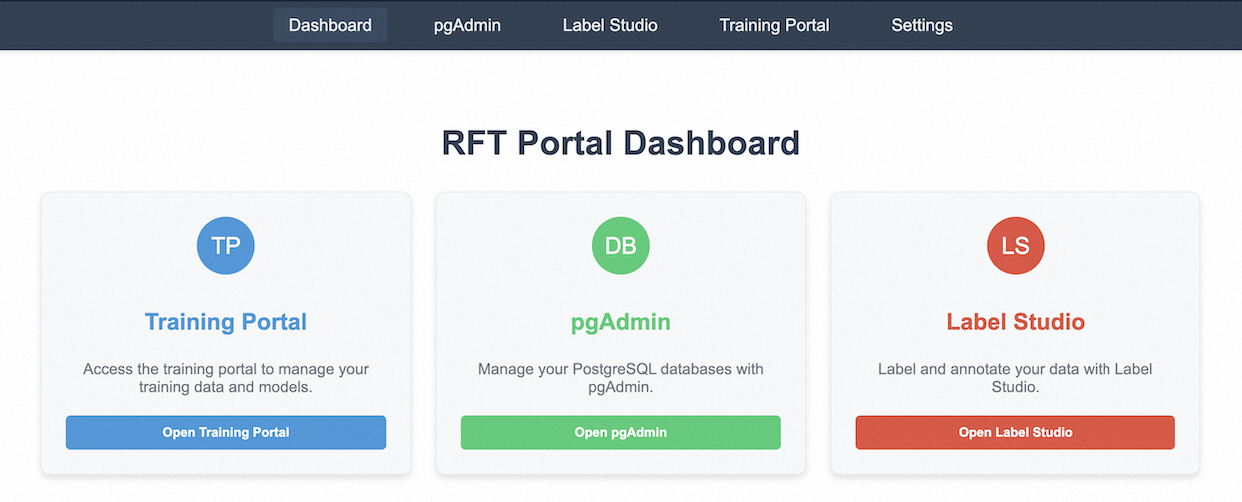
The image is a screenshot of the RFT Portal Dashboard. It displays three main sections: Training Portal, pgAdmin, and Label Studio. Each section has a brief description and a button to open the respective application. The dashboard also includes a top navigation bar with links to Dashboard, pgAdmin, Label Studio, Training Portal, and Settings.
### Components/Axes
* **Header**: Contains the navigation bar with links to:
* Dashboard
* pgAdmin
* Label Studio
* Training Portal
* Settings
* **Title**: "RFT Portal Dashboard"
* **Main Content**: Three cards representing different applications:
* **Training Portal**:
* Icon: "TP" in a blue circle
* Title: "Training Portal"
* Description: "Access the training portal to manage your training data and models."
* Button: "Open Training Portal" (blue)
* **pgAdmin**:
* Icon: "DB" in a green circle
* Title: "pgAdmin"
* Description: "Manage your PostgreSQL databases with pgAdmin."
* Button: "Open pgAdmin" (green)
* **Label Studio**:
* Icon: "LS" in a red circle
* Title: "Label Studio"
* Description: "Label and annotate your data with Label Studio."
* Button: "Open Label Studio" (red)
### Detailed Analysis or ### Content Details
The dashboard is structured to provide quick access to three key applications: Training Portal, pgAdmin, and Label Studio. Each application is represented by a card with an icon, title, description, and a button to launch the application. The color of the icon and button matches for each application (blue for Training Portal, green for pgAdmin, and red for Label Studio).
* **Training Portal**: The icon contains the letters "TP" in a blue circle. The button is labeled "Open Training Portal" and is blue.
* **pgAdmin**: The icon contains the letters "DB" in a green circle. The button is labeled "Open pgAdmin" and is green.
* **Label Studio**: The icon contains the letters "LS" in a red circle. The button is labeled "Open Label Studio" and is red.
### Key Observations
* The dashboard provides a centralized location to access different applications.
* Each application is represented by a card with a consistent design.
* The color scheme is consistent, with each application having its own distinct color.
### Interpretation
The RFT Portal Dashboard is designed to provide users with easy access to the Training Portal, pgAdmin, and Label Studio applications. The clear and consistent design, along with the use of color, makes it easy for users to quickly identify and access the application they need. The dashboard serves as a central hub for managing training data, PostgreSQL databases, and data labeling tasks.