## Screenshot: Training Portal Configuration
### Overview
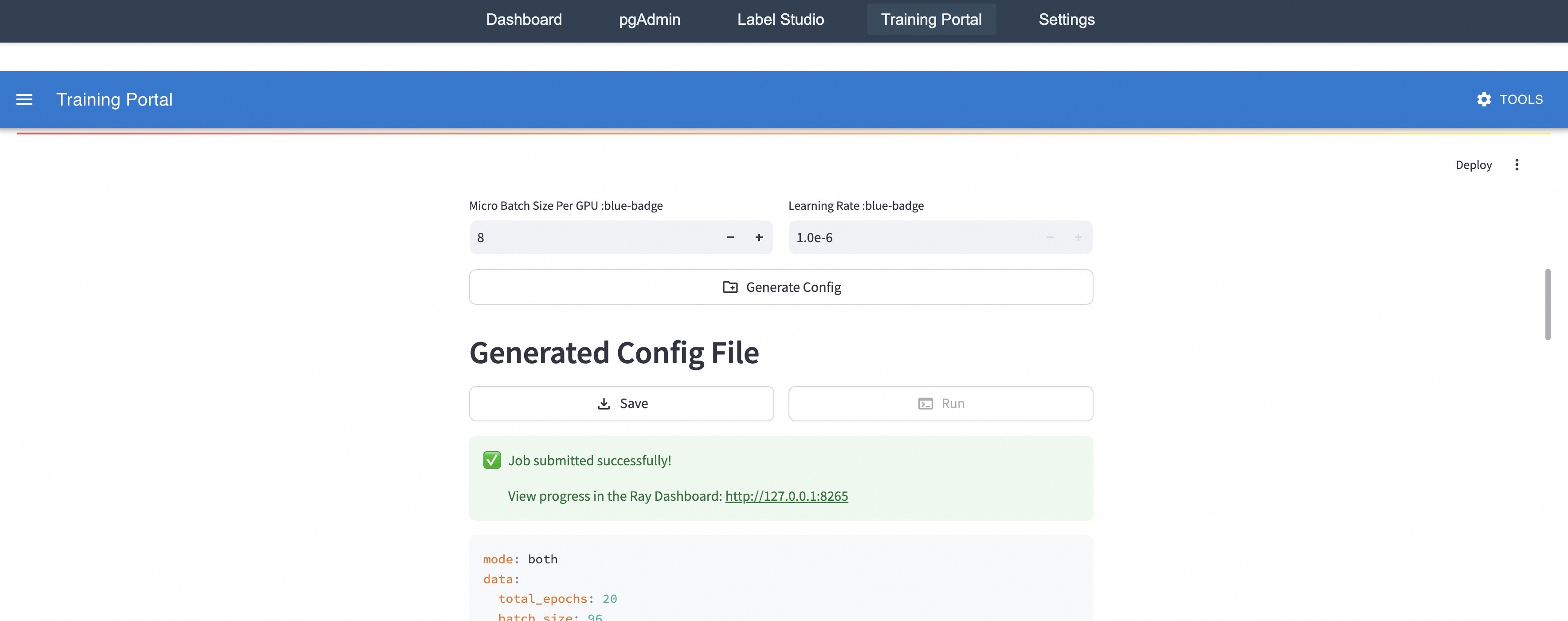
The image is a screenshot of a "Training Portal" configuration interface. It shows settings for micro batch size, learning rate, and options to generate, save, and run a configuration. A success message indicates a job has been submitted.
### Components/Axes
* **Header**: Contains navigation links: "Dashboard", "pgAdmin", "Label Studio", "Training Portal", "Settings", and "Tools".
* **Main Configuration Area**:
* "Micro Batch Size Per GPU :blue-badge": Input field with a value of "8" and "+" and "-" buttons.
* "Learning Rate :blue-badge": Input field with a value of "1.0e-6" and "+" and "-" buttons.
* "Generate Config" button.
* "Generated Config File" heading.
* "Save" and "Run" buttons.
* Success message: "Job submitted successfully!"
* Link to Ray Dashboard: "View progress in the Ray Dashboard: http://127.0.0.1:8265"
* Configuration details:
* mode: both
* data:
* total_epochs: 20
* batch_size: 96
* **Right Sidebar**: "Deploy" option with a three-dot menu.
### Detailed Analysis or ### Content Details
* **Micro Batch Size**: The current value is "8". The user can increase or decrease this value using the "+" and "-" buttons.
* **Learning Rate**: The current value is "1.0e-6". The user can increase or decrease this value using the "+" and "-" buttons.
* **Configuration File**: The configuration file is generated based on the input parameters.
* **Job Submission**: A green checkmark indicates that the job has been submitted successfully.
* **Ray Dashboard**: A link is provided to view the progress of the job in the Ray Dashboard. The link is "http://127.0.0.1:8265".
* **Configuration Details**:
* `mode: both`
* `data:`
* `total_epochs: 20`
* `batch_size: 96`
### Key Observations
* The interface allows users to configure training parameters such as micro batch size and learning rate.
* The system provides feedback on job submission status and a link to monitor progress.
* The configuration details show the mode, total epochs, and batch size.
### Interpretation
The screenshot depicts a user interface for configuring and running training jobs. The user can adjust the micro batch size and learning rate, generate a configuration file, and submit the job. The system provides feedback on the job submission status and a link to monitor progress in the Ray Dashboard. The configuration details provide information about the training mode, total epochs, and batch size. The "blue-badge" text next to the labels "Micro Batch Size Per GPU" and "Learning Rate" likely indicates that these parameters are configurable or have specific constraints within the system.